
RemoveHandwriting
Visit websiteRemove handwritten notes from images and PDFs and restore scanned documents.
Verified Nov 3, 2026
What is RemoveHandwriting?
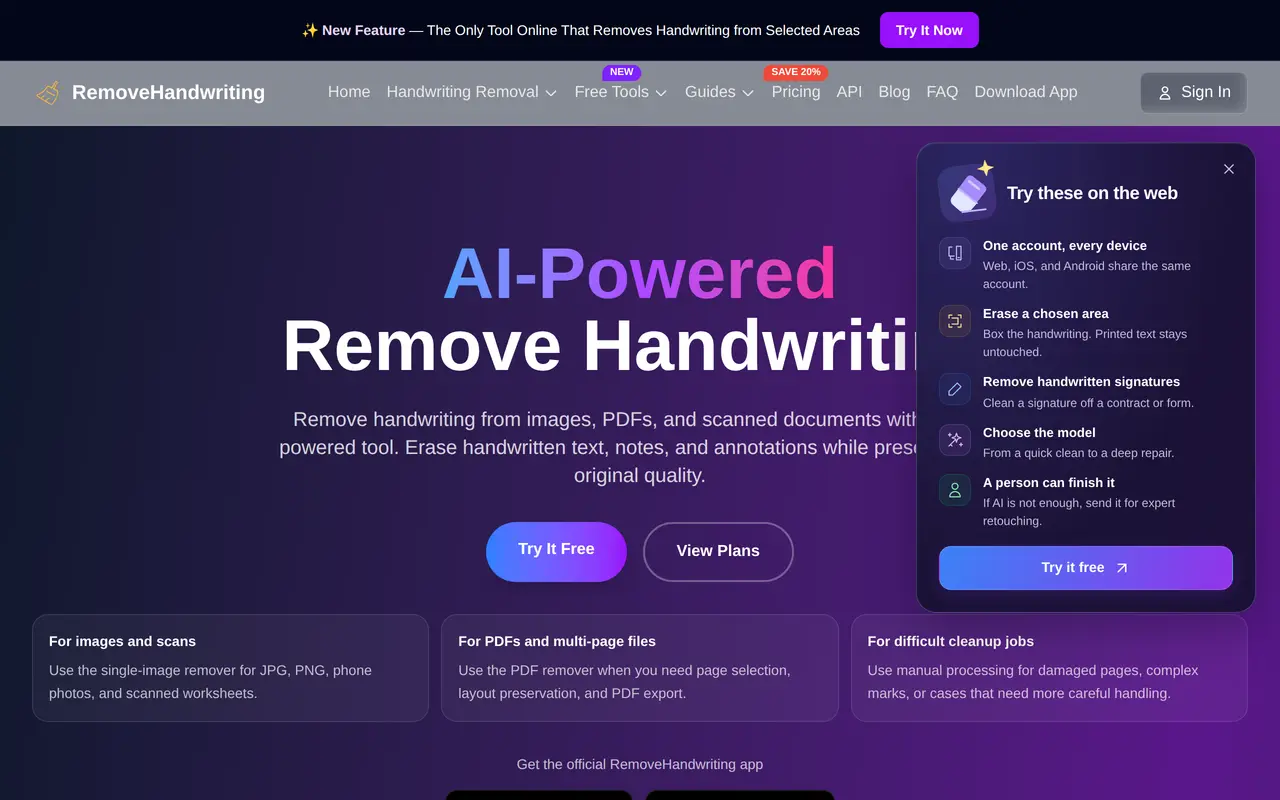
RemoveHandwriting uses AI to erase handwritten notes, answers, and annotations from document images and PDFs while aiming to retain printed text, tables, diagrams, and page layout. It is designed for tasks such as creating reusable worksheets, cleaning marked-up office paperwork, and preparing scanned records for archiving.
Users upload JPG, JPEG, PNG, or PDF files, choose a processing model, and download the cleaned result. PDF processing supports selecting individual pages and exporting a new PDF, while bulk processing handles multiple images. Standard provides scan-style cleanup, Color focuses on retaining document colors, and Ultra handles more difficult pages. Selected-area removal lets users mark a particular region rather than clean the entire image.
The tool also corrects skew and curved pages, crops document borders, and reduces shadows and stains. Results depend on scan quality, lighting, and handwriting density; selected-area processing does not guarantee that other handwriting remains unchanged. Web, iOS, and Android share an account and credits, and an API supports larger workflows. Free previews cannot be downloaded or printed; downloadable trial results require purchasing credits and processing again.
What can RemoveHandwriting do?
Handwriting removal
Erase handwritten notes and marks from images and PDFs while aiming to preserve printed content and layout.
Selected-area cleanup
Mark a specific region for handwriting removal using Ultra, at 5 credits per image.
PDF and bulk processing
Select PDF pages to clean, export a new PDF, or process multiple document images.
Three processing models
Choose Standard for scan-style cleanup, Color for color retention, or Ultra for more difficult documents.
Scan restoration
Correct skew and curved pages, crop borders, and reduce shadows, stains, and background clutter.
Expert cleanup
Send difficult files for manual retouching when automated processing is insufficient.
Who is RemoveHandwriting for?
- Teachers and tutors
- Create clean copies of completed worksheets and exam papers for another round of practice.
- Students and parents
- Remove previous answers and annotations from study materials before reprinting them.
- Office and records teams
- Clean annotated forms, scanned paperwork, and archival documents.
How much is RemoveHandwriting?
Official pricingBasic Yearly
$39.90/yr
Basic Monthly
$3.90/mo
Basic Quarterly
$10.90
Pro Monthly
$24.90/mo
Pro Quarterly
$68.90
Pro Yearly
$239.90/yr
Bulk Pack
$34.99 one-time
Starter Pack
$9.99 one-time
Popular Pack
$18.99 one-time
Free plan: One free Ultra preview and 1 registration credit, plus credits earned through eligible referrals or mobile ads; trial results cannot be downloaded or printed.
Frequently asked questions
Can I use RemoveHandwriting for free?
You can preview one Ultra image without signing in, and registration includes 1 credit. Trial results cannot be downloaded or printed; a downloadable result requires purchasing credits and processing again. Additional free credits can be earned through eligible referrals or by watching ads in the mobile app.
How many credits does processing use?
Standard uses 1 credit per image, Color uses 3, and Ultra uses 5. Selected-area removal requires Ultra and costs 5 credits per image.
Do unused credits expire?
Subscription credits roll over while the subscription remains active. After cancellation, remaining subscription credits expire at the end of the current billing period; purchased credit packs never expire.
Which devices and file formats are supported?
RemoveHandwriting runs on the web, iOS, and Android, with shared accounts and credits. It accepts JPG, JPEG, PNG, and PDF files.
What happens to uploaded documents?
Uploaded documents are automatically deleted after processing and are not used for model training. Businesses can request a data processing addendum.
Is there an API for bulk workflows?
Yes, an API supports bulk processing for teams and businesses. High-volume and SLA-backed usage can be discussed with the vendor.
RemoveHandwriting alternatives
Compare alternatives- 1
 Topaz LabsAI tools to upscale, sharpen, denoise, and restore photos and videos.
- 2
 Cutout.ProEdit and enhance photos, remove backgrounds, and generate images and videos with AI.
- 3
 FotorEdit and enhance photos, generate images, and create designs with AI tools.
- 4
 Bing Image CreatorGenerate images from text and edit photos with AI tools and templates.
- 5
 AirbrushEdit and retouch photos with AI tools for portraits, object removal, and enhancement.
More AI Photo Editors
See more
Canva
AI Graphic Design
Create presentations, graphics, photos, and videos with AI-assisted design tools.

OpenArt
AI Image Generators
Generate and edit AI images, videos, characters, music, and voiceovers in one workspace.

Photoroom
AI Product Photography
Create and edit product photos, listing images, and video ads with AI.

Pixelcut
AI Product Photography
Generate and edit product photos, brand images, and videos with AI.

Adobe Firefly
AI Image Generators
Generate and edit images, videos, and audio with AI.

Magnific
AI Image Generators
Generate and edit AI images and videos on iPhone, iPad, and Mac.