
Bing Image Creator
Visit websiteGenerate images from text and edit photos with AI tools and templates.
Verified Nov 3, 2026
What is Bing Image Creator?
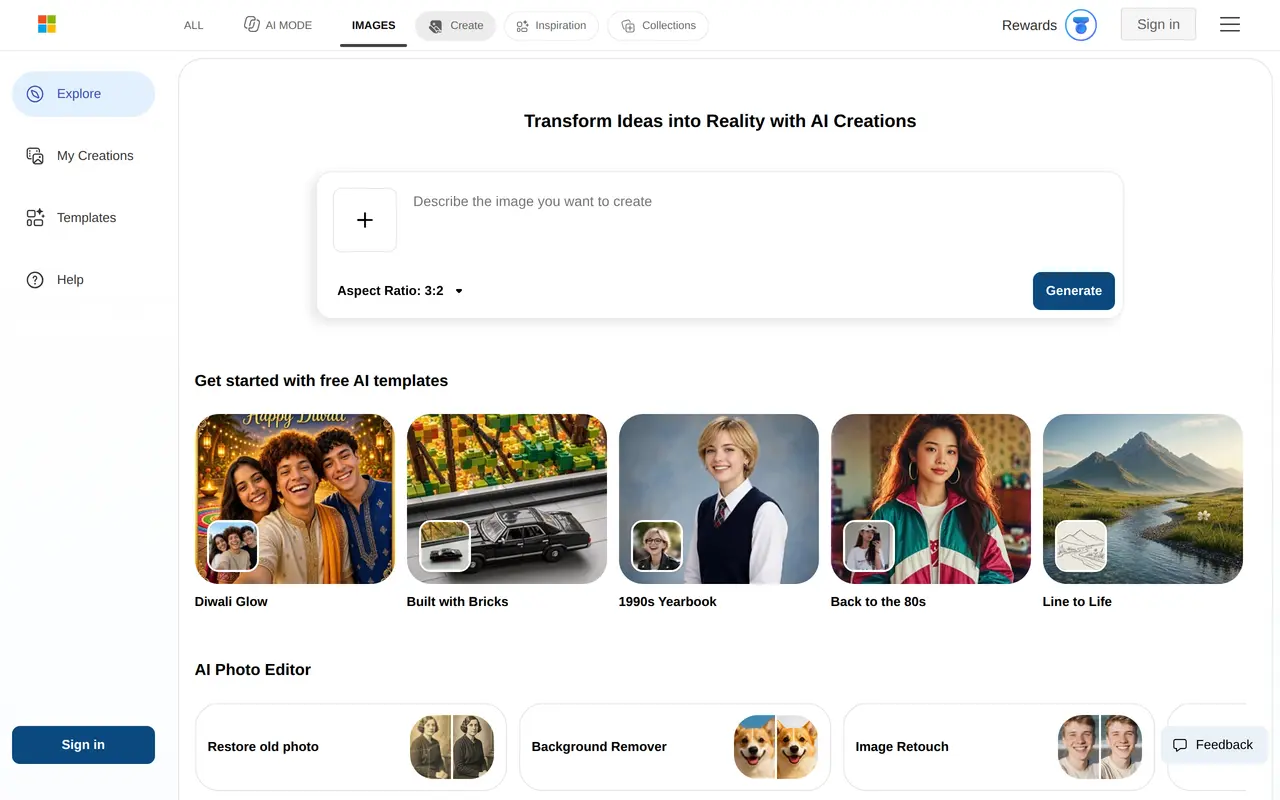
Bing Image Creator is a web-based AI image generator that turns text descriptions into artwork, photos, and other visuals. Users can describe an image, choose an aspect ratio, and generate a result. It also offers templates as starting points for themed creations, including seasonal greetings, professional portraits, retro looks, and brick-style images. An inspiration gallery groups ideas into subjects such as illustration, architecture, food, landscapes, and character design.
Alongside image generation, Bing Image Creator offers AI photo-editing tools for restoring old photos, removing backgrounds, retouching images, expanding their boundaries, and enhancing image quality. This makes it useful both for creating a new visual from an idea and for modifying an existing picture. The service offers free image generation through its browser interface, with dedicated areas for exploring ideas, viewing creations, and browsing templates.
What can Bing Image Creator do?
Text-to-image generation
Turn written descriptions into AI-generated art, photos, and other visuals.
Aspect ratio selection
Choose an image aspect ratio before generating a visual.
Themed templates
Start with templates for seasonal greetings, portraits, retro styles, and other visual themes.
Photo restoration and retouching
Restore old photographs, retouch images, and enhance image quality with AI editing tools.
Background removal and expansion
Remove an image's background or expand its boundaries using dedicated editing tools.
Inspiration gallery
Browse visual ideas organized by subjects such as architecture, illustration, food, and landscapes.
Who is Bing Image Creator for?
- Visual creators
- Generate artwork, illustrations, and concept images from written ideas.
- Personal photo users
- Restore older photographs, retouch pictures, and create themed portraits.
Frequently asked questions
Is Bing Image Creator free to use?
Bing Image Creator offers free AI image generation.
Can it edit existing photos?
Yes. Its AI photo tools include restoration, background removal, retouching, image expansion, and enhancement.
Are there templates to help get started?
Yes. Templates cover themes such as seasonal greetings, professional portraits, retro looks, and brick-style images.
Bing Image Creator alternatives
Compare alternatives- 1
 FotorEdit and enhance photos, generate images, and create designs with AI tools.
- 2
 AI Image EditorEdit photos with text prompts and generate images from text or reference images.
- 3
 PokecutGenerate images, retouch portraits, and edit product photos with AI.
- 4
 PhotoEditor.aiEdit, restore, upscale, and generate images with browser-based AI tools.
- 5
 Remaker AIEdit, enhance, and generate images with AI tools, prompts, and photo effects.
More AI Image Generators
See more
CapCut
AI Video Editors
Edit videos, generate visuals, and add AI captions, voiceovers, and audio cleanup.

OpenArt
AI Image Generators
Generate and edit AI images, videos, characters, music, and voiceovers in one workspace.

DeepAI
AI Image Generators
Generate images, videos and music, edit photos, and chat with AI in one platform.

Adobe Firefly
AI Image Generators
Generate and edit images, videos, and audio with AI.
Artlist
AI Video Generators
Generate and edit videos, images, voiceovers, music, and 3D assets in one workspace.

ImagineArt
AI Image Generators
Generate and edit images, video and audio with brand controls and automated workflows.