
Fotor
Visit websiteEdit and enhance photos, generate images, and create designs with AI tools.
Verified Nov 3, 2026
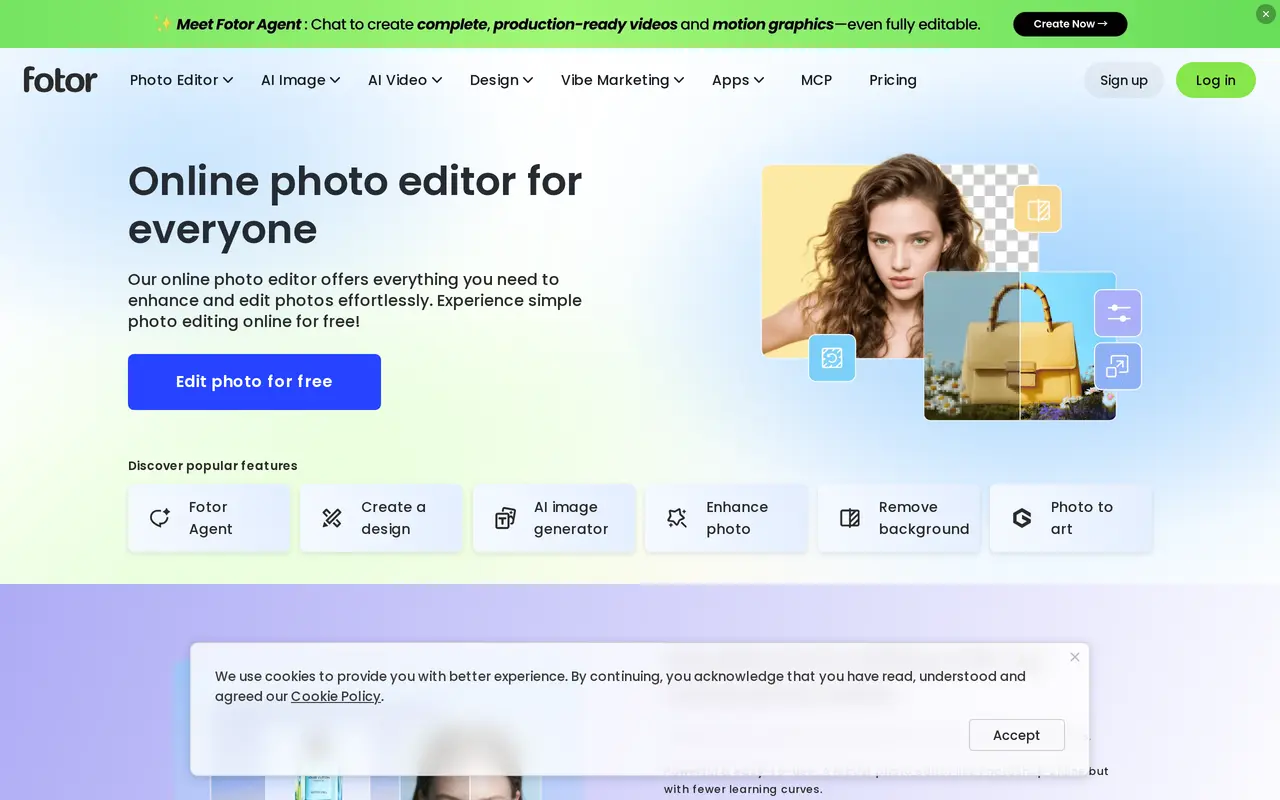
What is Fotor?
Fotor combines a photo editor with AI image generation, retouching, and design tools. Users can upload a photo, adjust its lighting and colors, add text or effects, and download the result as a JPG, PNG, or PDF. It also includes collage layouts, stock images, fonts, stickers, and batch editing for working on multiple photos.
Its AI tools can improve image clarity, remove backgrounds and unwanted objects, and turn photos into illustrated styles. For more substantial edits, users can brush over an area and describe a replacement, or extend an image beyond its original borders. Text prompts can generate new images, while uploaded selfies can become avatars or professional-style headshots.
Fotor is available through the web and apps for mobile and desktop. A free Basic plan provides limited AI credits and standard-resolution exports. Paid subscriptions add larger credit allowances, more concurrent generations, additional cloud storage, and HD export options. Separate credit subscriptions and one-time headshot packages are also available.
What can Fotor do?
AI photo enhancement
Automatically adjust lighting, reduce blur, and enhance image details.
Background and object removal
Remove image backgrounds or erase unwanted people, text, and other objects from photos.
Prompt-based image editing
Brush over an area and describe a replacement, or expand an image beyond its original borders.
Text-to-image generation
Create photos, illustrations, logos, and other images from written prompts.
AI avatars and headshots
Transform uploaded selfies into stylized profile pictures or professional-style headshots.
Batch photo editing
Edit multiple photos together, with paid plans offering AI batch background removal and replacement.
Who is Fotor for?
- Content creators
- Create and edit images, collages, and profile pictures for social media and blogs.
- Photographers
- Enhance photos, retouch portraits, and process multiple images with batch editing tools.
- Entrepreneurs
- Prepare business visuals using image editing tools, design assets, and brand kits.
- Professionals
- Create headshots and profile images for LinkedIn, CVs, and other professional profiles.
How much is Fotor?
Official pricingPro
$10.99/mo
Pro+
$23.99/mo
Max
$49.99/mo
200 credits/month × 12
$69.99/yr
500 credits/month × 12
$143.99/yr
1000 credits/month × 12
$259.99/yr
2000 credits/month × 12
$459.99/yr
5000 credits/month × 12
$1,099.99/yr
10000 credits/month × 12
$1,999.99/yr
20 Image Package
$26.99 one-time
40 Image Package
$37.99 one-time
80 Image Package
$50.99 one-time
Free plan: Basic is free forever, with limited AI credits, 512MB storage, and standard-resolution JPG, PNG, and PDF exports.
Frequently asked questions
Can I use Fotor for free?
The Basic plan is free indefinitely and includes limited AI credits, 512MB of cloud storage, and standard JPG, PNG, and PDF exports.
Which platforms does Fotor support?
Fotor has a web editor and apps for iOS, Android, Windows, and Mac.
How are the paid plans billed?
The displayed annual subscriptions cost $47.99 for Pro, $69.99 for Pro+, and $167.92 for Max. They include monthly credit allowances of 100, 300, and 1,000 respectively.
Do additional credit subscriptions roll over?
Unused credits from credit subscriptions roll over while the subscription remains active, up to five months of accumulation.
Can I buy headshots without a subscription?
Yes. One-time packages include 20 headshots for $26.99, 40 for $37.99, or 80 for $50.99, with one free redo per package.
Fotor alternatives
Compare alternatives- 1
 Bing Image CreatorGenerate images from text and edit photos with AI tools and templates.
- 2
 PokecutGenerate images, retouch portraits, and edit product photos with AI.
- 3
 AI Image EditorEdit photos with text prompts and generate images from text or reference images.
- 4
 PhotoEditor.aiEdit, restore, upscale, and generate images with browser-based AI tools.
- 5
 Remaker AIEdit, enhance, and generate images with AI tools, prompts, and photo effects.
More AI Photo Editors
See more
Canva
AI Graphic Design
Create presentations, graphics, photos, and videos with AI-assisted design tools.

OpenArt
AI Image Generators
Generate and edit AI images, videos, characters, music, and voiceovers in one workspace.

Photoroom
AI Product Photography
Create and edit product photos, listing images, and video ads with AI.

Pixelcut
AI Product Photography
Generate and edit product photos, brand images, and videos with AI.

Adobe Firefly
AI Image Generators
Generate and edit images, videos, and audio with AI.

Topaz Labs
AI Image Enhancers
AI tools to upscale, sharpen, denoise, and restore photos and videos.