
Pixelcut
Visit websiteGenerate and edit product photos, brand images, and videos with AI.
Verified Nov 2, 2026
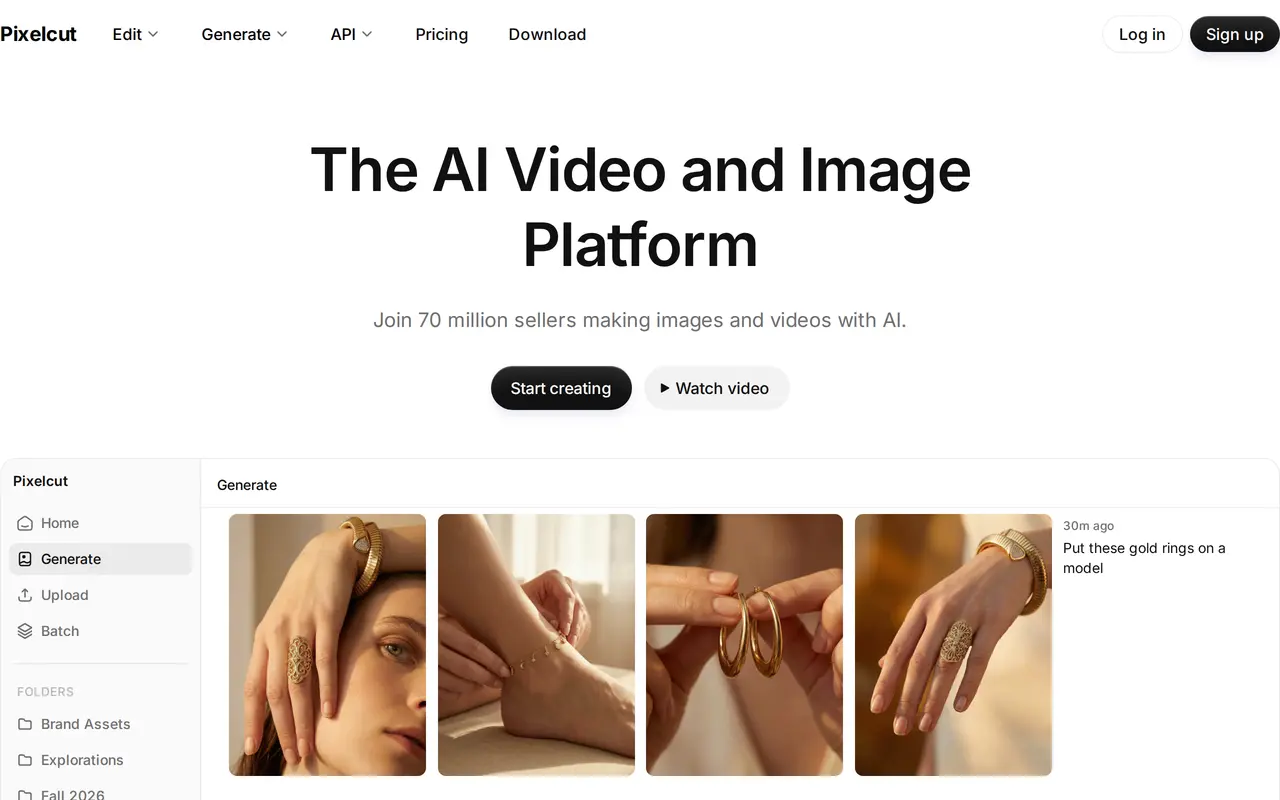
What is Pixelcut?
Pixelcut is an AI image and video platform for sellers, brands, and creators making product visuals and marketing content. Users can upload files for editing or describe what they want to create. Its creative agent interprets prompts and plans and carries out tasks using image and video models, including Nano Banana Pro and Sora 2.
Editing tools include background removal for images and videos, image expansion, generative fill, object removal, shadow generation, and upscaling up to 16 times the original resolution. Batch editing applies changes across hundreds of files. For new content, Pixelcut supports product scenes, custom personas, and talking promotional videos, with tools designed to maintain consistent characters across images and video.
Pixelcut is available on the web, iOS, and Android, with an API and a Claude integration also offered. The free plan provides limited editing tools and watermark-free exports. Paid plans add access to all AI models, monthly credits, team seats, batch exports, and a commercial license. Certain advanced models consume credits when generating or editing content, so model choice affects how much a subscription can produce.
What can Pixelcut do?
Prompt-based creative agent
Describe a creative task and let the agent plan and execute it using image and video tools.
Product and brand visuals
Generate product scenes, custom personas, and promotional videos with consistent characters.
Image and video background removal
Remove backgrounds from photos and videos to isolate subjects for new compositions.
Generative photo editing
Erase objects, retouch selected areas, extend image edges, and generate shadows.
Image upscaling
Increase image resolution up to 16 times using a choice of models, including Topaz.
Batch editing
Apply edits across hundreds of files, with monthly batch export allowances on paid plans.
Who is Pixelcut for?
- Online sellers
- Create product photos, lifestyle scenes, and promotional content for store listings and campaigns.
- Brand and marketing teams
- Produce consistent branded images and videos while sharing access through team plans.
- Content creators
- Generate visuals and talking videos, or edit existing photos for creative projects.
How much is Pixelcut?
Official pricingFree
Free
Pro
$10/mo
Business
$30/mo
Free plan: Free use includes limited background removal and upscaling, with watermark-free exports.
Frequently asked questions
Is Pixelcut free to use?
Pixelcut has a free plan with limited background removal, upscaling, and other editing tools. Free exports have no watermark.
How much do paid plans cost?
Pro costs $10 per month, or $8 per month billed yearly. Business costs $30 per month, or $24 per month billed yearly.
How do AI credits work?
Certain advanced models use credits when creating or editing content. Pro includes 600 monthly credits, while the listed Business plan includes 3,600; usage varies by model.
Can teams share a plan?
Pro includes a three-person team and 1,000 monthly batch exports. Business includes a ten-person team and 2,000 monthly batch exports.
Can I use Pixelcut commercially?
The Pro and Business plans include a commercial license.
Where can I use Pixelcut?
Pixelcut is available on the web, iOS, and Android. It also offers an API and a Pixelcut for Claude integration.
Pixelcut alternatives
Compare alternatives- 1
 PhotoroomCreate and edit product photos, listing images, and video ads with AI.
- 2
 EditaimgEdit photos with text prompts, remove objects, upscale images, and create product scenes.
- 3
 ReelWandGenerate and edit product photos, portraits, illustrations, and brand visuals with AI.
- 4
 GenCraftersGenerate and edit AI images and videos using multiple models in one workspace.
- 5
 Get Img AIGenerate images and edit photos with text prompts across multiple AI models.
More AI Product Photography
See more
FancyAI
AI Agents
Role-based AI agents for enterprise creative, analytics, and software workflows.

Pebblely
AI Product Photography
Create AI product photos with custom backgrounds for listings, ads, and social media.
3D Camera Control
AI Photo Editors
Generate new camera angles from a single reference image using AI.
ForgeEcho
AI Product Photography
Create ecommerce product photos, ad scripts, and voiceovers in one AI workspace.
Igly
AI Marketing Tools
Create product photos, ad creatives, and UGC-style videos with an AI marketing agent.
Image To Image
AI Photo Editors
Edit source photos into product images, ad variations, and campaign visuals with AI.