
OpenArt
Visit websiteGenerate and edit AI images, videos, characters, music, and voiceovers in one workspace.
Verified Nov 2, 2026
What is OpenArt?
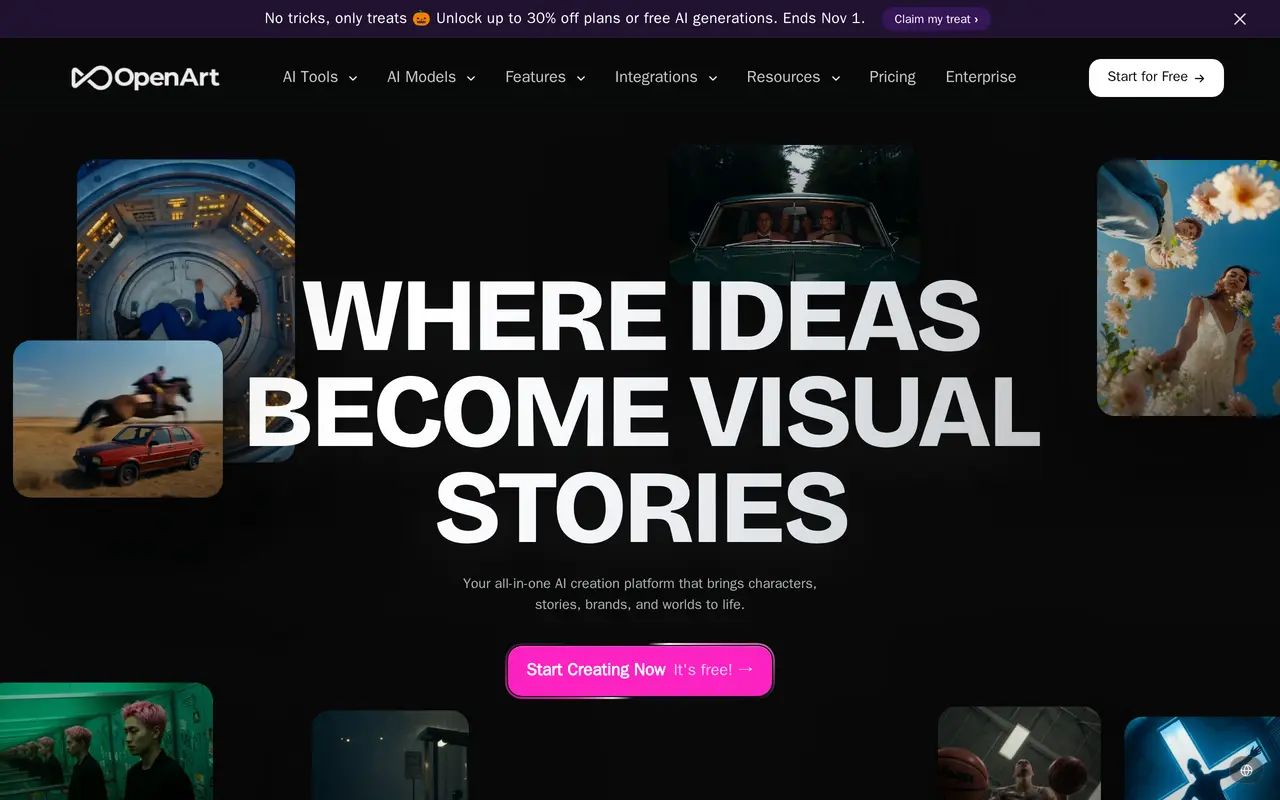
OpenArt is a web-based creative platform for generating and editing images, videos, characters, and audio. It brings multiple AI models into one workspace, letting users choose a model, describe an idea, or upload reference material. Its tools support projects such as social clips, product ads, music videos, and short films.
Director mode uses chat to develop storyboards, shape individual shots, and refine video sequences. Users can also generate clips from text or images, edit images on the same canvas, remove or replace backgrounds, adjust lighting, and upscale images to 4K. A character library lets creators save characters built from text or reference images and reuse them across scenes. OpenArt Worlds generates navigable 3D environments that can be populated with characters and props or exported to specialized 3D tools.
Audio tools cover voiceovers in more than 30 languages, voice cloning, lip-sync, music, and sound effects. Free access includes daily credits, while paid subscriptions provide monthly credit allowances and access to premium models. Generation counts depend on the tools and models used.
What can OpenArt do?
Chat-based video direction
Build storyboards, shape shots, and refine video sequences through natural-language conversations in Director mode.
Multi-model image and video creation
Generate images and videos from prompts or references using models from providers including Google, OpenAI, and ByteDance.
Image and video editing
Replace backgrounds, relight footage, mask video edits, restyle images, and upscale images to 4K.
Reusable characters
Create characters from text or reference images, save them to a library, and reuse them across images and videos.
Navigable 3D worlds
Generate spatial environments from prompts or images, add characters and props, and export environments to 3D tools.
Voice, music, and sound
Create multilingual voiceovers, clone voices, synchronize lip movements, and generate music and sound effects.
Who is OpenArt for?
- Content creators
- Produce social videos, recurring characters, music videos, and other visual content.
- Marketing and brand teams
- Create product ads, branded videos, and reusable brand characters.
- Filmmakers and studios
- Develop storyboards, short films, trailers, and scenes with generated visuals and audio.
How much is OpenArt?
Official pricingStarter
$14/mo
Plus
$34/mo
Pro
$56/mo
Wonder
$240/mo
Extra Credit
$15/mo
Free plan: Free access includes daily generation credits with no credit card required.
Frequently asked questions
Can I use OpenArt for free?
Free access includes daily credits and does not require a credit card. Paid plans provide larger credit allowances and access to premium models.
Can I use generated content commercially?
OpenArt permits commercial use of creations, including ads, client work, social media, and merchandise, without royalties or attribution.
Can I reuse the same character in different scenes?
Yes. You can save a character to your library and reuse it across images and videos with different outfits and settings.
Does OpenArt support social video formats?
Yes. Export options include vertical, widescreen, square, and cinematic aspect ratios for different publishing platforms.
Can software agents use OpenArt?
OpenArt offers MCP and CLI integrations. Access to OpenArt MCP is included in the listed paid plans.
OpenArt alternatives
Compare alternatives- 1
 MagicShotGenerate and edit images, videos, voiceovers, and music in one AI studio.
- 2
 SeaArt AIGenerate and edit AI images and videos, remix templates, and share creations.
- 3
 Nanobanana2.1Generate and edit images with reference photos, inpainting, and up to 4K output.
- 4
 MagnificGenerate and edit AI images and videos on iPhone, iPad, and Mac.
- 5
 PixlrEdit photos and generate images, videos, and audio with AI in your browser.
More AI Image Generators
See more
CapCut
AI Video Editors
Edit videos, generate visuals, and add AI captions, voiceovers, and audio cleanup.

DeepAI
AI Image Generators
Generate images, videos and music, edit photos, and chat with AI in one platform.

Adobe Firefly
AI Image Generators
Generate and edit images, videos, and audio with AI.
Artlist
AI Video Generators
Generate and edit videos, images, voiceovers, music, and 3D assets in one workspace.

Fotor
AI Photo Editors
Edit and enhance photos, generate images, and create designs with AI tools.
ImagineArt
AI Image Generators
Generate and edit images, video and audio with brand controls and automated workflows.