
Magnific
Visit websiteGenerate and edit AI images and videos on iPhone, iPad, and Mac.
Verified Nov 2, 2026
What is Magnific?
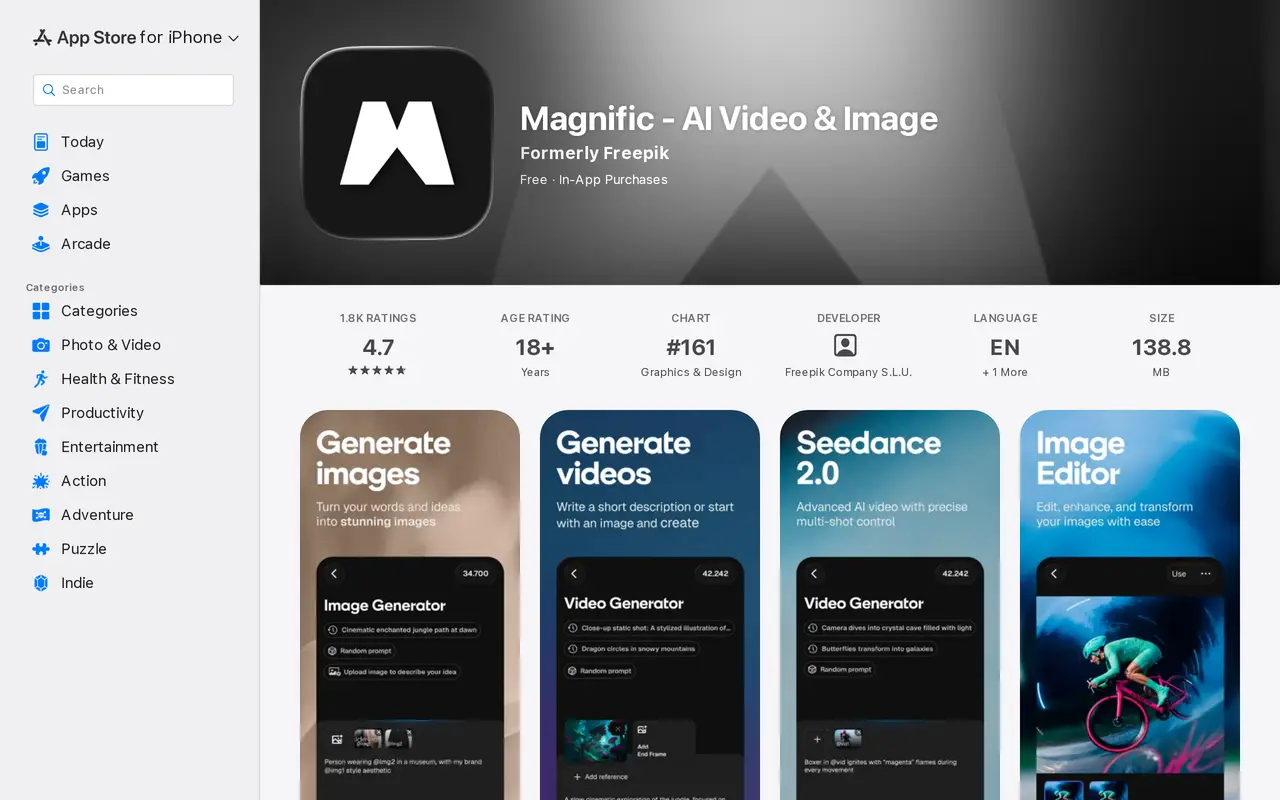
Magnific, formerly Freepik, is an AI creative suite for generating images, making videos, and editing visual content on iPhone, iPad, and Mac. It combines several image and video models with editing tools and a library of photos, vectors, templates, mockups, and other design assets.
Users can create images from prompts, choose visual styles, and adjust color, framing, and lighting. Character controls help build recurring subjects for designs. For video, users can turn text or photos into clips, with supported inputs depending on the selected model. Generated images can also serve as starting or ending frames for animations.
Editing tools include image upscaling, background removal, prompt-based photo changes, and a video editor for trimming and adjusting clips. The app targets content creators, small businesses, creative professionals, and beginners producing social posts, promotional videos, ads, and product visuals. It is free to download with in-app purchases; the iPhone version requires iOS 18.6 or later.
What can Magnific do?
Multi-model image generation
Generate images from prompts using multiple models, with controls for style, color, framing, lighting, and characters.
Text and image to video
Create clips from text or photos, and use generated images as starting or ending frames with compatible models.
AI photo editing
Change image details with prompts, remove backgrounds, and upscale visuals.
Video editing
Trim and adjust clips to assemble video projects with mobile-friendly editing tools.
Design asset library
Start projects with photos, vectors, icons, PSDs, templates, mockups, and videos.
Who is Magnific for?
- Small businesses
- Create ads, menus, flyers, and product visuals.
- Content creators
- Generate images and videos for Instagram, TikTok, YouTube, and other social channels.
- Creative professionals
- Use multiple AI models and editing tools to develop campaign assets on mobile devices.
- Design beginners
- Build visual content using guided workflows and ready-to-use assets.
Frequently asked questions
Is Magnific free?
The app is free to download and offers in-app purchases.
Which Apple devices does Magnific support?
Magnific is available for iPhone, iPad, and Mac. The iPhone version requires iOS 18.6 or later.
Can Magnific animate an existing image?
Yes. Compatible video models can turn photos into clips and use generated images as starting or ending frames.
Was Magnific previously called Freepik?
Yes. The app was formerly called Freepik.
Magnific alternatives
Compare alternatives- 1
 PixlrEdit photos and generate images, videos, and audio with AI in your browser.
- 2
 BerriooGenerate and edit images, create short videos, and turn scripts into speech.
- 3
 Nano Banana FreeEdit photos with text prompts and generate videos from text or images.
- 4
 MagicShotGenerate and edit images, videos, voiceovers, and music in one AI studio.
- 5
 PicsartGenerate and edit images, videos, and audio with AI tools and creative workflows.
More AI Image Generators
See more
CapCut
AI Video Editors
Edit videos, generate visuals, and add AI captions, voiceovers, and audio cleanup.

OpenArt
AI Image Generators
Generate and edit AI images, videos, characters, music, and voiceovers in one workspace.

DeepAI
AI Image Generators
Generate images, videos and music, edit photos, and chat with AI in one platform.

Adobe Firefly
AI Image Generators
Generate and edit images, videos, and audio with AI.
Artlist
AI Video Generators
Generate and edit videos, images, voiceovers, music, and 3D assets in one workspace.

Fotor
AI Photo Editors
Edit and enhance photos, generate images, and create designs with AI tools.