
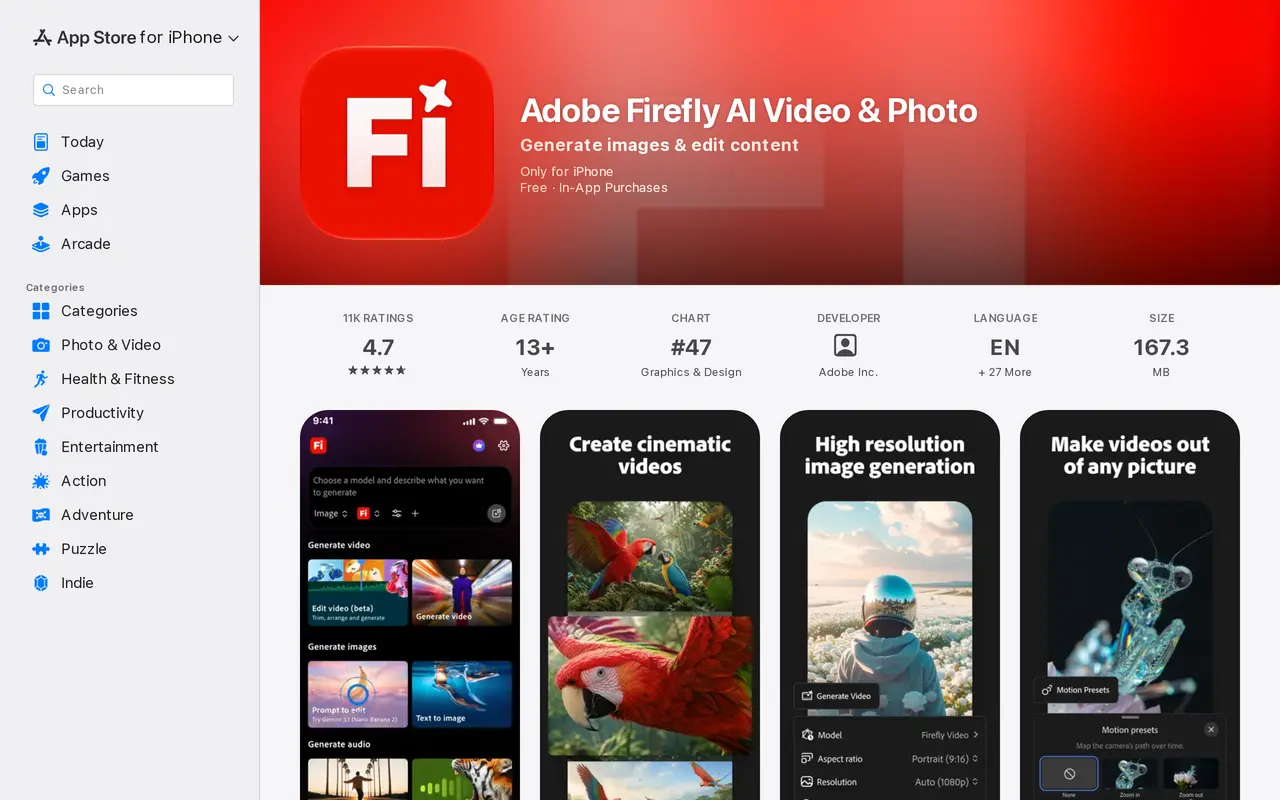
What is Adobe Firefly?
Adobe Firefly is an AI creation tool for generating images, video clips, and audio from prompts. It serves designers, filmmakers, marketers, and other content creators, with an iPhone app and a web workflow connected through a shared generation history. Users can choose models from Adobe and partners including Google, OpenAI, Luma, and Runway.
For images, users can start with a text description or edit existing visuals. Generative Fill and Prompt to Edit can add details, replace backgrounds, and remove unwanted objects. Video tools turn text prompts into clips or animate still images, with options for motion, transitions, resolutions, and aspect ratios. Audio generation supports voiceovers and narration.
Firefly connects with Photoshop, Premiere, and Express so projects can move beyond mobile creation into other Adobe workflows. The iPhone app requires iOS 18.0 or later and is free with in-app purchases. Mobile fine-tuning controls are limited, and generating revised results can consume additional credits.
What can Adobe Firefly do?
Text-to-image generation
Create images from text prompts and choose resolutions and aspect ratios for different projects.
Prompt-based image editing
Use Generative Fill or Prompt to Edit to add details, replace backgrounds, and remove unwanted elements.
Text and image to video
Generate video clips from prompts or animate still images with motion and transitions.
Audio generation
Generate audio for voiceovers and narration to accompany visual content.
Multiple AI models
Choose models from Adobe, Google, OpenAI, Luma, and Runway within one creation workflow.
Cross-device creative workflow
Sync generation history between iPhone and web, and continue work across Photoshop, Premiere, and Express.
Who is Adobe Firefly for?
- Designers and digital artists
- Generate visuals from prompts and edit image details or backgrounds.
- Video editors and filmmakers
- Create video clips, animate still images, and generate transitions for video projects.
- Social media creators and marketers
- Produce images, videos, and audio for social posts and marketing content.
Frequently asked questions
Is Adobe Firefly free?
The iPhone app is free with in-app purchases. Generation uses credits.
What does the iPhone app require?
The app requires iOS 18.0 or later.
Can I continue working between my phone and the web?
Creations sync with Generation History so you can switch between iPhone and the web. Firefly also connects with Photoshop, Premiere, and Express.
Can I refine generated results on mobile?
Mobile fine-tuning controls are limited. Regenerating results can use additional credits.
Adobe Firefly alternatives
Compare alternatives- 1
 PixlrEdit photos and generate images, videos, and audio with AI in your browser.
- 2
 Inkfox AIGenerate and edit images and videos for ads, product listings, and social content.
- 3
 Zeva AIGenerate and edit images or create short videos from text prompts and photos.
- 4
 MagnificGenerate and edit AI images and videos on iPhone, iPad, and Mac.
- 5
 AnyAIHubGenerate and edit images and create videos using multiple AI models.
More AI Image Generators
See more
CapCut
AI Video Editors
Edit videos, generate visuals, and add AI captions, voiceovers, and audio cleanup.

OpenArt
AI Image Generators
Generate and edit AI images, videos, characters, music, and voiceovers in one workspace.

DeepAI
AI Image Generators
Generate images, videos and music, edit photos, and chat with AI in one platform.
Artlist
AI Video Generators
Generate and edit videos, images, voiceovers, music, and 3D assets in one workspace.

Fotor
AI Photo Editors
Edit and enhance photos, generate images, and create designs with AI tools.

ImagineArt
AI Image Generators
Generate and edit images, video and audio with brand controls and automated workflows.