
PhotoEditor.ai
Visit websiteEdit, restore, upscale, and generate images with browser-based AI tools.
Verified Nov 2, 2026
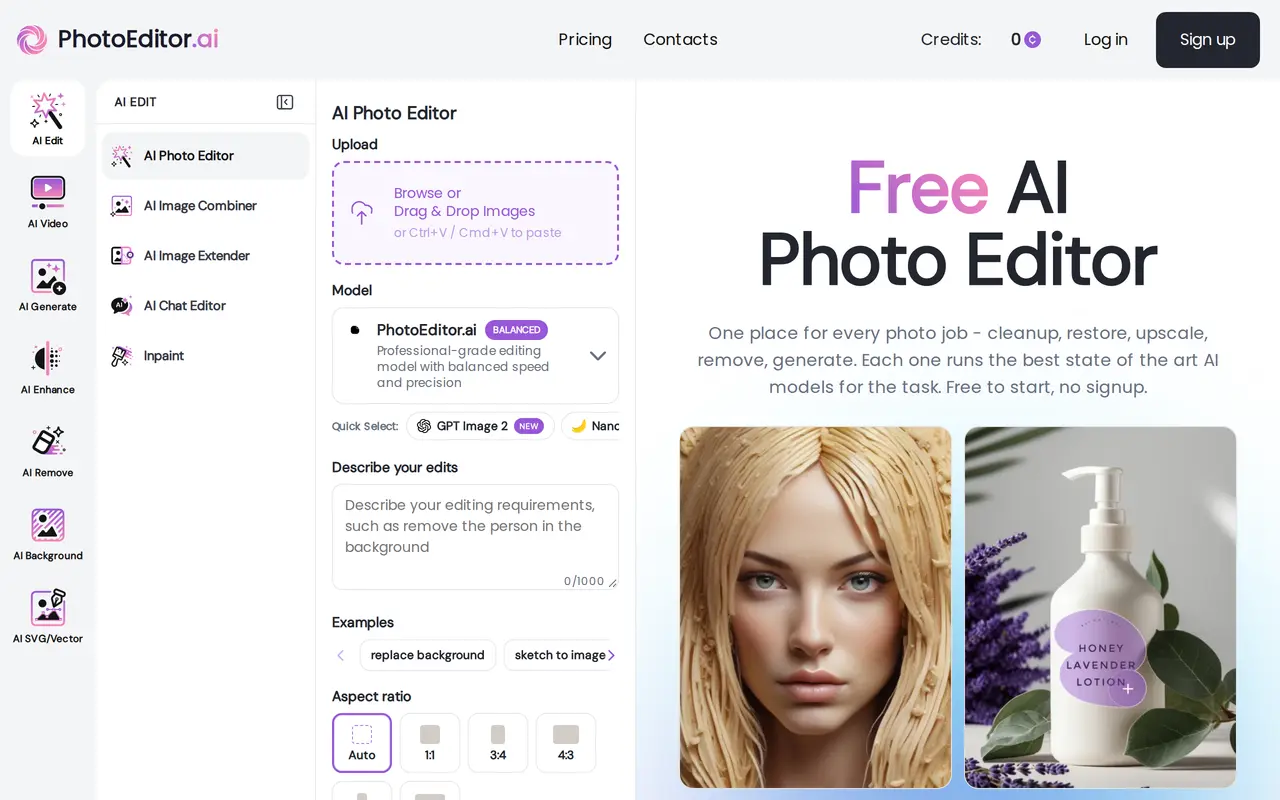
What is PhotoEditor.ai?
PhotoEditor.ai is a browser-based suite of more than 30 AI tools for editing existing photos and generating new images. It covers object removal, background replacement, photo restoration, upscaling, generative fill, and canvas expansion, alongside generators for portraits, logos, illustrations, and product images.
Users upload a photo, choose a task, and guide changes with text prompts, a brush selection, or a reference image. Each tool has a default AI model, with options to switch models. Enhancement tools address blur, noise, faded scans, and compression damage, while background tools can produce transparent PNGs. Upscaling options include 4K and 8K output.
The editor works in desktop and mobile browsers without installation. It accepts JPG, PNG, HEIC, AVIF, and WEBP uploads up to 15 MB. Standard-quality use is free without signup, while paid subscriptions add credits and access to additional capabilities. Starter is restricted to personal use; Pro and Business include a commercial-use license, with users responsible for rights to their source images.
What can PhotoEditor.ai do?
Prompt and brush editing
Describe changes, brush over a specific area, or supply a reference image to guide AI edits.
Object and background removal
Erase unwanted objects, replace or blur backgrounds, and export subjects as transparent PNGs.
Photo restoration
Reduce blur, noise, fading, and compression damage in photos and scanned prints.
Upscaling and canvas expansion
Increase image resolution to 4K or 8K and generate new content beyond the original frame.
Image generation
Create portraits, logos, product images, vectors, and illustrations from prompts or reference images.
Model selection
Use task-specific defaults or switch between available AI models, with premium access depending on the plan.
Who is PhotoEditor.ai for?
- Photographers
- Restore damaged photos, remove distractions, and prepare higher-resolution images.
- E-commerce sellers
- Clean up product images and replace distracting backgrounds for listings.
- Designers and creative agencies
- Generate visual assets and edit images for client projects, branding, and advertising.
- Personal users
- Improve family photos, restore scanned prints, and make creative image edits.
How much is PhotoEditor.ai?
Official pricingStarter
$9/mo
Pro
$15/mo
Business
$35/mo
Free plan: Standard-quality use is free without signup.
Frequently asked questions
Can I use PhotoEditor.ai for free?
Standard-quality use is free without signup. Paid subscriptions provide monthly credits and additional tools, models, and capabilities.
Does it work on phones?
Yes. PhotoEditor.ai runs in browsers on iPhone, Android, tablets, and desktop computers without an app installation.
Can I use the results commercially?
Pro and Business include a commercial-use license, while Starter is for personal use only. You remain responsible for rights to the source images.
What image files can I upload?
Uploads can be JPG, PNG, HEIC, AVIF, or WEBP files up to 15 MB.
How are uploaded images handled?
Uploads are encrypted in transit, processed in isolated workers, and deleted within one hour. They are not used for model training or sold or shared with third parties.
PhotoEditor.ai alternatives
Compare alternatives- 1
 Remaker AIEdit, enhance, and generate images with AI tools, prompts, and photo effects.
- 2
 PokecutGenerate images, retouch portraits, and edit product photos with AI.
- 3
 FotorEdit and enhance photos, generate images, and create designs with AI tools.
- 4
 Bing Image CreatorGenerate images from text and edit photos with AI tools and templates.
- 5
 AI Image EditorEdit photos with text prompts and generate images from text or reference images.
More AI Photo Editors
See more
Canva
AI Graphic Design
Create presentations, graphics, photos, and videos with AI-assisted design tools.

OpenArt
AI Image Generators
Generate and edit AI images, videos, characters, music, and voiceovers in one workspace.

Photoroom
AI Product Photography
Create and edit product photos, listing images, and video ads with AI.

Pixelcut
AI Product Photography
Generate and edit product photos, brand images, and videos with AI.

Adobe Firefly
AI Image Generators
Generate and edit images, videos, and audio with AI.

Topaz Labs
AI Image Enhancers
AI tools to upscale, sharpen, denoise, and restore photos and videos.