PhotoEditorAI
Visit websiteEdit, retouch, and restyle photos in your browser using text prompts.
Verified Nov 2, 2026
What is PhotoEditorAI?
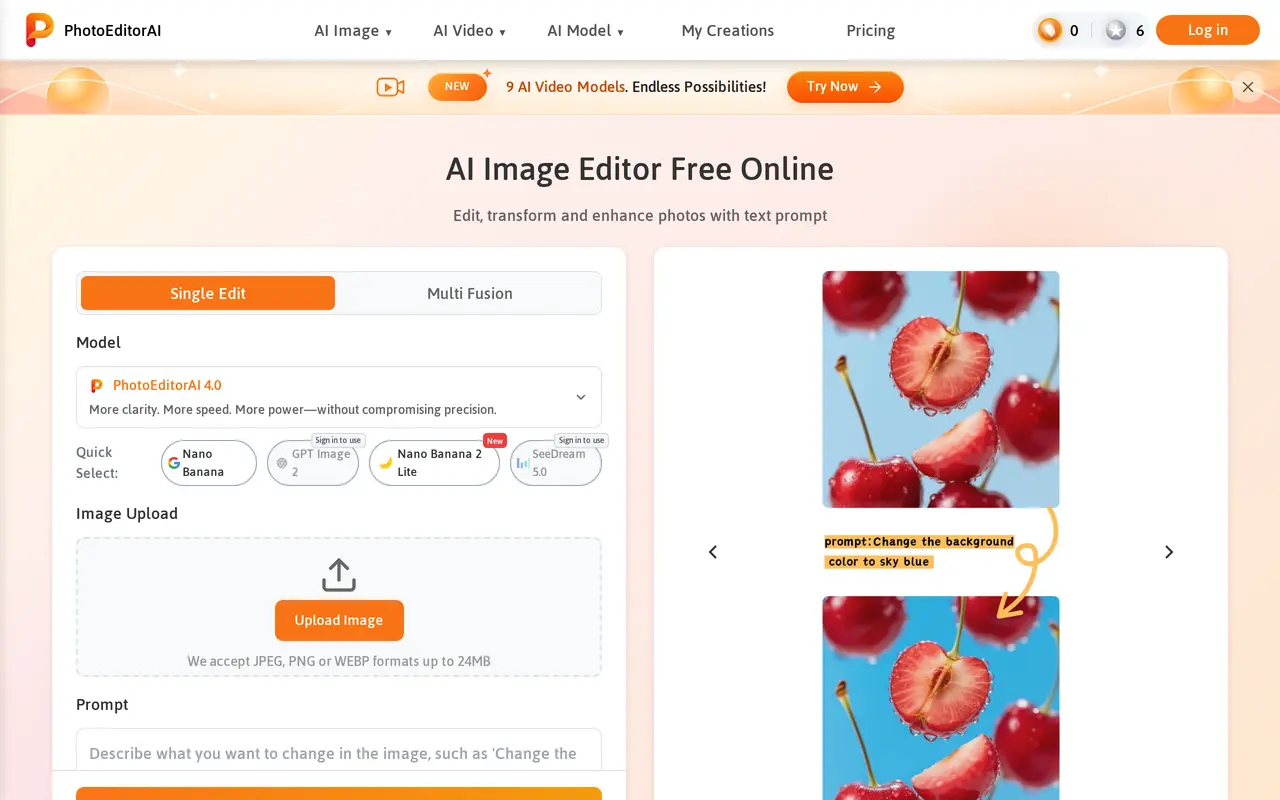
PhotoEditorAI is a browser-based image editor that uses text instructions to modify uploaded photos. Users choose an AI model, upload an image, describe the changes they want, and generate results to preview and download. Supported edits include replacing backgrounds, removing objects, changing hair color, retouching portraits, and restoring old photos.
The editor also supports style transfer from reference images and adding text, captions, or logos to pictures. It offers tools for maintaining a character’s appearance across different outfits and settings, alongside image generation and upscaling. Users can select aspect ratios and output resolutions, including 1K, 2K, and 4K. Uploads can be JPEG, PNG, or WEBP files up to 24 MB.
PhotoEditorAI serves online sellers, content creators, marketing teams, and people editing personal photos. Free accounts can claim daily credits by logging in, while one-time credit packs provide additional usage without a subscription. Some model choices require sign-in. Edited images may be used for commercial projects, including advertising, product listings, and branding.
What can PhotoEditorAI do?
Prompt-based photo editing
Describe changes in plain language to retouch portraits, adjust lighting, change colors, or restore older photos.
Background and object removal
Remove unwanted objects or replace backgrounds for product photos, portraits, and social posts.
Reference-based style transfer
Use a reference image to apply its colors, textures, and artistic style to another photo.
Text and logo editing
Add captions, logos, or watermarks with adjustments to their lighting and perspective.
Character consistency
Create variations intended to preserve a character’s facial features and proportions across outfits, poses, and settings.
Resolution and aspect ratio controls
Choose output aspect ratios and 1K, 2K, or 4K resolution, with image upscaling also available.
Who is PhotoEditorAI for?
- Online sellers
- Clean up product photos, replace backgrounds, and create consistent listing images.
- Content creators
- Restyle photos and create visuals for social media posts.
- Marketing teams
- Produce branded images, banners, and advertising creatives.
- Personal photo editors
- Retouch portraits, improve travel photos, and restore older pictures.
How much is PhotoEditorAI?
Official pricingFree Plan
Free
70 Credits
$7 one-time
300 Credits
$15 one-time
700 Credits
$28.90 one-time
2000 Credits
$58.90 one-time
3000 Credits
$78.90 one-time
5000 Credits
$100 one-time
Enterprise Plan
See website
Free plan: Log in daily to receive 10 free credits.
Frequently asked questions
Can I use PhotoEditorAI for free?
The Free Plan provides 10 credits per day when you log in. Additional credits are available as one-time purchases.
Do paid credits expire?
Purchased credits do not expire, and credit packs do not require a recurring subscription.
Which image files can I upload?
The editor accepts JPEG, PNG, and WEBP images up to 24 MB.
Can I use edited images commercially?
Yes. Edited images can be used for commercial projects such as ads, e-commerce listings, and branding.
How can I pay for credits?
Payment options include USDT and Telegram Stars. Telegram Stars can be purchased through supported methods such as cards, Apple Pay, or Google Pay; mobile platform fees may apply.
Is API access available?
API access is included among the Enterprise Plan benefits, alongside custom features, team collaboration, and a dedicated manager.
PhotoEditorAI alternatives
Compare alternatives- 1
 Cutout.ProEdit and enhance photos, remove backgrounds, and generate images and videos with AI.
- 2
 RemoveLayerRemove backgrounds, erase unwanted objects and text, and sharpen photos with AI.
- 3
 AirbrushEdit and retouch photos with AI tools for portraits, object removal, and enhancement.
- 4
 PhotoEditor.aiEdit, restore, upscale, and generate images with browser-based AI tools.
- 5
 Bing Image CreatorGenerate images from text and edit photos with AI tools and templates.
More AI Photo Editors
See more
Canva
AI Graphic Design
Create presentations, graphics, photos, and videos with AI-assisted design tools.

OpenArt
AI Image Generators
Generate and edit AI images, videos, characters, music, and voiceovers in one workspace.

Photoroom
AI Product Photography
Create and edit product photos, listing images, and video ads with AI.

Pixelcut
AI Product Photography
Generate and edit product photos, brand images, and videos with AI.

Adobe Firefly
AI Image Generators
Generate and edit images, videos, and audio with AI.

Fotor
AI Photo Editors
Edit and enhance photos, generate images, and create designs with AI tools.