
ImgUpscaler
Visit websiteEnlarge photos and artwork by 2x or 4x with AI-generated detail.
Verified Nov 2, 2026
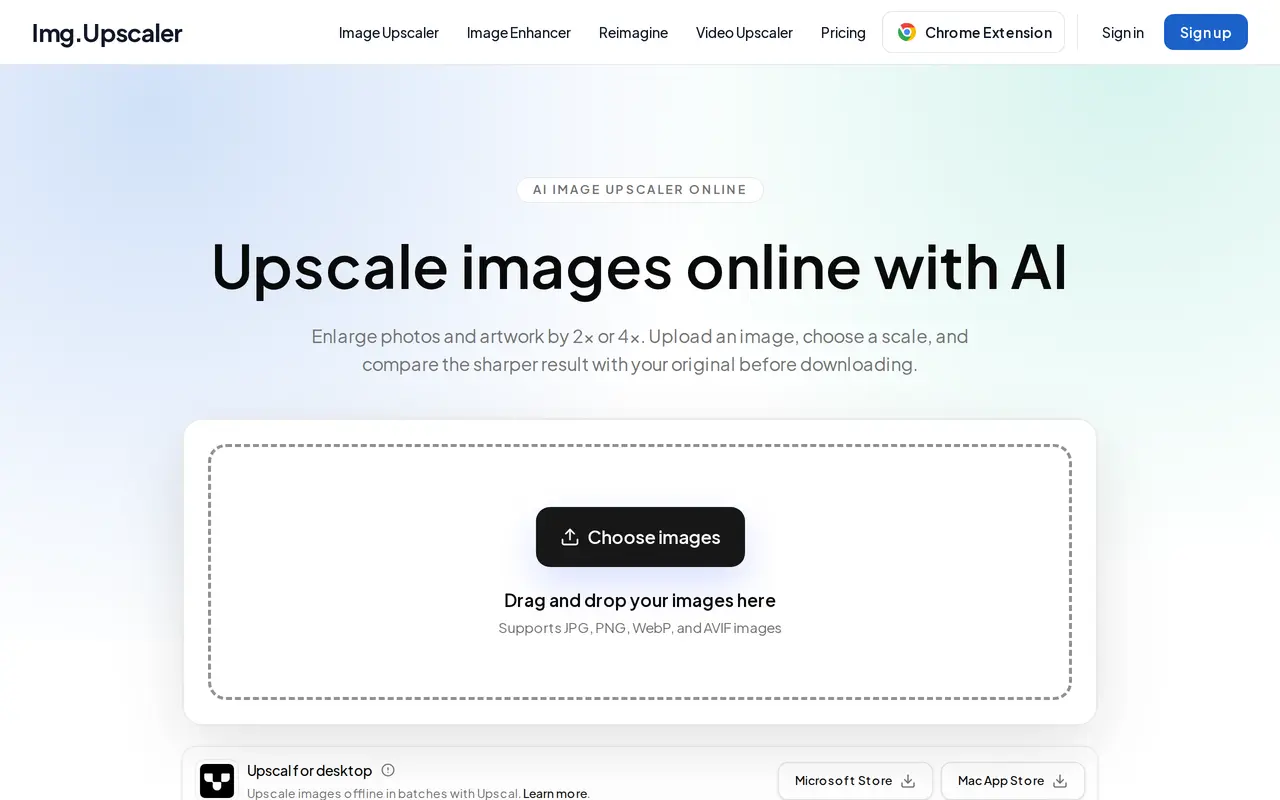
What is ImgUpscaler?
ImgUpscaler is a browser-based AI tool for enlarging photos and artwork. It supports JPG, PNG, WebP, and AVIF files and offers 2x or 4x scaling of both width and height. Users upload an image, choose a scale, inspect the result with a before-and-after comparison slider, and download the processed image.
The tool generates detail to sharpen edges and textures in portraits, product photos, illustrations, anime, and scanned pictures. This is generated detail rather than an exact recovery of the original, so faces, lettering, and logos need careful review. Large uploads may be resized before processing. Paid plans support batches of up to eight images, with downloads available individually or together in a ZIP file, and include a 4K output option in the image enhancer.
The free plan includes 50 credits each month and processes one image at a time. Paid subscriptions provide more credits and remove ads. Uploaded images and processed results are automatically deleted within 24 hours after processing. Results can be used for personal or commercial projects, provided users have the necessary rights to their source images.
What can ImgUpscaler do?
2x and 4x enlargement
Increase image width and height by 2x or 4x while AI generates detail for sharper edges and textures.
Before-and-after preview
Use a comparison slider to inspect the processed image against the original before downloading.
Batch processing
Paid plans process up to eight images at once and let you download results separately or in a ZIP file.
Multiple image formats
Upload JPG, PNG, WebP, or AVIF photos and graphics for enlargement.
4K enhancement
Paid plans add a 4K output option to the image enhancer alongside its 1K and 2K options.
Automatic file deletion
Uploads and processed results are automatically deleted within 24 hours after processing.
Who is ImgUpscaler for?
- Online sellers
- Enlarge product photos individually or process batches for store listings and other materials.
- Designers and illustrators
- Increase the resolution of artwork, illustrations, and client images for web or print projects.
- Personal photo users
- Enlarge portraits and scanned photos while reviewing generated detail before downloading.
How much is ImgUpscaler?
Official pricingFree
Free
Premium
$9.90/mo
Business
$19.90/mo
Free plan: 50 free credits per month for single-image upscaling, enhancement, or Reimagine, with ads and no subscription required.
Frequently asked questions
Is ImgUpscaler free to use?
The free plan provides 50 credits per month, processes one image at a time, and includes ads. Each successful image-processing task uses one credit on metered plans.
How much do paid plans cost?
Premium costs $9.90 per month for 500 monthly credits. Business costs $19.90 per month for unlimited credits; both include batches of up to eight images, 4K enhancement, and no ads.
Can I use the results commercially?
Free and paid results can be used commercially, subject to applicable law and the rights associated with the source images.
How long are my images stored?
Uploaded images and processed results are automatically deleted within 24 hours after processing.
Does upscaling recover the original details?
AI generates detail rather than recovering an exact original. Check faces, text, and logos closely before using the result.
Can I change or cancel my subscription?
You can upgrade, downgrade, or cancel from the billing page in your account.
ImgUpscaler alternatives
Compare alternatives- 1
 ResLeap AIEnhance, unblur, and upscale photos and anime images up to 8x and 8K resolution.
- 2
 Topaz LabsAI tools to upscale, sharpen, denoise, and restore photos and videos.
- 3
 Cutout.ProEdit and enhance photos, remove backgrounds, and generate images and videos with AI.
- 4
 FotorEdit and enhance photos, generate images, and create designs with AI tools.
- 5
 KreaGenerate, edit, and upscale images, videos, and 3D assets with AI.
More AI Image Enhancers
See more
Bing Image Creator
AI Image Generators
Generate images from text and edit photos with AI tools and templates.

Airbrush
AI Photo Editors
Edit and retouch photos with AI tools for portraits, object removal, and enhancement.

Pokecut
AI Photo Editors
Generate images, retouch portraits, and edit product photos with AI.

PhotoEditor.ai
AI Photo Editors
Edit, restore, upscale, and generate images with browser-based AI tools.

RemoveHandwriting
AI Photo Editors
Remove handwritten notes from images and PDFs and restore scanned documents.

Remaker AI
AI Photo Editors
Edit, enhance, and generate images with AI tools, prompts, and photo effects.