Krea
Visit websiteGenerate, edit, and upscale images, videos, and 3D assets with AI.
Verified Nov 3, 2026
What is Krea?
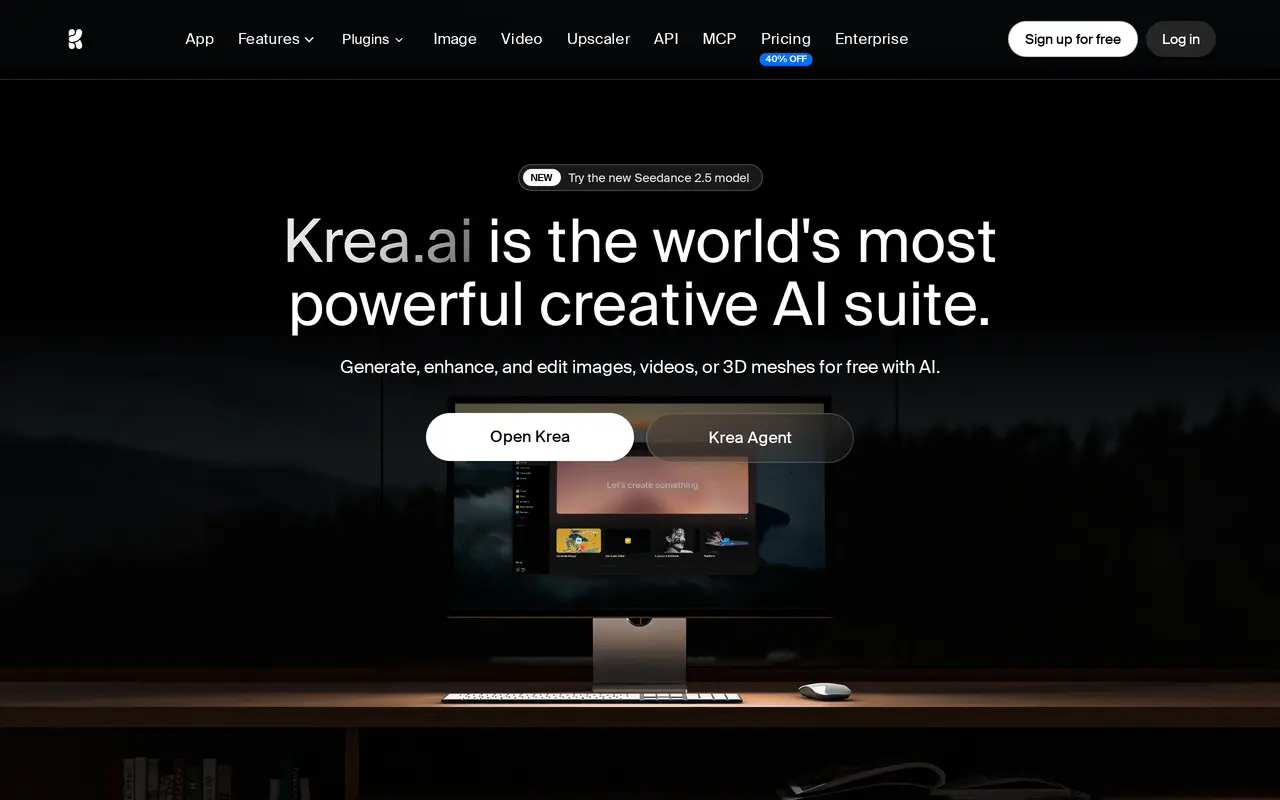
Krea is a browser-based creative suite for generating and editing images, videos, and 3D objects. It combines its own models with models from other providers, letting users create images from text, animate photos, edit visuals with written instructions, and generate video clips in one workspace. Its real-time canvas updates images as users type or draw, making it useful for exploring compositions.
The suite also includes image upscaling up to 22K, video upscaling up to 8K, lip sync, motion transfer, and script-based voiceovers. Users can train LoRA models on their own images to work with recurring subjects or visual styles. Krea Agent plans and iterates across models from a brief, while the Nodes editor connects models, prompts, and processing steps into reusable workflows.
Krea offers daily free compute units and paid subscriptions with different model access and usage allowances. Team options add shared workflows, permissions, and model-access controls, with Business workspaces supporting up to 50 members.
What can Krea do?
Multi-model generation
Create images and videos using Krea models and models from providers including Google, Runway, and Kling.
Real-time canvas
See generated images update as you type or draw to explore visual ideas and compositions.
Generative image editing
Use written instructions to add or remove objects, merge images, and change lighting or expressions.
Image and video upscaling
Upscale images up to 22K and videos up to 8K, with video frame interpolation up to 120 fps.
Custom LoRA training
Train models on your own images to generate recurring characters, products, or visual styles.
Agent and visual workflows
Give Krea Agent a creative brief or connect models and processing steps in the Nodes editor.
Who is Krea for?
- Designers and visual artists
- Explore compositions, generate assets, and edit images using prompts and a real-time canvas.
- Filmmakers and video creators
- Generate clips, animate still images, restyle footage, and upscale video.
- Marketing teams and agencies
- Produce campaign visuals and use custom training and shared workflows for recurring brand work.
- Architects and interior designers
- Develop visual concepts and enhance renders into photographic-style architectural images.
How much is Krea?
Official pricingFree
Free
Basic
$9/mo
Pro
$35/mo
Max
$105/mo
Business
$200/mo
Enterprise
See website
2000 Units
See website
5000 Units
See website
10000 Units
See website
24000 Units
See website
50000 Units
See website
Free plan: 100 compute units per day, access to real-time models, and limited image upscaling up to 2K.
Frequently asked questions
Can I use Krea for free?
The Free plan provides 100 compute units per day without requiring a credit card. It includes real-time models and limited image upscaling up to 2K.
How do the paid plans differ?
Basic includes 5,000 units per month and selected video models, while Pro includes 20,000 units and access to all video models. Max offers selectable compute allowances and LoRA training with up to 2,000 images.
Can I use generated content commercially?
Basic and higher paid plans include a commercial license for uses such as marketing, products, and client work.
Can I train Krea on my own images?
Yes. Basic and Pro support LoRA training with up to 50 images, while Max supports unlimited LoRA training with up to 2,000 images per training set.
Does Krea support team workspaces?
Business includes up to 50 seats, private shared Node Apps, custom roles, and model-access controls. Enterprise offers custom seat counts and additional administrative and support features.
Can Krea connect to other tools?
Krea offers an API, MCP access, and a creative AI agent for Slack.
Krea alternatives
Compare alternatives- 1
 UpsamplerGenerate, enhance, edit, and animate images and videos in a browser.
- 2ArtlistGenerate and edit videos, images, voiceovers, music, and 3D assets in one workspace.
- 3
 ImagineArtGenerate and edit images, video and audio with brand controls and automated workflows.
- 4
 OpenArtGenerate and edit AI images, videos, characters, music, and voiceovers in one workspace.
- 5
 RunwayGenerate and edit video, images, and audio with AI creative tools and APIs.
More AI Image Generators
See more
CapCut
AI Video Editors
Edit videos, generate visuals, and add AI captions, voiceovers, and audio cleanup.

DeepAI
AI Image Generators
Generate images, videos and music, edit photos, and chat with AI in one platform.

Adobe Firefly
AI Image Generators
Generate and edit images, videos, and audio with AI.

Fotor
AI Photo Editors
Edit and enhance photos, generate images, and create designs with AI tools.
Pollo AI
AI Video Generators
Create and edit AI videos, images, and marketing assets with multiple models.

Bing Image Creator
AI Image Generators
Generate images from text and edit photos with AI tools and templates.