
FaceSwaply
Visit websiteSwap faces, restore portraits, and create headshots with browser-based AI photo tools.
Verified Nov 2, 2026
What is FaceSwaply?
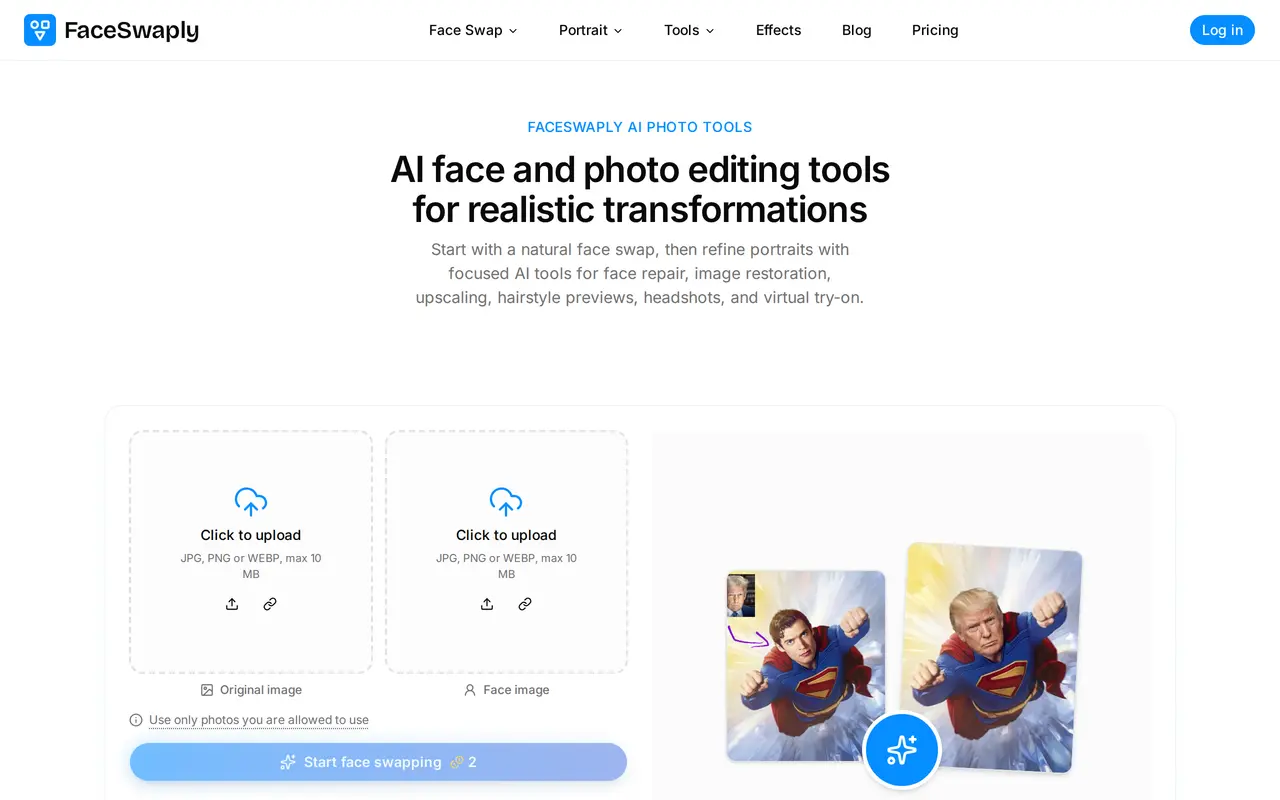
FaceSwaply is a browser-based collection of AI face and photo editing tools. Its main workflow combines a source face with a target photo to generate a face swap while preserving the target’s pose, background, and composition. It also offers video face swapping using a face image and a target video. Users should upload only photos they have permission to use.
For photo swaps, users upload two images, generate a result, and download it or refine it with restoration, retouching, and upscaling tools. Image uploads support JPG, PNG, and WEBP files up to 10 MB. Clear, well-lit faces and unobstructed target photos are recommended for better results.
Additional tools create professional headshots, preview hairstyles and hair colors, and support virtual try-on. Paid subscriptions include monthly credits, watermark-free downloads, a commercial license, and searchable creation history. File retention and generation priority vary by plan.
What can FaceSwaply do?
Photo and video face swaps
Place a source face into a target photo or video, with photo swaps designed to retain the original scene.
Face and image restoration
Restore facial detail in blurry portraits, old photos, and AI-generated faces.
Image upscaling
Turn an uploaded image into a sharper, higher-resolution result.
Professional headshots
Generate a professional headshot from one portrait for LinkedIn, resumes, or team pages.
Hairstyle previews
Preview different hairstyles and hair colors using a portrait.
Portrait retouching
Smooth skin, reduce blemishes, and refine portrait details in one pass.
Who is FaceSwaply for?
- Profile and resume users
- Create professional headshots for LinkedIn profiles, resumes, and business introductions.
- Creative professionals
- Create and refine face swaps and portraits for client work and advertising.
- E-commerce teams
- Use virtual try-on for outfit previews and catalog planning.
How much is FaceSwaply?
Official pricingPlus
$9.90/mo
Pro
$19.90/mo
Max
$39.90/mo
Free plan: A free face-swap starting option is available.
Frequently asked questions
Can I try FaceSwaply for free?
FaceSwaply offers a free face-swap starting option. Paid subscriptions provide monthly credits for further use.
What image formats and sizes are supported?
The photo face-swap uploader accepts JPG, PNG, and WEBP files up to 10 MB. Clear, well-lit faces with minimal obstruction are recommended.
Can I use the results commercially?
Paid plans include a commercial license for advertising, e-commerce, and client deliverables, along with watermark-free downloads. You must have permission to use the source photos.
How long are generated files saved?
Plus saves files for 90 days, Pro for 180 days, and Max for 360 days.
Can I cancel or request a refund?
Subscriptions can be managed or canceled at any time. The 30-day refund policy offers a full refund before paid credits are used, or a proportional refund for unused paid credits.
FaceSwaply alternatives
Compare alternatives- 1
 AirbrushEdit and retouch photos with AI tools for portraits, object removal, and enhancement.
- 2
 Topaz LabsAI tools to upscale, sharpen, denoise, and restore photos and videos.
- 3
 Cutout.ProEdit and enhance photos, remove backgrounds, and generate images and videos with AI.
- 4
 PhotoEditor.aiEdit, restore, upscale, and generate images with browser-based AI tools.
- 5
 PhotoEditorAIEdit, retouch, and restyle photos in your browser using text prompts.
More AI Photo Editors
See more
Canva
AI Graphic Design
Create presentations, graphics, photos, and videos with AI-assisted design tools.

OpenArt
AI Image Generators
Generate and edit AI images, videos, characters, music, and voiceovers in one workspace.

Photoroom
AI Product Photography
Create and edit product photos, listing images, and video ads with AI.

Pixelcut
AI Product Photography
Generate and edit product photos, brand images, and videos with AI.

Adobe Firefly
AI Image Generators
Generate and edit images, videos, and audio with AI.

Fotor
AI Photo Editors
Edit and enhance photos, generate images, and create designs with AI tools.