
Kling 4.0
Visit websiteGenerate and edit videos from text, images, and references with multiple AI models.
Verified Nov 2, 2026
What is Kling 4.0?
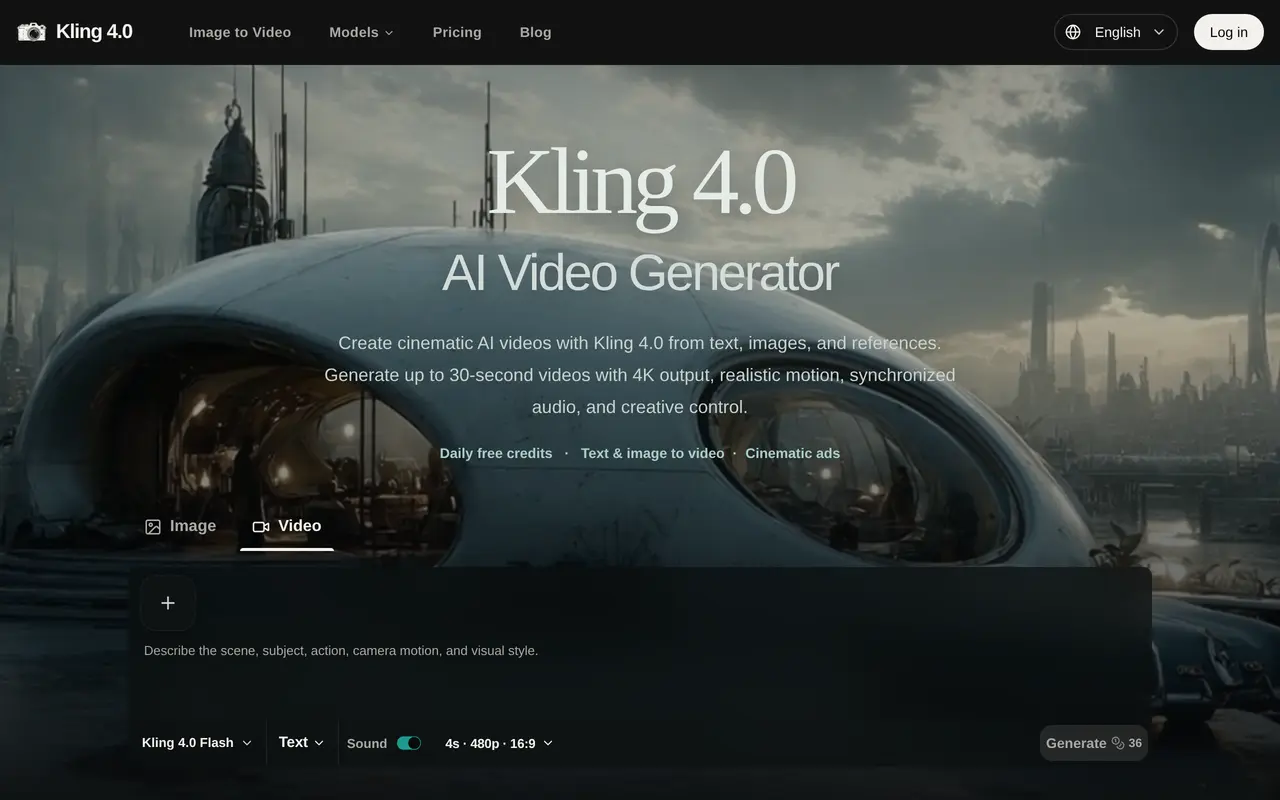
Kling 4.0 is a browser-based AI video generation platform for creating clips from text prompts, uploaded images, and reference material. Operated through Kling40.app, it is an independent service, not affiliated with or endorsed by Kuaishou or Kling AI. It offers multiple video models for projects such as product ads, cinematic scenes, creator-style videos, and social content.
Users enter a prompt or upload an image, choose a model and output settings, then preview and download the result. The full Kling 4.0 option supports clips from 3 to 30 seconds, up to 10 keyframes, and combinations of up to 10 reference images and five reference videos. Additional capabilities include output up to 4K, synchronized stereo audio, and targeted edits to subjects, motion, backgrounds, and camera direction. Available settings depend on the selected model and mode.
Generation uses credits, with the cost displayed before submission and determined by settings such as duration and resolution. Eligible accounts receive daily free credits. Paid subscriptions add monthly credit allowances, priority generation, watermark-free downloads, and commercial use.
What can Kling 4.0 do?
Text and image inputs
Create videos from written prompts or uploaded still images, then preview and download the results.
Multi-keyframe control
Use up to 10 keyframes with the full Kling 4.0 model to guide actions, transitions, and other moments.
Reference-guided generation
Combine up to 10 images and five videos to guide subjects, composition, and visual style.
Video and audio output
Generate clips up to 30 seconds with output up to 4K and synchronized stereo audio, depending on the selected mode.
Targeted video editing
Change subjects, expressions, movement, camera direction, backgrounds, and visual style in existing clips.
Multiple video models
Choose among available models, including Kling 4.0 Flash and Wan, for different generation needs.
Who is Kling 4.0 for?
- Advertising teams
- Create product showcases, commercials, and creator-style promotional videos.
- Social media creators
- Generate short videos in landscape, square, and vertical formats for social channels.
- Filmmakers and visual storytellers
- Develop cinematic scenes with references, keyframes, and camera direction.
How much is Kling 4.0?
Official pricingBasic
$192/yr
Standard
$384/yr
Pro
$960/yr
Free plan: Eligible accounts receive 50 free credits daily.
Frequently asked questions
Can I try it for free?
Eligible accounts receive 50 free credits daily. Sign in to check your balance and the credit cost of your chosen generation settings.
How much do subscriptions cost?
Basic costs $192 billed yearly, Standard costs $384 billed yearly, and Pro costs $960 billed yearly. They include 800, 1,600, and 4,000 credits per month respectively.
How many credits does a video use?
The cost depends on the model, duration, resolution, input mode, and other settings. The Generate button shows the total before submission.
Can I use the videos commercially?
The Basic, Standard, and Pro subscriptions include commercial use and watermark-free downloads.
Is this the official Kling AI service?
No. Kling40.app is an independent platform and is not affiliated with, sponsored by, or endorsed by Kuaishou or Kling AI.
Kling 4.0 alternatives
Compare alternatives- 1
 Wan 2.7Generate and edit short videos using text, images, and video references.
- 2
 Seedance 3.0Generate and edit videos with synchronized audio using text and media references.
- 3
 ClipDanceGenerate and edit AI videos from text, images, and references with synchronized audio.
- 4
 Kling 4.0Generate videos from prompts, images, and references with keyframe and camera controls.
- 5
 MiniMax H3Generate short AI videos from text, images, video references, and audio.
More AI Video Generators
See more
CapCut
AI Video Editors
Edit videos, generate visuals, and add AI captions, voiceovers, and audio cleanup.

OpenArt
AI Image Generators
Generate and edit AI images, videos, characters, music, and voiceovers in one workspace.

DeepAI
AI Image Generators
Generate images, videos and music, edit photos, and chat with AI in one platform.

Pixelcut
AI Product Photography
Generate and edit product photos, brand images, and videos with AI.

VEED
AI Video Editors
Generate, edit, subtitle, and dub videos with AI in one platform.

Adobe Firefly
AI Image Generators
Generate and edit images, videos, and audio with AI.