
MiniMax H3
Visit websiteGenerate short AI videos from text, images, video references, and audio.
Verified Nov 2, 2026
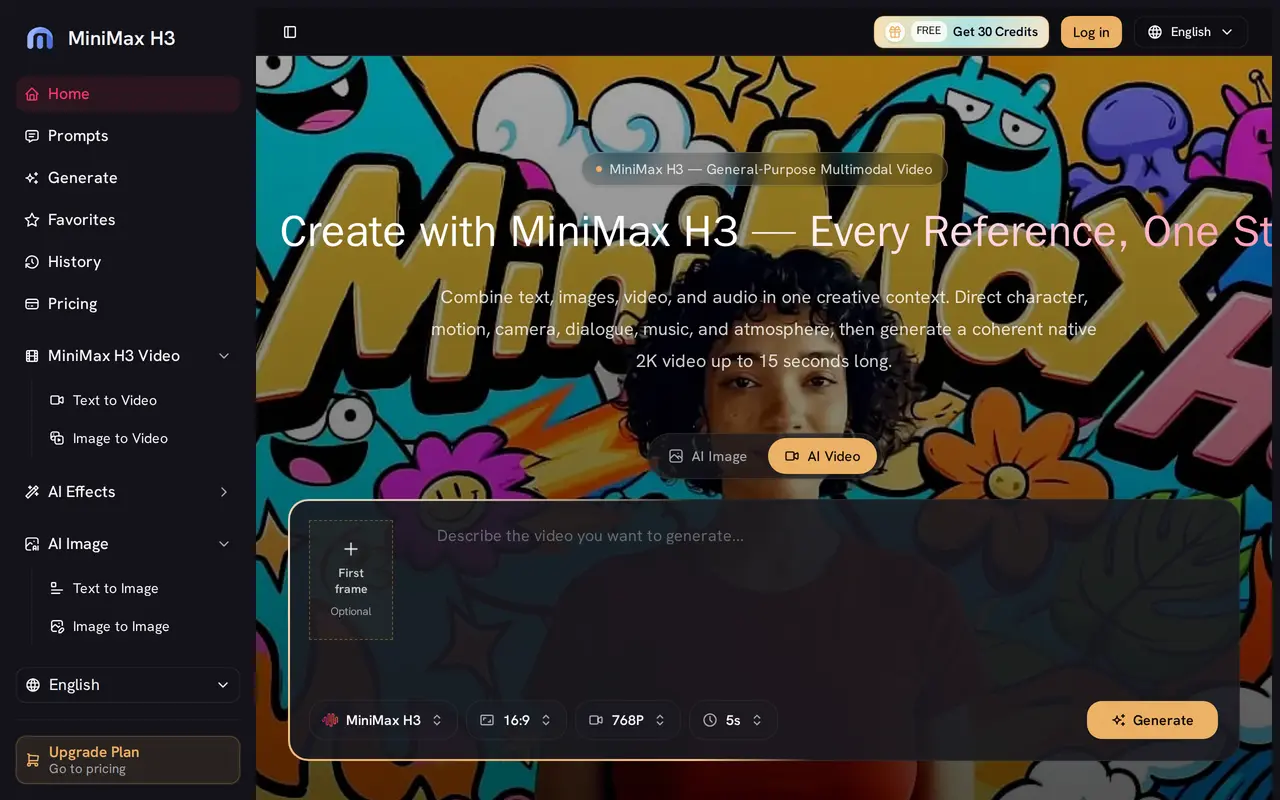
What is MiniMax H3?
MiniMax H3 is a browser-based AI video creation tool for generating clips from written prompts and visual or audio references. Users can describe subjects, actions, camera movements, lighting, dialogue, and sound, or start with an image to establish the opening composition. It supports clips up to 15 seconds long, including multiple shots and audio generated alongside the visuals.
The workflow combines references in a shared context, allowing users to guide character appearance, movement, art direction, and sound together. Video references can guide motion or camera work, while natural-language editing lets users request changes to an existing clip. A prompt gallery offers starting images and ideas for new generations.
The workspace also includes other image and video models, with one credit balance across them. New users receive sign-up credits, while paid plans include watermark-free output and commercial usage rights. Credit costs vary by model and settings; longer clips, higher resolutions, and audio consume more credits.
What can MiniMax H3 do?
Text and image to video
Generate clips up to 15 seconds from scene descriptions or animate a source image.
Multimodal references
Combine text, images, video, and audio to guide appearance, movement, camera work, and sound.
Generated audio
Create dialogue, music, sound effects, and ambience alongside the video.
Instruction-based editing
Describe changes to an existing clip, such as replacing elements, adjusting lighting, or rewriting dialogue.
Shared model credits
Use one credit balance across the available image and video models.
Prompt gallery
Browse visual ideas and reuse them as starting frames for video generation.
Who is MiniMax H3 for?
- Content creators
- Create short videos with directed motion, dialogue, and sound.
- Marketing and brand teams
- Develop advertising concepts, product clips, and branded video drafts.
- Designers
- Animate designed images and explore product, UI, and title-sequence concepts.
- Agencies
- Produce video concepts and review drafts for client projects.
How much is MiniMax H3?
Official pricingBasic Plan
$9/mo
Pro Plan
$29/mo
Studio Plan
$59/mo
Free plan: New users receive 30 free sign-up credits.
Frequently asked questions
Can I try MiniMax H3 for free?
New users receive 30 sign-up credits to test generation without a credit card.
How are generation credits calculated?
Costs depend on the model and generation settings. A five-second MiniMax H3 video at 768p costs 110 credits; longer clips, higher resolutions, and audio use more credits.
Can I use generated videos commercially?
Paid plans include commercial usage rights and watermark-free output.
What happens if a generation fails?
Credits are refunded when a generation fails.
Does it require installed software?
The creation workflow runs in a browser without a software installation.
MiniMax H3 alternatives
Compare alternatives- 1
 PixVerseGenerate and refine AI videos from text, images, and conversational instructions.
- 2
 Bach AIGenerate videos from text and images, including multi-shot sequences with synced audio.
- 3
 Kling 4.0Generate videos from prompts, images, and references with keyframe and camera controls.
- 4
 Wan 3.0 AIGenerate short AI videos with synchronized audio from prompts and reference media.
- 5
 DeeVidCreate and edit AI videos, images, avatars, speech, and music in one workspace.
More AI Video Generators
See more
CapCut
AI Video Editors
Edit videos, generate visuals, and add AI captions, voiceovers, and audio cleanup.

OpenArt
AI Image Generators
Generate and edit AI images, videos, characters, music, and voiceovers in one workspace.

DeepAI
AI Image Generators
Generate images, videos and music, edit photos, and chat with AI in one platform.

Pixelcut
AI Product Photography
Generate and edit product photos, brand images, and videos with AI.

VEED
AI Video Editors
Generate, edit, subtitle, and dub videos with AI in one platform.

Adobe Firefly
AI Image Generators
Generate and edit images, videos, and audio with AI.