
Kling 4.0
Visit websiteGenerate videos from prompts, images, and references with keyframe and camera controls.
Verified Nov 2, 2026
What is Kling 4.0?
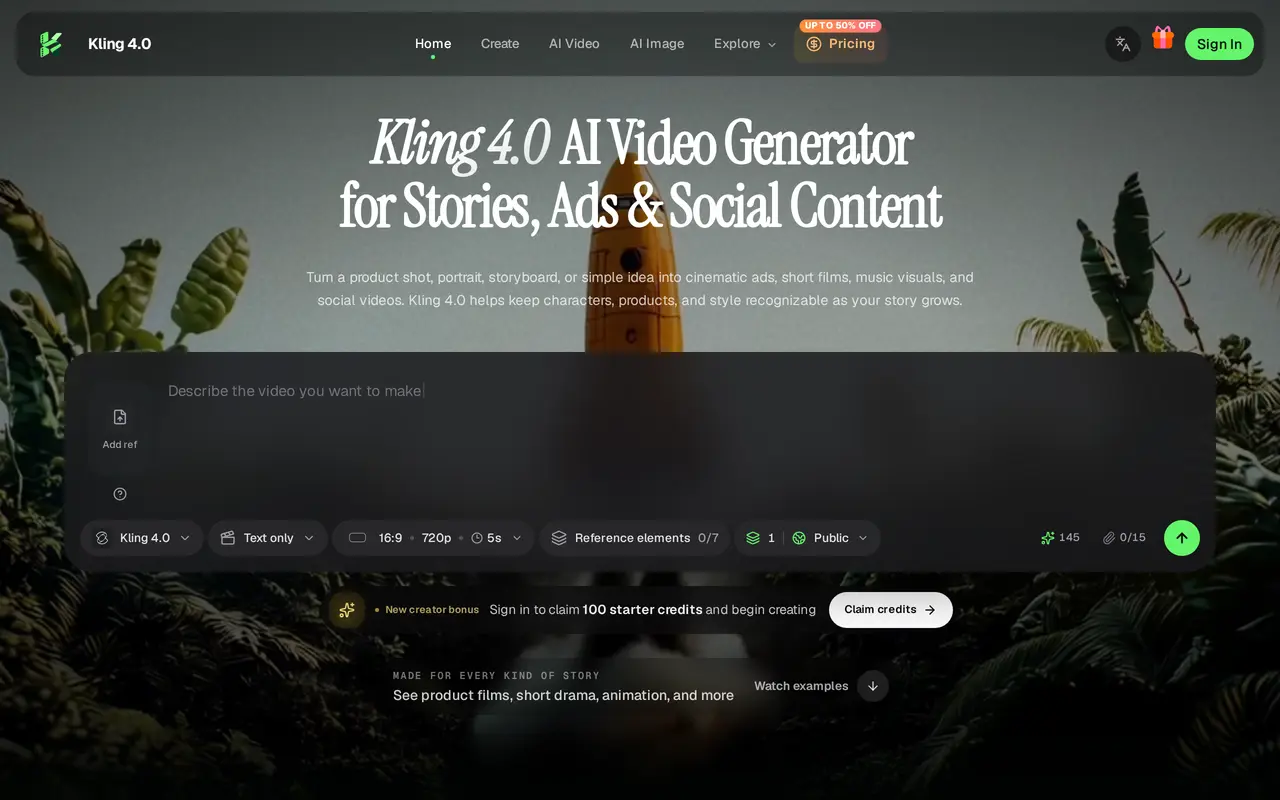
Kling 4.0 is a web-based AI video generator for product ads, character stories, animation, and social content. Users can begin with a written idea, product photo, illustration, or opening and closing frames, then add references and directions for the scene’s action and camera movement.
Its creative controls support videos up to 30 seconds, up to 15 references, and up to 10 keyframes. Omni Reference lets users guide character appearance, products, settings, movement, and visual style. Image, video, and voice references can be combined to direct a scene, while keyframes establish important visual moments. The tool also supports synchronized voices, multilingual content, and focused changes to performances, backgrounds, or compositions.
Generation uses workspace credits. Signing in provides 100 starter credits, while paid subscriptions supply monthly allowances and different limits on simultaneous generation batches. Users can access generation history and download results. Pro and Premium subscriptions include a commercial license, making them options for creators and teams producing client work or campaign assets.
What can Kling 4.0 do?
Prompt and image inputs
Start a video from a text description, image, or first and last frames.
Omni Reference
Use image, video, and voice references to guide subjects, settings, motion, and visual style.
Keyframe direction
Place up to 10 keyframes to define visual beats and guide the scene’s progression.
Videos up to 30 seconds
Generate scenes with an opening, development, and ending in a single generation.
Focused scene editing
Refine performances, replace backgrounds, or explore different compositions.
Multilingual audio and text
Create scenes with synchronized voices, different languages and accents, and on-screen text.
Who is Kling 4.0 for?
- Marketing teams
- Create product reveals, launch films, fashion spots, and social ads using product references.
- Social content creators
- Produce vertical videos and presenter-led product stories.
- Animators and storytellers
- Develop character scenes and stylized stories with reference and keyframe controls.
- Game trailer creators
- Guide action sequences, tracking shots, and reveals with motion and camera references.
How much is Kling 4.0?
Official pricingStarter
$14.99/mo
Pro
$39.99/mo
Premium
$178.50/mo
Free plan: New users receive 100 starter credits after signing in and can claim free credits daily.
Frequently asked questions
Can I try it for free?
Signing in lets new creators claim 100 starter credits.
How long can generated videos be?
Kling 4.0 supports videos up to 30 seconds in one generation.
Can I use generated content commercially?
Pro and Premium subscriptions include a commercial license.
How many generation batches can run at once?
Starter supports two simultaneous batches, Pro supports four, and Premium supports eight. Pro and Premium allow up to four results per batch.
Can I cancel my subscription?
Subscriptions can be canceled at any time. Subscription credits remain valid while subscribed.
Kling 4.0 alternatives
Compare alternatives- 1
 PixVerseGenerate and refine AI videos from text, images, and conversational instructions.
- 2
 Bach AIGenerate videos from text and images, including multi-shot sequences with synced audio.
- 3
 MiniMax H3Generate short AI videos from text, images, video references, and audio.
- 4
 AI Image to VideoTurn still images and text prompts into short AI-generated videos.
- 5
 FLUX 3Generate short AI videos from text or photos and create still images in a browser.
More AI Video Generators
See more
CapCut
AI Video Editors
Edit videos, generate visuals, and add AI captions, voiceovers, and audio cleanup.

OpenArt
AI Image Generators
Generate and edit AI images, videos, characters, music, and voiceovers in one workspace.

DeepAI
AI Image Generators
Generate images, videos and music, edit photos, and chat with AI in one platform.

Pixelcut
AI Product Photography
Generate and edit product photos, brand images, and videos with AI.

VEED
AI Video Editors
Generate, edit, subtitle, and dub videos with AI in one platform.

Adobe Firefly
AI Image Generators
Generate and edit images, videos, and audio with AI.