
VEED
Visit websiteGenerate, edit, subtitle, and dub videos with AI in one platform.
Verified Nov 2, 2026
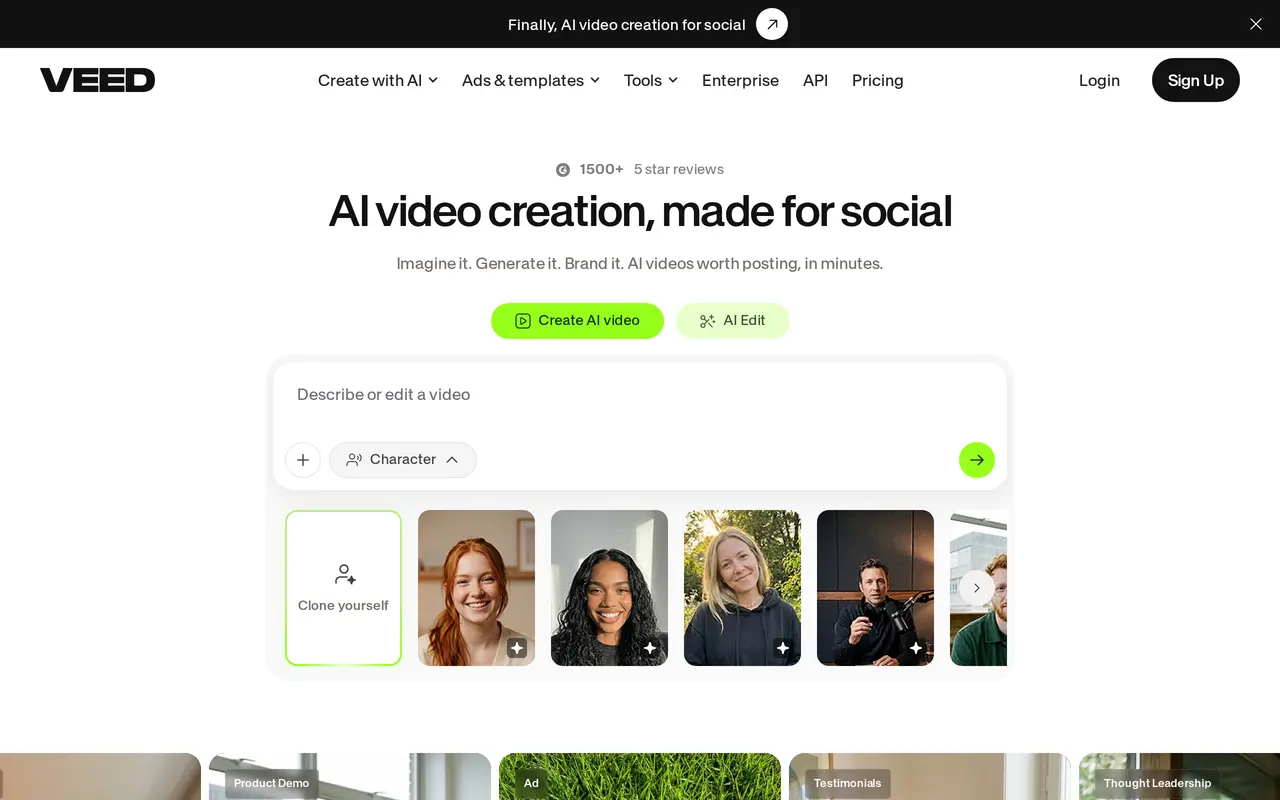
What is VEED?
VEED combines AI video generation and editing in a web-based platform for social content. Users can turn ideas into videos, create talking-head content with AI avatars, or work from templates for ads, explainers, product demonstrations, and testimonials. Generation and editing tools sit within the same workflow, so users can create footage and then prepare it for publishing.
Editing capabilities include automatic subtitles, background noise removal, eye contact correction, and video background removal. VEED also offers dubbing, translation, and text-to-speech tools for adapting content to different audiences. Brand features apply colors, fonts, logos, and voice settings across videos, while higher-tier plans add multiple brand kits and custom templates.
VEED offers free entry-level use and paid per-user subscriptions. Paid plans include AI credit allowances, watermark-free output, and unlimited automatic subtitles, with larger credit allocations on higher tiers. Pro and Studio include translation into more than 50 languages and different annual AI voice allowances. Enterprise adds centralized team management, video review tools, and privacy controls. Developers can also access dedicated APIs for video generation, lip sync, subtitles, background removal, and audio cleanup.
What can VEED do?
AI video generation
Turn ideas, text, or images into videos, with options for AI avatars and social video formats.
AI-assisted editing
Correct eye contact, remove background noise, and remove video backgrounds.
Automatic subtitles
Generate subtitles and style captions for videos, with unlimited automatic subtitles on paid plans.
Dubbing and translation
Dub videos and translate content, with translation into more than 50 languages on Pro and Studio.
Brand customization
Apply brand colors, fonts, logos, and voice settings, with multiple brand kits and custom templates on higher tiers.
Video and audio APIs
Integrate video generation, lip sync, subtitles, background removal, and audio cleanup into other applications.
Who is VEED for?
- Marketing teams
- Create branded ads, product demonstrations, and social videos.
- Solopreneurs
- Produce promotional and talking-head videos using AI generation and templates.
- Content creators
- Edit videos, add captions, and adapt content for different languages.
- Developers
- Add video generation and media-processing capabilities to applications through APIs.
How much is VEED?
Official pricingCreator
$144/yr
Pro
$264/yr
Studio
$468/yr
Enterprise
See website
Free plan: Free entry-level use is available.
Frequently asked questions
Can I use VEED for free?
VEED offers free entry-level use, with paid plans providing additional features and AI credits.
How much do the paid plans cost?
Creator costs $12 per user per month, billed yearly ($144 annually). Pro costs $22 per user per month, billed yearly ($264 annually), and Studio costs $39 per user per month, billed yearly ($468 annually). Enterprise has custom pricing.
Do paid plans remove the watermark?
Yes. Creator includes watermark-free output, and Pro and Studio include Creator's features.
What AI allowances come with each plan?
Creator lists 6,000 credits, Pro lists 30,000 credits, and Studio lists 180,000 credits. Pro also includes up to 144 hours of AI voice per year, while Studio includes up to 960 hours per year.
Does VEED offer an API?
Yes. VEED offers APIs for video generation, lip sync, subtitles, background removal, green screen processing, and audio cleanup.
VEED alternatives
Compare alternatives- 1
 PictoryCreate and edit videos from prompts, scripts, URLs, slides, images and audio.
- 2
 Magic HourGenerate and edit AI videos, images, and audio in a shared web studio.
- 3
 ChatCutEdit and generate videos by describing the changes you want.
- 4
 PexoCreate and revise complete AI videos through conversation.
- 5
 EveryGen AICreate and edit multi-scene videos with AI-generated visuals, voices and music.
More AI Video Editors
See more
CapCut
AI Video Editors
Edit videos, generate visuals, and add AI captions, voiceovers, and audio cleanup.

Clideo
AI Video Editors
Edit videos online with automatic subtitles, translation, and text-to-speech tools.

DomoAI
AI Video Generators
Generate, animate, and restyle videos from text, images, and existing footage.

Runway
AI Video Generators
Generate and edit video, images, and audio with AI creative tools and APIs.

Wistia
AI Video Editors
Host, edit, and repurpose business videos with AI and track viewer engagement.

Videotto
AI Video Editors
Edit videos with text prompts, generate short clips, and add captions and motion graphics.