ImageToPSD
Visit websiteConvert flat images into layered PSD files with AI-based element separation.
Verified Nov 2, 2026
What is ImageToPSD?
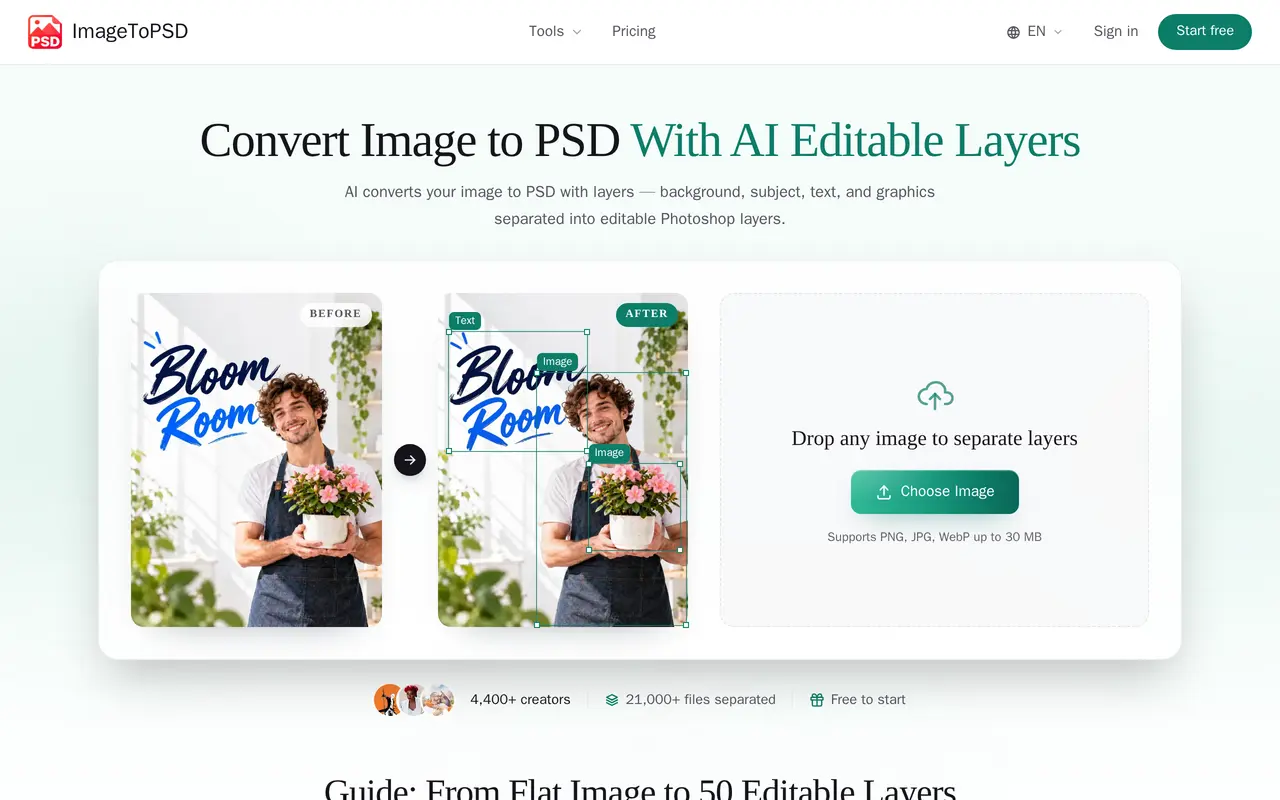
ImageToPSD is a browser-based tool that turns flat images into editable, layered PSD files. Users upload a JPG, PNG, or WebP file up to 30 MB, and AI separates elements such as subjects, backgrounds, text regions, logos, and product areas. It works with screenshots and AI-generated images as well as conventional image files.
After automatic separation, users can select specific regions to extract additional elements, preview the result, reorder layers, and make adjustments in the browser. Background inpainting reconstructs areas hidden behind extracted subjects. Results can be downloaded as layered PSD files or PNG stacks, with PSD output suitable for Photoshop, Photopea, Affinity Photo, and other compatible editors.
The free allowance includes 20 signup credits, a basic separation model, up to four layers per run, and output up to 1.5K. One-time paid credit packs add premium separation and 2K output, with layer limits ranging from 16 to 50 depending on the pack. The Studio pack also includes batch processing and a priority queue. Paid credits last 365 days, and uploaded files are automatically deleted after one hour.
What can ImageToPSD do?
Automatic layer separation
AI identifies subjects, backgrounds, text regions, logos, and other elements and separates them into editable PSD layers.
Targeted region extraction
Select specific areas on the canvas to extract additional layers, with up to 50 layers available on the Studio pack.
Background reconstruction
AI fills areas behind extracted subjects to reduce holes when elements are moved or hidden.
Browser editing and export
Preview, reorder, and adjust layers in the browser, then download layered PSD files or PNG stacks.
Batch processing
The Studio pack supports batch uploads and processing with priority GPU queue access.
Who is ImageToPSD for?
- Graphic designers
- Recover editable elements from flattened designs for further work in PSD-compatible editors.
- AI image creators
- Separate generated images into layers for selective editing and composition changes.
How much is ImageToPSD?
Official pricingFree
Free
Starter
$4.90 one-time
Pro
$19.90 one-time
Studio
$49.90 one-time
Free plan: 20 signup credits with basic separation, up to four layers per run, and output up to 1.5K.
Frequently asked questions
Can I use ImageToPSD for free?
Signing up provides 20 free credits without a credit card. Free runs support up to four layers and output up to 1.5K, with PSD and PNG export.
Is there a recurring subscription?
No. Paid credits are sold as one-time packs, do not auto-renew, and remain valid for 365 days.
Which input formats are supported?
ImageToPSD accepts JPG, PNG, and WebP files up to 30 MB, including screenshots and AI-generated images.
Do I need Photoshop to use the output?
Layered PSD exports can also be opened in Photopea, Affinity Photo, and other PSD-compatible tools.
How are credits charged?
Credit usage depends on resolution and the number of layers extracted. Credits are reserved before processing and settled on completion; excess reserved credits and credits for failed runs are automatically refunded.
How long are uploaded files retained?
Files are automatically deleted after one hour.
ImageToPSD alternatives
Compare alternatives- 1
 EzLayersSplit flat images into editable layers with AI and export layered PSDs or PNGs.
- 2
 Simple AI BoxGenerate and edit AI images from prompts, including graphics with multilingual text.
- 3
 CanvaCreate presentations, graphics, photos, and videos with AI-assisted design tools.
- 4
 PlaygroundCreate and edit logos, merchandise graphics, posters, and social images with AI.
- 5
 OpenArtGenerate and edit AI images, videos, characters, music, and voiceovers in one workspace.
More AI Photo Editors
See more
Photoroom
AI Product Photography
Create and edit product photos, listing images, and video ads with AI.

Pixelcut
AI Product Photography
Generate and edit product photos, brand images, and videos with AI.

Adobe Firefly
AI Image Generators
Generate and edit images, videos, and audio with AI.

Fotor
AI Photo Editors
Edit and enhance photos, generate images, and create designs with AI tools.

Topaz Labs
AI Image Enhancers
AI tools to upscale, sharpen, denoise, and restore photos and videos.

Bing Image Creator
AI Image Generators
Generate images from text and edit photos with AI tools and templates.