
Playground
Visit websiteCreate and edit logos, merchandise graphics, posters, and social images with AI.
Verified Nov 2, 2026
What is Playground?
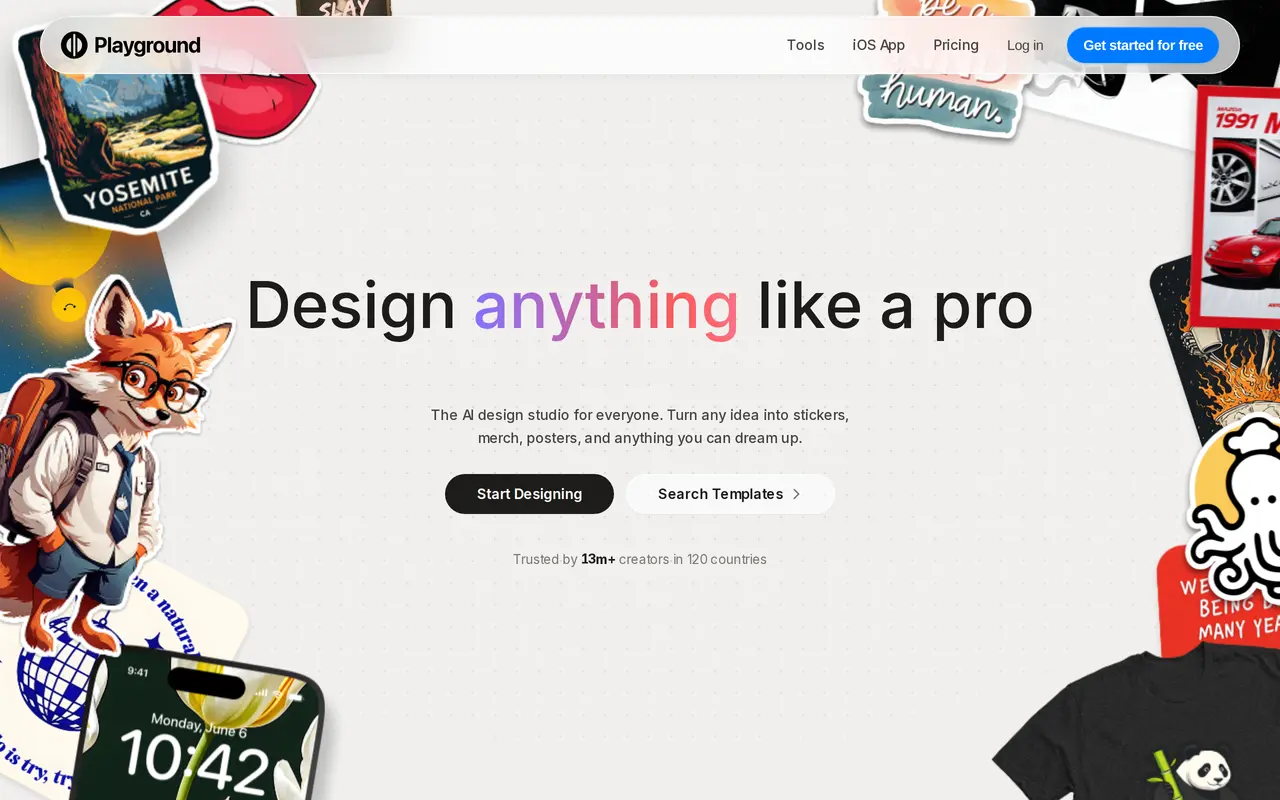
Playground is an AI design studio for creating logos, stickers, T-shirt graphics, posters, invitations, and social media images. Users can describe a design in words or customize templates across 24 categories. It brings together image models including GPT Image 2, Nano Banana, Nano Banana Pro, and Seedream, with access depending on the plan.
Its editing tools let users change styles, remove backgrounds, upscale images, and resize or extend designs. Edits are non-destructive, allowing further adjustments without permanently replacing earlier work. Paid plans include the premium template library, with AI image editing up to 2K on Pro and up to 4K on Pro Plus.
Playground runs on the web and offers an iOS app. The free plan has rolling generation limits, a small shared monthly allowance for additional models, and two downloads per day. Paid plans increase those allowances. Users own their generated images and can use them commercially, subject to Playground’s terms.
What can Playground do?
Prompt-based design
Describe an idea to generate graphics with AI-selected colors, styles, and layouts.
Customizable templates
Start with templates across 24 categories, including logos, merchandise, invitations, and social posts.
Multiple image models
Create images with models including GPT Image 2, Nano Banana, and Seedream, subject to plan allowances.
Non-destructive editing
Change a design’s style and make further adjustments without permanently replacing earlier work.
Image preparation tools
Remove backgrounds, upscale images, and resize or extend designs, with higher-resolution editing on paid plans.
Who is Playground for?
- Merchandise sellers
- Create T-shirt art, stickers, and other graphics for print-on-demand products.
- Social media creators
- Generate and customize images for social posts and other online content.
- Small business owners
- Make logos, posters, packaging graphics, and promotional designs.
- Personal project creators
- Design invitations, cards, wallpapers, and other graphics without prior design experience.
How much is Playground?
Official pricingFree
Free
Pro
$15/mo
Pro Plus
$45/mo
Free plan: Up to five Playground v3 images every three hours, three shared monthly generations across selected models, and two daily downloads.
Frequently asked questions
What does the free plan include?
The free plan allows up to five Playground v3 images every three hours, three shared monthly generations across selected additional models, and two downloads per day. Generation may be slower during peak hours.
How much do the paid plans cost?
Pro costs $15 per month, or $144 billed yearly. Pro Plus costs $45 per month, or $432 billed yearly.
Can I use generated images commercially?
You own the images you create and can use them for personal or commercial purposes, subject to Playground’s terms. All plans include a worldwide, royalty-free license.
How do model credits work?
Monthly credits are shared across models rather than allocated separately to each one. Most model generations use one credit, while Nano Banana Pro uses four.
Is API access available?
API access requires a partner request. Playground prioritizes potential partners whose users would generate more than one million images per month.
How do I cancel a subscription?
Open your profile avatar and select Billing to access the billing portal, where you can cancel, update your payment method, or download receipts.
Playground alternatives
Compare alternatives- 1
 Simple AI BoxGenerate and edit AI images from prompts, including graphics with multilingual text.
- 2
 CanvaCreate presentations, graphics, photos, and videos with AI-assisted design tools.
- 3
 LogoAIGenerate logos, build brand kits, and create branded images and videos with AI.
- 4
 RecraftGenerate and edit images, vectors, and mockups with reusable visual styles.
- 5
 AwenCreate images, videos, and visual assets through conversation.
More AI Graphic Design
See more
Figma
AI Graphic Design
Design interfaces, build apps and websites, and collaborate with AI in a shared workspace.
Stitch
AI Graphic Design
Generate UI designs and frontend code from text prompts, sketches, and screenshots.

Claude Design
AI Graphic Design
Create and refine branded visuals, presentations, and interface mockups with Claude.

Converge.AI
AI App Builders
AI agents for building apps and creating marketing images, designs, and videos.

LOGO.com
AI Logo Generators
Create and customize AI-generated logos, brand assets, and a matching website.

Uizard
AI Graphic Design
Turns text prompts, screenshots and sketches into editable UI designs and prototypes.