EzLayers
Visit websiteSplit flat images into editable layers with AI and export layered PSDs or PNGs.
Verified Nov 2, 2026
What is EzLayers?
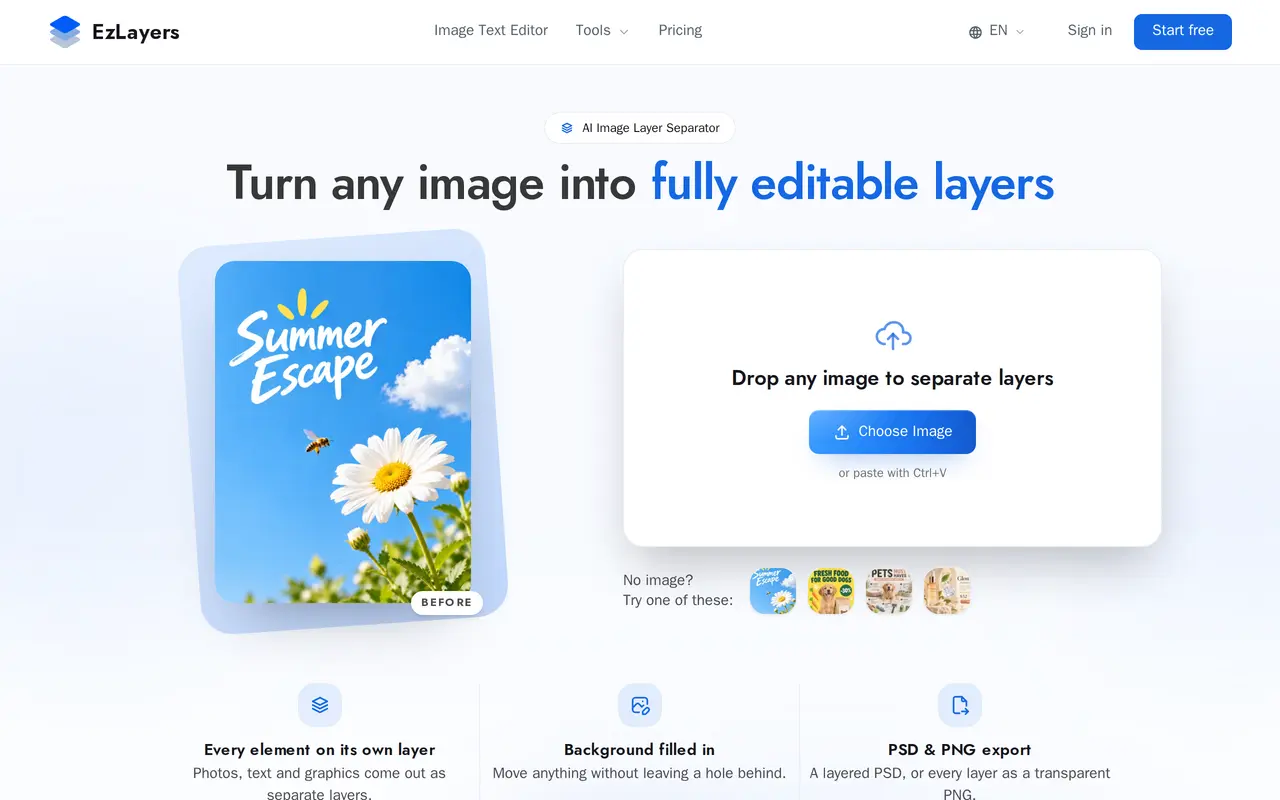
EzLayers uses AI to separate a flat image into editable subjects, text, graphics and shadows. It also reconstructs areas hidden behind objects, so moving or removing a separated element does not leave an empty hole. It is designed for workflows such as revising flattened artwork, changing product scenes and preparing designs for print.
Users upload a JPG, PNG or WebP, then let the tool identify layers automatically or describe what to extract with a prompt. An online editor lets them reorder, hide and rename layers, or select a layer and request an AI edit. Results can be exported as transparent PNG layers or a layered PSD that preserves layer order, names and alpha masks.
EzLayers runs in a browser and offers browser extensions. Paid options include monthly subscriptions and one-time credit packs, with credits shared across its tools. Plans support up to 2K output and up to 16 layers, or 50 when using marked regions. New accounts receive 20 free credits without a credit card.
What can EzLayers do?
AI layer separation
Separate subjects, text, graphics and cast shadows automatically, or use a prompt to specify what to extract.
Background reconstruction
Fill hidden areas behind separated objects, including texture and lighting, so elements can be moved or removed.
Online layer editing
Reorder, hide and rename layers, or describe a change to edit a selected layer with AI.
Layered PSD and PNG export
Export transparent PNG layers or a PSD that retains layer order, names and alpha masks.
Batch processing
Process batches of up to 10 images on paid plans, with output resolutions up to 2K.
Browser extensions
Use extensions for Chrome, Edge and Firefox with the same account and credits.
Who is EzLayers for?
- Graphic designers and illustrators
- Recover editable elements from flattened artwork instead of rebuilding a design from scratch.
- E-commerce and marketing teams
- Separate product imagery and shadows to change scenes and revise promotional visuals.
- Print shops and apparel makers
- Separate artwork, text and base colors for print preparation.
- Presentation and content creators
- Extract visual elements for rearrangement in presentations and other content.
How much is EzLayers?
Official pricing150 Credits
$4.90 one-time
450 Credits
$16.90 one-time
1,300 Credits
$39.90 one-time
Starter
$9.90/mo
Pro
$29.90/mo
Studio
$69.90/mo
Free plan: 20 free credits at signup, with no credit card required.
Frequently asked questions
Can I try EzLayers for free?
New accounts receive 20 free credits at signup, with no credit card required.
Which image formats can I upload and export?
EzLayers accepts JPG, PNG and WebP images. It exports transparent PNG layers and layered PSD files.
What are the output and layer limits?
Paid plans include up to 2K output, up to 16 layers or 50 with marked regions, and batches of 10 images.
Do credit packs renew automatically?
Credit packs are one-time purchases and do not auto-renew. They are valid for 90 days.
Can credits be used across different tools?
Subscription and credit-pack credits work across the platform, including layer separation, AI background removal, and text extraction and erasure.
Are design-app plugins available?
Browser extensions are available for Chrome, Edge and Firefox. Integrations for Canva, Photoshop, Figma, Sketch and ChatGPT are listed as coming soon.
EzLayers alternatives
Compare alternatives- 1
 ImageToPSDConvert flat images into layered PSD files with AI-based element separation.
- 2
 CanvaCreate presentations, graphics, photos, and videos with AI-assisted design tools.
- 3
 PlaygroundCreate and edit logos, merchandise graphics, posters, and social images with AI.
- 4
 Simple AI BoxGenerate and edit AI images from prompts, including graphics with multilingual text.
- 5
 PixRemoveRemove image backgrounds and unwanted objects with AI, then edit and export cutouts.
More AI Photo Editors
See more
OpenArt
AI Image Generators
Generate and edit AI images, videos, characters, music, and voiceovers in one workspace.

Photoroom
AI Product Photography
Create and edit product photos, listing images, and video ads with AI.

Pixelcut
AI Product Photography
Generate and edit product photos, brand images, and videos with AI.

Adobe Firefly
AI Image Generators
Generate and edit images, videos, and audio with AI.

Fotor
AI Photo Editors
Edit and enhance photos, generate images, and create designs with AI tools.

Topaz Labs
AI Image Enhancers
AI tools to upscale, sharpen, denoise, and restore photos and videos.