
PixRemove
Visit websiteRemove image backgrounds and unwanted objects with AI, then edit and export cutouts.
Verified Nov 2, 2026
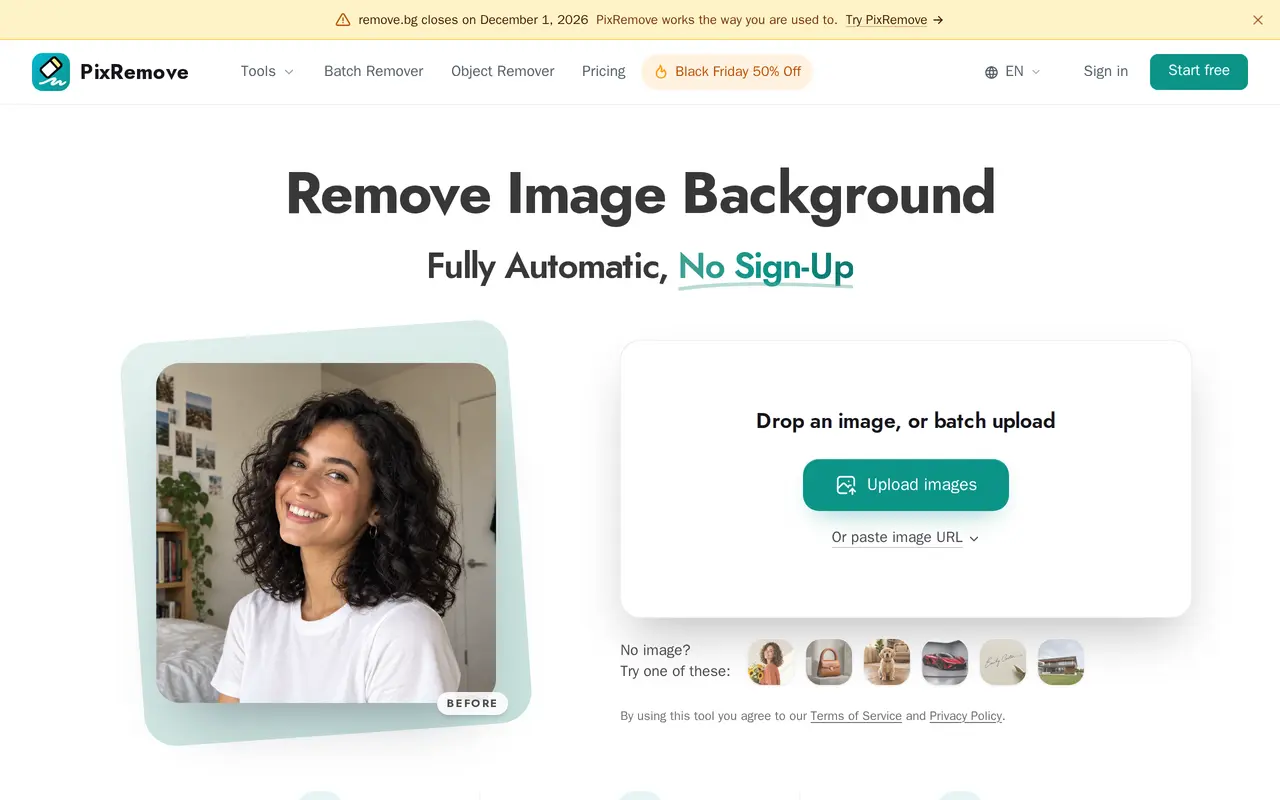
What is PixRemove?
PixRemove uses AI to remove photo backgrounds and erase unwanted objects. Users can upload images, paste an image URL, or process batches of up to 50 images. Background removal produces full-resolution transparent PNGs without watermarks, with tools for refining edges around hair, hollow objects, glass, and signatures.
The built-in editor lets users replace backgrounds with photos or AI-generated scenes, add white backgrounds, blur backgrounds, and apply shadows, outlines, text, and filters. A Magic Brush helps correct cutout edges, while prompt-guided editing lets users describe which objects to keep, add, or remove. Batch results can be downloaded together as a ZIP file.
PixRemove also offers a Mac desktop app for processing whole folders, resuming interrupted work, and saving results directly to disk. Signing up provides 10 free credits. Additional usage is available through monthly subscriptions or prepaid credit packs; standard background removal costs one credit per image, while prompt-guided cutouts cost three.
What can PixRemove do?
Full-resolution background removal
Create transparent PNG cutouts at the uploaded image's resolution without watermarks.
Batch processing
Process up to 50 images at once and download the results in a single ZIP file.
Object removal
Brush over unwanted people, text, or clutter to remove them from a photo.
Background and cutout editor
Add photo or AI backgrounds, blur, shadows, outlines, text, and filters, or refine edges with Magic Brush.
Prompt-guided cutouts
Use short text instructions to keep, add, or remove objects for three credits per image.
Mac folder processing
Process whole folders in the desktop app, resume interrupted work, and save results directly to disk.
Who is PixRemove for?
- Online sellers
- Prepare product cutouts and white-background photos for marketplace listings.
- Photographers and designers
- Isolate subjects, refine portrait edges, and prepare images for layouts or client work.
- Creators and marketers
- Make stickers, social posts, and campaign graphics with edited subjects and replacement backgrounds.
- High-volume image teams
- Process image batches or whole folders and download cutouts together.
How much is PixRemove?
Official pricingFree
Free
Subscription — 100 credits
$4.99/mo
Subscription — 300 credits
$9.99/mo
Subscription — 800 credits
$19.99/mo
Subscription — 2,000 credits
$39.99/mo
Subscription — 5,000 credits
$79.99/mo
Subscription — 15,000 credits
$199.99/mo
Subscription — 40,000 credits
$499.99/mo
Pay as you go — 30 credits
$2.99 one-time
Pay as you go — 100 credits
$6.99 one-time
Pay as you go — 300 credits
$14.99 one-time
Pay as you go — 800 credits
$29.99 one-time
Free plan: 10 free credits on sign-up, with full-resolution, watermark-free downloads.
Frequently asked questions
What can I use for free?
Signing up provides 10 free credits, with full-resolution downloads, no watermarks, and batches of up to 50 images.
How many credits does an image cost?
Standard background removal costs one credit per image. Prompt-guided cutouts cost three credits, and failed tasks have their credits refunded.
Do credits work across different tools?
Subscription and prepaid credits work across background removal, object removal, and the editor's AI tools.
Is there a desktop app?
A Mac app supports whole-folder processing, resuming interrupted work, and saving directly to disk. It uses the same account and credits.
How long do prepaid credits last?
Prepaid credit packs are one-time purchases valid for one year. Subscriptions provide fresh credits each month and can be changed or canceled.
PixRemove alternatives
Compare alternatives- 1
 PhotoEditorAIEdit, retouch, and restyle photos in your browser using text prompts.
- 2
 RemoveLayerRemove backgrounds, erase unwanted objects and text, and sharpen photos with AI.
- 3
 Cutout.ProEdit and enhance photos, remove backgrounds, and generate images and videos with AI.
- 4
 Removal.AIRemove photo backgrounds automatically and edit the results online or through an API.
- 5
 PixMagicEdit and restyle photos, remove backgrounds, and create short videos in your browser.
More AI Background Removers
See more
remove.bg
AI Background Removers
Remove image backgrounds automatically and create replacement backdrops with AI.

Aiarty
AI Image Enhancers
Desktop AI tools for enhancing images and videos and removing image backgrounds.

Video Background Remover
AI Background Removers
Remove video backgrounds and export transparent clips or add a new backdrop.