BabyPassportPhoto
Visit websiteCheck, crop and prepare baby passport photos from pictures taken at home.
Verified Nov 2, 2026
What is BabyPassportPhoto?
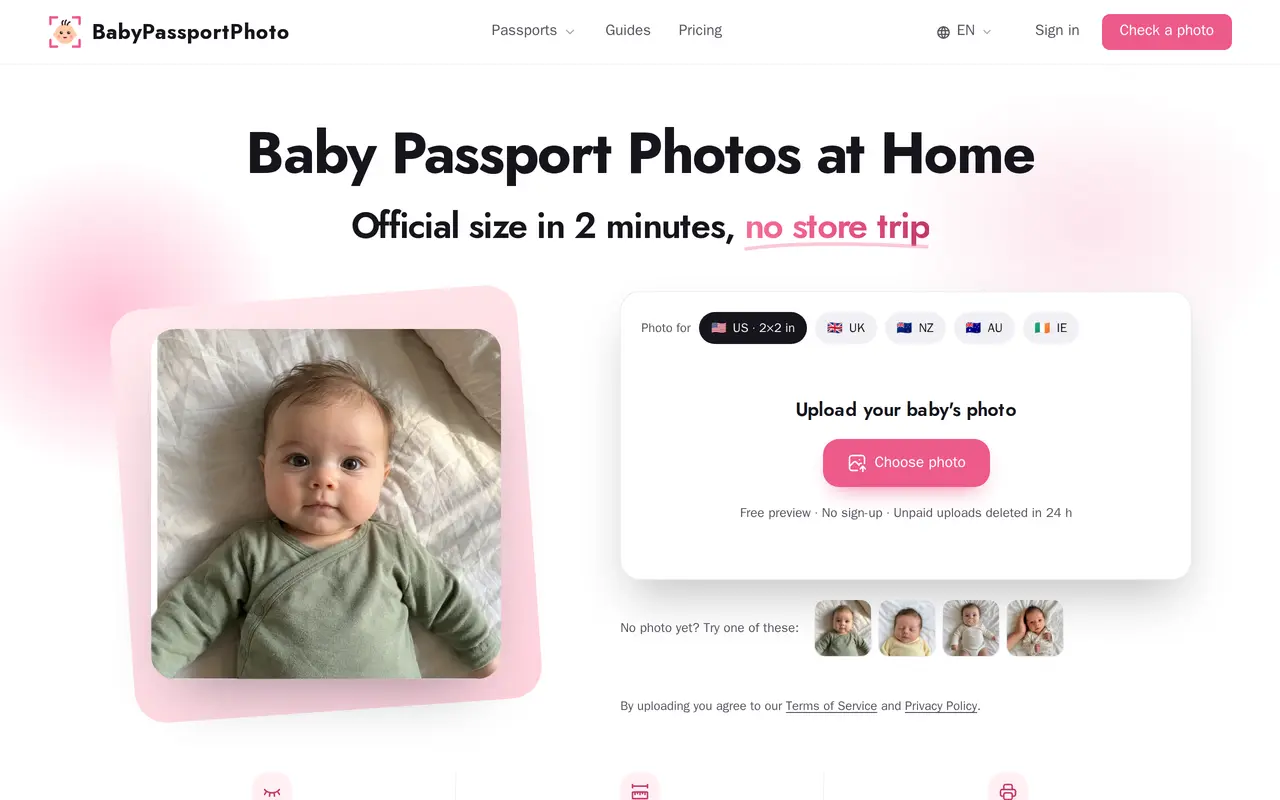
BabyPassportPhoto is a web tool for preparing newborn and infant passport photos from pictures taken at home. Parents upload a phone photo, get automatic checks for common problems, and preview the result before paying for downloadable files. Checks cover lighting, shadows, visible hands, pacifiers and eyes, with guidance on how to retake an unsuitable shot.
The tool cleans up the background, measures head size and crops the image for the selected passport format. It supports passport photos for the United States, United Kingdom, New Zealand, Australia and Ireland. Purchases include a checked digital file and a 4×6-inch print sheet that can be printed at a photo counter.
Checking and previewing photos is free, with no account required. Downloads are sold through one-time photo packs, and unused photos do not expire. Unpaid uploads are deleted within 24 hours. The passport authority makes the final acceptance decision; if a photo is rejected, customers can contact support for a full refund.
What can BabyPassportPhoto do?
Automatic photo checks
Checks lighting, shadows, hands, pacifiers and eyes, then explains what to fix before taking another photo.
Background cleanup and cropping
Cleans the background, measures head size and crops the photo to the selected passport format.
Digital files and print sheets
Provides a checked digital photo and a 4×6-inch sheet for printing at a photo counter.
Five-country support
Prepares baby passport photos for the United States, United Kingdom, New Zealand, Australia and Ireland.
Free previews and retakes
Lets parents check photos, preview results and retake pictures before paying to unlock downloads.
Who is BabyPassportPhoto for?
- Parents of newborns and infants
- Prepare baby passport photos at home without arranging a trip to a photo counter.
- Families needing multiple photos
- Buy photo packs for siblings, passport and visa applications, or multiple citizenships.
How much is BabyPassportPhoto?
Official pricing1 photo
$7.99 one-time
3 photos
$15.99 one-time
5 photos
$21.99 one-time
Free plan: Free photo checks, previews and retakes before purchasing downloads.
Frequently asked questions
Can I check a photo for free?
Photo checking and previews are free, including retakes before unlocking downloads. You pay for the digital files and print sheets.
Is this a subscription?
No. Photo packs are one-time purchases, nothing renews, and unused photos never expire.
Which countries are supported?
The tool supports the United States, United Kingdom, New Zealand, Australia and Ireland. It does not make passport photos for Canada, France or Germany.
What happens if the passport office rejects the photo?
Customers can contact support for a full refund. The passport office makes the final decision on whether a photo is accepted.
Do I need an account?
No account is required to check, preview or purchase photos.
How long are unpaid uploads kept?
Unpaid uploads are deleted within 24 hours.
BabyPassportPhoto alternatives
Compare alternatives- 1
 AiPassportPhotoTurn phone photos into passport, visa, and ID photos with automatic sizing.
- 2
 CanvaCreate presentations, graphics, photos, and videos with AI-assisted design tools.
- 3
 OpenArtGenerate and edit AI images, videos, characters, music, and voiceovers in one workspace.
- 4
 PhotoroomCreate and edit product photos, listing images, and video ads with AI.
- 5
 PixelcutGenerate and edit product photos, brand images, and videos with AI.
More AI Photo Editors
See more
Adobe Firefly
AI Image Generators
Generate and edit images, videos, and audio with AI.

Fotor
AI Photo Editors
Edit and enhance photos, generate images, and create designs with AI tools.

Topaz Labs
AI Image Enhancers
AI tools to upscale, sharpen, denoise, and restore photos and videos.

Bing Image Creator
AI Image Generators
Generate images from text and edit photos with AI tools and templates.

Magnific
AI Image Generators
Generate and edit AI images and videos on iPhone, iPad, and Mac.

remove.bg
AI Background Removers
Remove image backgrounds automatically and create replacement backdrops with AI.