
WatermarkRemover.io
Visit websiteAutomatically remove watermarks, text, and logos from images with AI.
Verified Nov 2, 2026
What is WatermarkRemover.io?
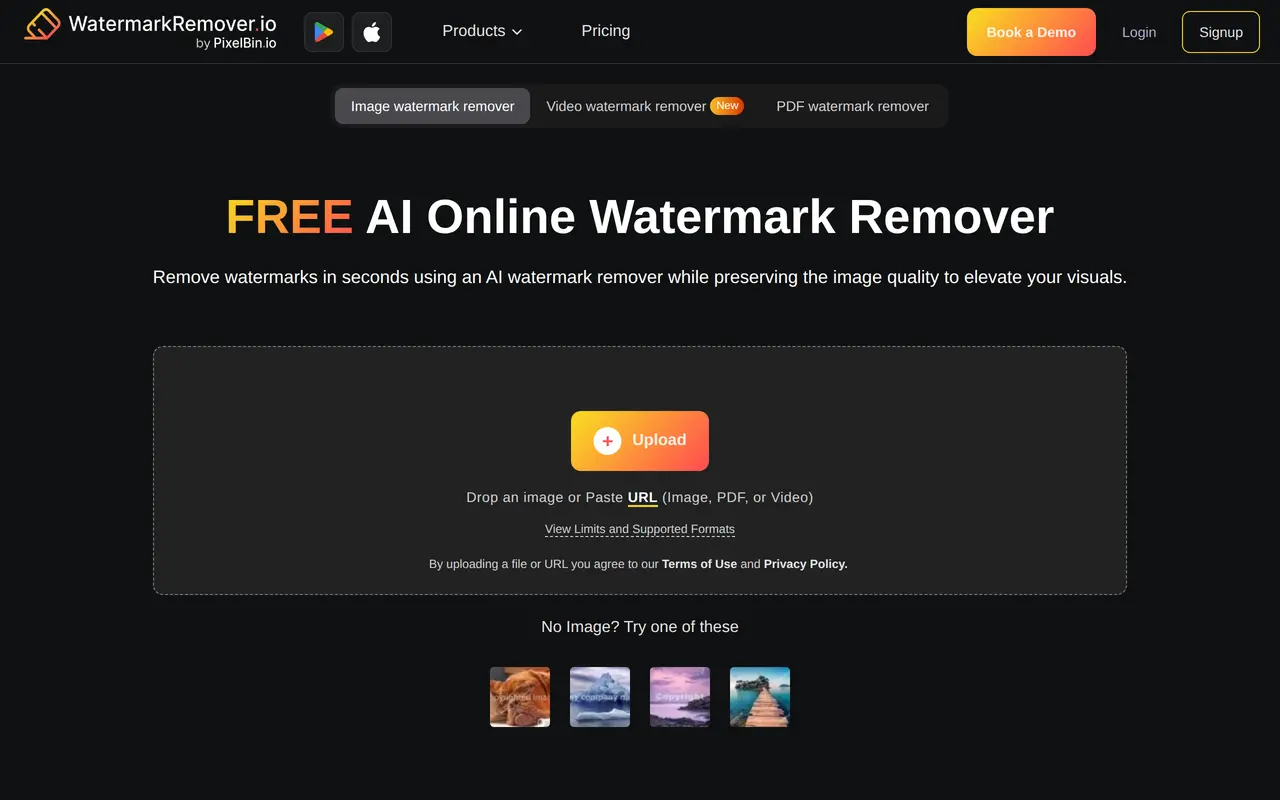
WatermarkRemover.io is an AI tool for removing watermark overlays, text, and logos from images. Users upload a local file, drag and drop an image, or paste a URL, and the tool automatically detects and removes the watermark without requiring them to mark its location manually. It supports JPG, JPEG, PNG, WebP, and HEIC images, and also offers watermark removal for videos and PDFs.
A split-screen preview lets users compare the original image with the processed version before downloading it. The browser-based interface works on phones and computers, making it accessible without specialist photo-editing software. For larger workloads, paid plans provide bulk image processing through Pixelbin.io, while API integration supports incorporating watermark removal into other applications.
Free use includes a limited daily allowance without an account and monthly credits after registration. Paid access is available through annual subscriptions, one-time credit purchases, and custom enterprise arrangements. Removing a watermark does not grant rights to the underlying content; commercial use requires the owner's consent.
What can WatermarkRemover.io do?
Automatic watermark detection
Detects and removes image watermarks, text, and logos without requiring manual area selection.
Upload or paste a URL
Accepts local files through upload or drag and drop, as well as images supplied by URL.
Before-and-after preview
Shows the original and processed image side by side before download.
Multiple image formats
Processes JPG, JPEG, PNG, WebP, and HEIC images.
Bulk image processing
Paid plans support removing watermarks from batches of images through Pixelbin.io.
API integration
Lets developers integrate watermark removal into their applications and image-processing workflows.
Who is WatermarkRemover.io for?
- Content creators
- Remove unwanted overlays from images they have permission to edit for portfolios, presentations, and published content.
- Businesses with image collections
- Process batches of images using paid plans or arrange custom enterprise support.
- Developers
- Add watermark removal to applications through API integration.
How much is WatermarkRemover.io?
Official pricingFree Plan
Free
Subscription Plan — 1200 Credits
$44.99/yr
Subscription Plan — 2400 Credits
$69.99/yr
Subscription Plan — 6000 Credits
$99.99/yr
Subscription Plan — 12000 Credits
$159.99/yr
One time payment — 30 Credits
$8.99 one-time
One time payment — 50 Credits
$11.99 one-time
One time payment — 200 Credits
$24.99 one-time
One time payment — 500 Credits
$34.99 one-time
Enterprise Plan
See website
Free plan: Up to two images daily without signup, plus three free credits and three downloads monthly with an account.
Frequently asked questions
Can I use WatermarkRemover.io for free?
You can process up to two images daily without an account. The Free Plan provides three credits and three downloads each month after signup.
Which image formats are supported?
Supported image formats include JPG, JPEG, PNG, WebP, and HEIC.
How do credits work?
The pricing lists one credit as equivalent to one image or two PDF pages. Different services can consume different numbers of credits.
Can I process images in bulk?
Yes. Commercial plans offer bulk image watermark removal through Pixelbin.io.
Do purchased credits expire, and are payments refundable?
One-time credit purchases are valid for one year and are non-refundable. Subscription payments are also non-refundable.
Can I use the processed images commercially?
Commercial use requires the image owner's consent. Removing a watermark does not provide permission to use the image.
WatermarkRemover.io alternatives
Compare alternatives- 1
 Removal.AIRemove photo backgrounds automatically and edit the results online or through an API.
- 2
 IdeogramGenerate and edit images in a creative workspace or through a unified media API.
- 3
 NanoBananaAPIGenerate and edit images through an API with multiple Nano Banana models.
- 4
 remove.bgRemove image backgrounds automatically and create replacement backdrops with AI.
- 5
 Cutout.ProEdit and enhance photos, remove backgrounds, and generate images and videos with AI.
More AI Photo Editors
See more
Canva
AI Graphic Design
Create presentations, graphics, photos, and videos with AI-assisted design tools.

OpenArt
AI Image Generators
Generate and edit AI images, videos, characters, music, and voiceovers in one workspace.

Photoroom
AI Product Photography
Create and edit product photos, listing images, and video ads with AI.

Pixelcut
AI Product Photography
Generate and edit product photos, brand images, and videos with AI.

Adobe Firefly
AI Image Generators
Generate and edit images, videos, and audio with AI.

Fotor
AI Photo Editors
Edit and enhance photos, generate images, and create designs with AI tools.