
PatentFig AI
Visit websiteGenerate and edit patent drawings from text, photos, sketches, and CAD screenshots.
Verified Nov 2, 2026
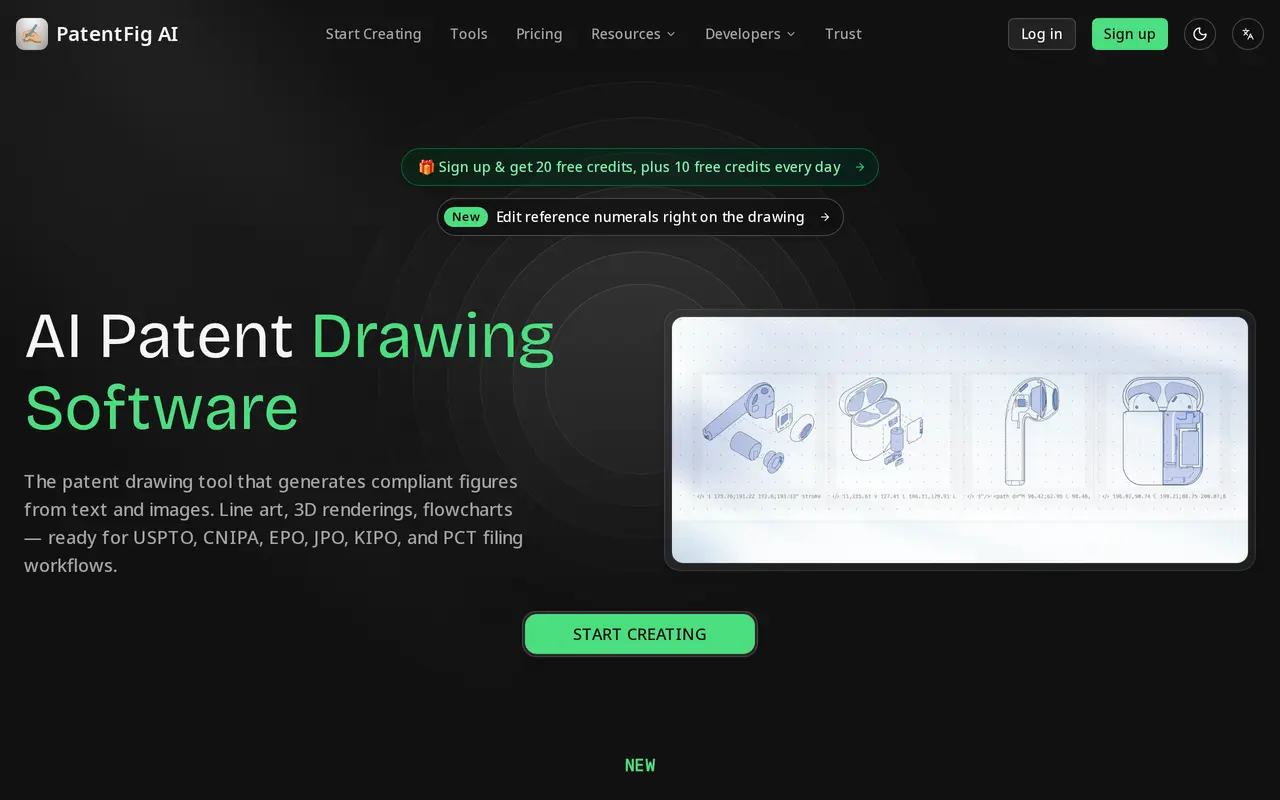
What is PatentFig AI?
PatentFig AI creates patent illustrations from written descriptions and visual references, including photos, sketches, and CAD screenshots. It generates line drawings, 3D renderings, multiple views, flowcharts, and block diagrams for inventors, patent professionals, and drafting teams. Users describe or upload an invention, select views, and refine the resulting figures.
Figures can be revised through natural-language instructions, such as changing line thickness or adding a cross-section. Reference numerals and leader lines are editable separately from the drawing, with checks for duplicate numbers, empty labels, and crossing leaders. Each generation and edit is saved as a version, and projects keep related figure sets together.
Paid plans and credit packs include filing-sheet exports formatted for USPTO, EPO, PCT, CNIPA, JPO, and KIPO workflows, with office-specific margins, labels, sheet numbers, and a compliance report. Individual figures can also be downloaded as PNG, SVG, PDF, or TIFF. A recurring free credit allowance supports evaluation. Customer prompts, uploads, and generated figures are excluded from model training, including training by third-party AI providers.
What can PatentFig AI do?
Patent figure generation
Turn text, photos, sketches, or CAD screenshots into line art, renderings, multi-view figures, flowcharts, and block diagrams.
Editable reference numerals
Move, add, and renumber labels and leader lines, with warnings for duplicate numerals, empty labels, and crossing leaders.
Natural-language revisions
Request changes to figures through chat, including line-weight adjustments and additional sectional views.
Office-specific filing sheets
Export sheets for six patent-office workflows with tailored margins, labels, numbering, and a compliance report.
Project and version management
Organize figures by patent application and return to earlier versions of generated or edited drawings.
Multiple export formats
Download individual figures as PNG, SVG, PDF, or TIFF, with reference numerals retained as editable text in SVG files.
Who is PatentFig AI for?
- Patent attorneys and agents
- Prepare and revise figure sets for patent applications and different filing-office requirements.
- Individual inventors
- Turn invention descriptions, sketches, and product photos into initial patent illustrations.
- Patent illustrators
- Generate initial drawings and refine views, line work, and reference numerals.
- IP and R&D teams
- Organize figure sets and versions across patent projects for internal review and counsel handoff.
How much is PatentFig AI?
Official pricingFree
Free
Basic
$50/mo
Pro
$100/mo
Enterprise
$200/mo
Free plan: 30 credits on the sign-up day, then 10 free credits daily; daily credits expire the same day.
Frequently asked questions
Can I use PatentFig AI for free?
The free plan includes 30 credits on the sign-up day and 10 free credits each day afterward, approximately enough for one figure per day. Daily credits expire that day.
Can I edit generated drawings?
Yes. You can request changes through chat and edit reference numerals and leader lines directly. The reference-numeral editor is included with paid plans or credit packs.
Which patent offices have filing-sheet support?
Filing-sheet exports support USPTO, EPO, PCT, CNIPA, JPO, and KIPO workflows. Paid plans and credit packs include office-specific formatting and a compliance report.
What file formats can I export?
Individual figures can be exported as PNG, SVG, PDF, or TIFF. Filing sheets are available as black-and-white, 300 DPI PDF or TIFF files.
Is my invention data used to train AI models?
Prompts, uploads, and generated figures are not used for model training, and third-party AI providers are prohibited from training on them. Customer content is encrypted in transit and at rest.
Can I delete my projects?
Projects can be deleted at any time, and closed accounts are removed within 30 days. Online NDA and DPA signing is available on any plan.
PatentFig AI alternatives
Compare alternatives- 1
 SciDraw AIGenerate scientific illustrations and data charts with editable exports.
- 2
 SciFigCreate scientific illustrations, data charts and flowcharts with AI.
- 3
 ManualFig.aiTurns product photos and step lists into line drawings for instruction manuals.
- 4
 LogoAIGenerate logos, build brand kits, and create branded images and videos with AI.
- 5
 PlaygroundCreate and edit logos, merchandise graphics, posters, and social images with AI.
More AI Image Generators
See more
CapCut
AI Video Editors
Edit videos, generate visuals, and add AI captions, voiceovers, and audio cleanup.

OpenArt
AI Image Generators
Generate and edit AI images, videos, characters, music, and voiceovers in one workspace.

DeepAI
AI Image Generators
Generate images, videos and music, edit photos, and chat with AI in one platform.

Adobe Firefly
AI Image Generators
Generate and edit images, videos, and audio with AI.
Artlist
AI Video Generators
Generate and edit videos, images, voiceovers, music, and 3D assets in one workspace.

Fotor
AI Photo Editors
Edit and enhance photos, generate images, and create designs with AI tools.