
SciDraw AI
Visit websiteGenerate scientific illustrations and data charts with editable exports.
Verified Nov 2, 2026
What is SciDraw AI?
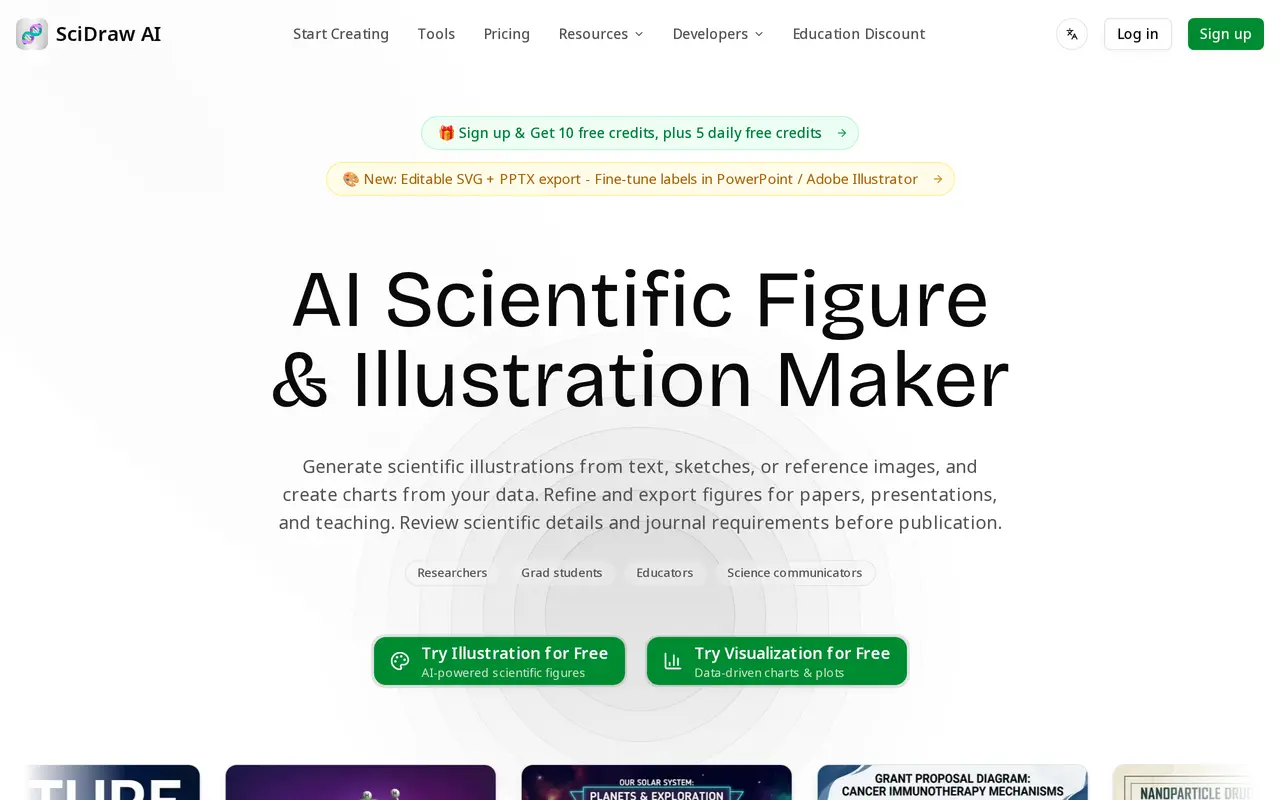
SciDraw AI is a web-based tool for creating scientific illustrations, diagrams, graphical abstracts, and data charts. It serves researchers, graduate students, educators, and science communicators preparing papers, theses, presentations, posters, or teaching materials.
Users can start with a text description, a sketch, or a reference image, then refine the generated figure through conversation. Illustrations export as PNG, SVG, or PPTX. The editable formats let users adjust labels, colors, and layouts in applications such as PowerPoint, Illustrator, or Inkscape rather than relying only on a flattened image.
For data visualization, users upload CSV or Excel files to generate charts such as scatter plots, heatmaps, box plots, and violin plots. The tool offers journal-style presets and colorblind-safe palettes, with exports in PNG, PDF, EPS, or TIFF alongside reproducible matplotlib or seaborn code. Users should check scientific details, data mappings, calculations, labels, and journal requirements before publication. Free signup and daily credits support ongoing limited use, while paid subscriptions provide larger credit allowances.
What can SciDraw AI do?
Three illustration inputs
Generate scientific figures from text descriptions, uploaded sketches, or reference images.
Conversational refinement
Revise generated illustrations through multiple rounds of conversation.
Editable figure exports
Export SVG or PPTX files to adjust labels, colors, and layouts in design or presentation software.
Charts from spreadsheets
Upload CSV or Excel data to create charts including box plots, violin plots, scatter plots, and heatmaps.
Journal-style chart presets
Apply Nature, Science, Cell, PLOS, or ACS styling presets and colorblind-safe palettes.
Reproducible chart exports
Download charts as PNG, PDF, EPS, or TIFF together with the matplotlib or seaborn code used to create them.
Who is SciDraw AI for?
- Researchers
- Create scientific figures, graphical abstracts, and data visualizations for manuscripts and presentations.
- Graduate students
- Prepare thesis illustrations, research roadmaps, posters, and presentation figures.
- Educators
- Generate labeled scientific diagrams and visual explanations for classroom materials.
- Science communicators
- Turn scientific concepts into illustrations and explanatory graphics.
How much is SciDraw AI?
Official pricingFree
Free
Standard
$20/mo
Premium
$40/mo
Enterprise
$80/mo
Free plan: Includes 10 signup credits and 5 free credits daily.
Frequently asked questions
Can I use SciDraw AI for free?
The free plan includes 10 credits on registration and 5 free credits each day. It also includes SVG vector conversion and 30-day history retention.
Can I edit generated illustrations?
You can refine illustrations through conversation and export SVG or PPTX files. These formats allow further editing of labels, colors, and layouts in compatible applications.
Which data files and chart exports are supported?
Data visualization accepts CSV and Excel files. Charts export as PNG, PDF, EPS, or TIFF, along with matplotlib or seaborn code.
Can I use figures in publications or commercial work?
All listed plans include journal publication and commercial use, plus a Publication License Certificate. Scientific details and journal requirements should still be checked before submission.
Are education discounts available?
Students and educators can apply for an education discount.
SciDraw AI alternatives
Compare alternatives- 1
 SciFigCreate scientific illustrations, data charts and flowcharts with AI.
- 2
 ManualFig.aiTurns product photos and step lists into line drawings for instruction manuals.
- 3
 PatentFig AIGenerate and edit patent drawings from text, photos, sketches, and CAD screenshots.
- 4
 LogoAIGenerate logos, build brand kits, and create branded images and videos with AI.
- 5
 PlaygroundCreate and edit logos, merchandise graphics, posters, and social images with AI.
More AI Image Generators
See more
CapCut
AI Video Editors
Edit videos, generate visuals, and add AI captions, voiceovers, and audio cleanup.

OpenArt
AI Image Generators
Generate and edit AI images, videos, characters, music, and voiceovers in one workspace.

DeepAI
AI Image Generators
Generate images, videos and music, edit photos, and chat with AI in one platform.

Adobe Firefly
AI Image Generators
Generate and edit images, videos, and audio with AI.
Artlist
AI Video Generators
Generate and edit videos, images, voiceovers, music, and 3D assets in one workspace.

Fotor
AI Photo Editors
Edit and enhance photos, generate images, and create designs with AI tools.