Nim Video
Visit websiteGenerate and edit AI videos and images using multiple models in one studio.
Verified Nov 2, 2026
What is Nim Video?
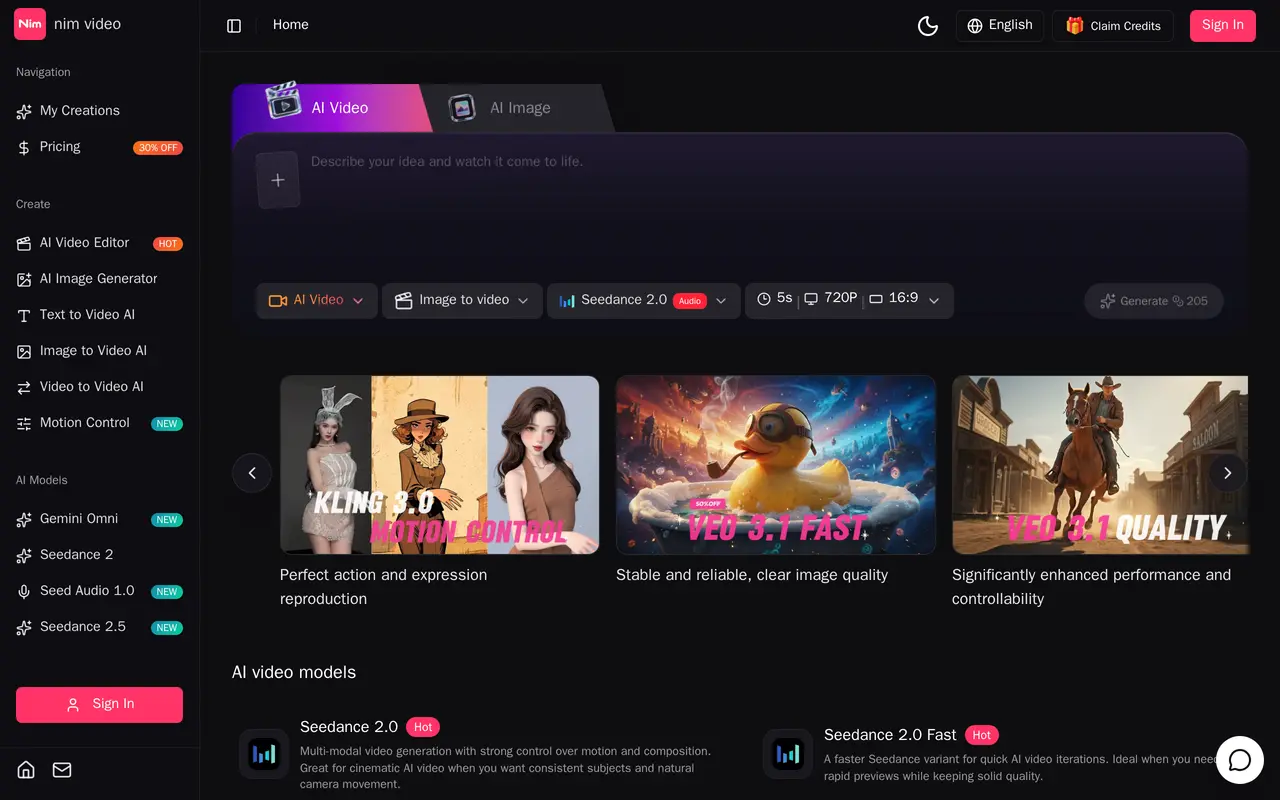
Nim Video is a browser-based studio for generating and editing AI videos and images. It brings multiple models into one workspace, with workflows for text-to-video, image-to-video, video-to-video, and image generation. Users can start with a prompt, a still image, or existing footage and choose a model suited to the task.
Video controls include reference-guided generation, first- and last-frame control, motion transfer from reference clips, and instruction-based footage editing. Some models support native audio, while image tools cover text-to-image creation, retouching, and visual assets such as posters and product images. Available controls and output options vary by model and subscription.
The free plan includes 10 one-time credits, with watermarked 720p videos and public generation only. Paid subscriptions add larger credit allowances, more workflows, watermark-free downloads, and higher-resolution options. Pro adds private generation and priority processing, while Business includes commercial rights and dedicated account support. The studio is aimed at hobbyists, content creators, video producers, and commercial teams.
What can Nim Video do?
Multiple models in one studio
Choose among video and image models for generation, editing, and creative variations within one workspace.
Text and image to video
Create video clips from written prompts or animate still images using model-specific controls.
Reference-guided generation
Use reference images, video, and audio to guide subjects, style, composition, and motion.
Motion transfer
Transfer subject movement from a reference video into a new AI-generated scene.
AI footage editing
Revise existing footage with instructions to change elements, adjust lighting, or refine shots.
Image generation and editing
Generate images from text and edit visuals for posters, product assets, slides, and other creative work.
Who is Nim Video for?
- Hobbyists
- Experiment with AI-generated clips and images using prompts and reference media.
- Content creators
- Create and revise visual assets with multiple generation models in one studio.
- Video producers
- Use motion controls, reference footage, and AI editing to develop video shots.
- Commercial teams
- Produce commercial video assets with the Business plan's licensing and support options.
How much is Nim Video?
Official pricingFree
Free
Basic
$25.90/mo
Pro
$39.90/mo
Business
$69.90/mo
Free plan: 10 one-time credits for limited public generation with watermarked 720p video output.
Frequently asked questions
Can I use Nim Video for free?
The free plan provides 10 one-time credits. It includes fast text-to-video and 720p motion control, with watermarked output and public generation only.
Which plans support private generation?
Private generation is included in Pro and Business. Free generations are public.
How are annual credits delivered?
Annual plans grant all credits upfront: 9,600 for Basic, 24,000 for Pro, and 42,000 for Business. These credits remain valid until the annual subscription period ends.
Which plan includes commercial rights?
Business explicitly includes full commercial rights and copyright ownership.
Is there a money-back guarantee?
Paid plans include a seven-day money-back guarantee.
Nim Video alternatives
Compare alternatives- 1
 Magic HourGenerate and edit AI videos, images, and audio in a shared web studio.
- 2
 EveryGen AICreate and edit multi-scene videos with AI-generated visuals, voices and music.
- 3
 CapCutEdit videos, generate visuals, and add AI captions, voiceovers, and audio cleanup.
- 4
 RunwayGenerate and edit video, images, and audio with AI creative tools and APIs.
- 5
 PikaGenerate and edit videos, images, music, and voiceovers with AI creative tools.
More AI Video Generators
See more
OpenArt
AI Image Generators
Generate and edit AI images, videos, characters, music, and voiceovers in one workspace.

DeepAI
AI Image Generators
Generate images, videos and music, edit photos, and chat with AI in one platform.

Pixelcut
AI Product Photography
Generate and edit product photos, brand images, and videos with AI.

VEED
AI Video Editors
Generate, edit, subtitle, and dub videos with AI in one platform.

Adobe Firefly
AI Image Generators
Generate and edit images, videos, and audio with AI.
Artlist
AI Video Generators
Generate and edit videos, images, voiceovers, music, and 3D assets in one workspace.