
DeeVid
Visit websiteCreate and edit AI videos, images, avatars, speech, and music in one workspace.
Verified Nov 2, 2026
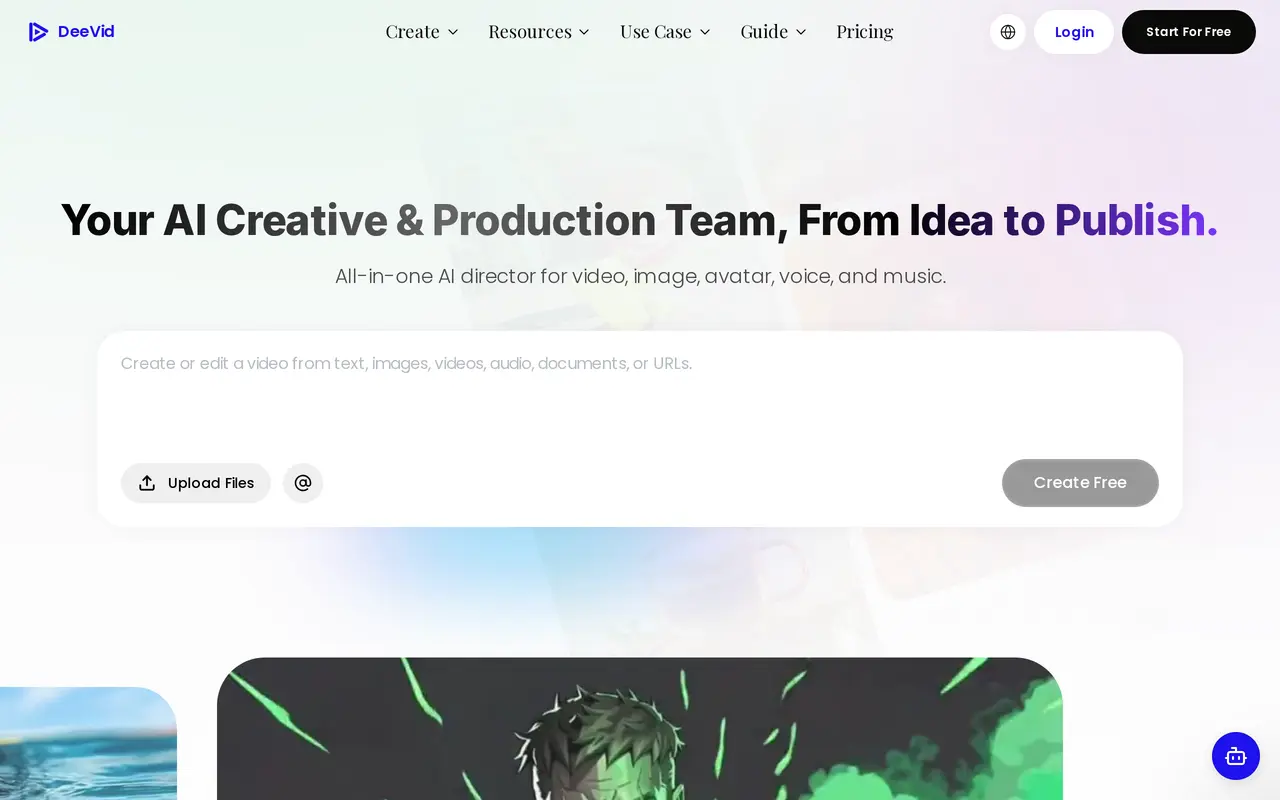
What is DeeVid?
DeeVid is an AI creation workspace for producing videos, images, avatars, voiceovers, and music. Users can start with text, photos, video, or audio, then generate content using models including Sora, Veo, Kling, and others. Its creation agent plans, generates, and revises content, while Canvas and an editor provide tools for refining the results.
Video tools include text-to-video, image-to-video, video-to-video, and reference-based generation. DeeVid also offers product ad creation, photo-based avatars, text-to-speech, music generation, and templates for social content. Cross-video character consistency helps creators reuse characters across different scenes.
DeeVid works in web browsers and through iOS and Android apps. Generation uses credits, with 20 free credits available on registration. Free videos have watermarks; paid memberships remove them and include commercial use, private creation, and monthly credit allowances. Output resolution and access to unlimited generation for selected models depend on the subscription tier.
What can DeeVid do?
Multi-format video generation
Generate videos from text, photos, existing footage, or reference material.
Creation agent and editing tools
Let an agent plan and revise content, then refine the results with Canvas and an editor.
Multiple generation models
Create with models including Sora, Veo, Kling, and others within one workspace.
Product ads and social templates
Turn product inputs into ad videos and use templates to create social content.
Avatars and character consistency
Create an avatar from a photo and maintain character consistency across videos.
Speech and music generation
Generate voiceovers from scripts and create soundtracks based on a chosen mood.
Who is DeeVid for?
- Social media creators
- Produce recurring video content using generated scenes, reusable characters, and templates.
- E-commerce sellers
- Create product visuals and promotional videos from product photos.
- Advertising teams
- Generate ad creatives and variations for marketing campaigns.
How much is DeeVid?
Official pricingLite
$14/mo
Pro
$35/mo
Premium
$159/mo
Free plan: New users receive 20 free credits, enough for approximately four watermarked videos.
Frequently asked questions
Can I try DeeVid for free?
New users receive 20 credits on registration, enough for approximately four videos. Videos generated by free users have watermarks.
How do credits work?
Credits are used to generate videos, images, and audio with available models. Paid members can purchase additional credit packs or upgrade their plan.
Can I use generated videos commercially?
DeeVid permits commercial use, including advertising, social media marketing, and promotional content, subject to its terms of service. Paid plans include full commercial use.
Which devices does DeeVid support?
DeeVid is available in web browsers and through iOS and Android apps. The same account can be used across devices.
Can I cancel my subscription?
Subscriptions renew automatically, but you can cancel from your Account page to avoid the next charge. Access continues until the current billing cycle ends, and remaining credits can be used until they expire.
What output resolutions are available?
Lite includes 720p video output, while Pro and Premium include 1080p output. Resolution for unlimited generation varies by model and plan.
DeeVid alternatives
Compare alternatives- 1
 ClipDanceGenerate and edit AI videos from text, images, and references with synchronized audio.
- 2
 PixVerseGenerate and refine AI videos from text, images, and conversational instructions.
- 3
 FLUX 3Generate short AI videos from text or photos and create still images in a browser.
- 4
 MiniMax H3Generate short AI videos from text, images, video references, and audio.
- 5
 Seedance ArtGenerate short videos from text and images with synchronized audio and reference controls.
More AI Video Generators
See more
CapCut
AI Video Editors
Edit videos, generate visuals, and add AI captions, voiceovers, and audio cleanup.

OpenArt
AI Image Generators
Generate and edit AI images, videos, characters, music, and voiceovers in one workspace.

DeepAI
AI Image Generators
Generate images, videos and music, edit photos, and chat with AI in one platform.

Pixelcut
AI Product Photography
Generate and edit product photos, brand images, and videos with AI.

VEED
AI Video Editors
Generate, edit, subtitle, and dub videos with AI in one platform.

Adobe Firefly
AI Image Generators
Generate and edit images, videos, and audio with AI.