Kavel
Visit websiteGenerate and edit images and videos from text or photos using one credit balance.
Verified Nov 2, 2026
What is Kavel?
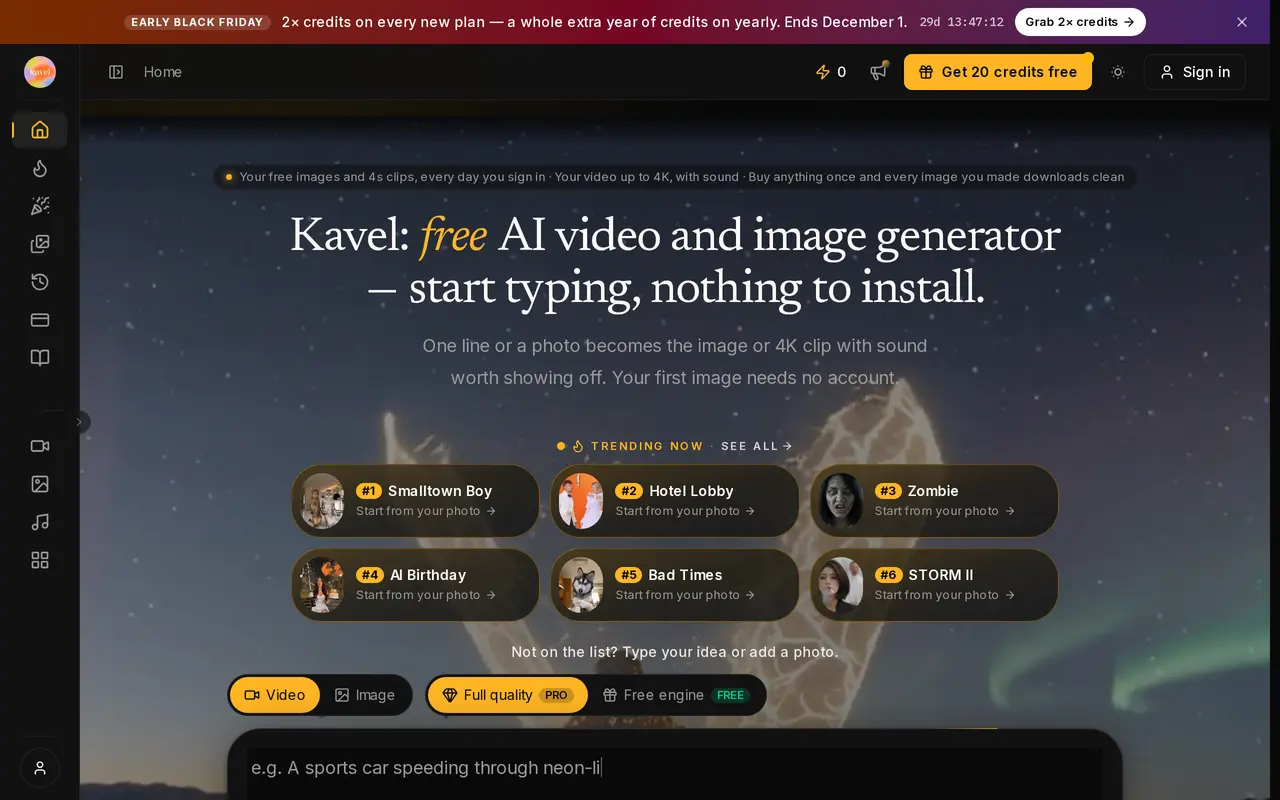
Kavel is a browser-based workspace for AI image generation, photo editing, and video creation. It brings more than 30 model options into one interface, with a shared credit balance for images and clips. Users can start with a written prompt, upload reference photos, or choose a preset effect or template.
To generate, users select a model, add their inputs, and adjust settings such as resolution, video length, and audio. The generator displays the estimated credit cost before each run. Image tools support combining references and transferring styles, including workflows with up to 14 reference photos. Supported video models offer native audio, first- and last-frame controls, and clips up to 30 seconds, depending on the model. Selected models support 4K output.
Kavel serves social content creators, designers, and businesses making product visuals or advertising clips. Initial image generation is available without an account, while signing in provides additional free credits and check-in allowances. Free downloads carry a watermark. Paid plans and credit packs unlock watermark-free downloads, commercial-use licensing, access to all models, and generation without the free queue. Credit costs vary with the model and output settings.
What can Kavel do?
Shared model workspace
Use more than 30 image and video model options with one credit balance.
Reference-based image editing
Generate, combine, or restyle images using text and up to 14 reference photos with supported models.
Video with native audio
Create clips from text or images, with sound and frame controls available on supported models.
Generation cost preview
Check the credit estimate after choosing the model, resolution, duration, and audio settings.
Preset effects and templates
Start with a tool that loads a model and starter prompt for a specific visual effect or video format.
Paid download and usage rights
A paid plan or credit pack unlocks watermark-free downloads and a commercial-use license.
Who is Kavel for?
- Social content creators
- Create thumbnails, social images, short clips, and template-based videos.
- E-commerce and brand teams
- Produce product visuals and advertising videos from prompts or reference photos.
- Designers
- Explore visual concepts as still images before developing them into video.
- Educators and training teams
- Make diagrams and explainer clips for lessons and onboarding.
How much is Kavel?
Official pricingStarter
$100/yr
Creator
$29.90/mo
Pro
$49.90/mo
Free plan
Free
Credit pack
See website
Free plan: Free use includes 20 login credits, 100 credits a week through check-ins, and daily free image generation, photo editing, and 4-second videos when signed in.
Frequently asked questions
Can I try Kavel without an account?
You can start with five free credits without signing up. Signing in adds a 20-credit bonus and access to check-in credits and free generation options.
Do downloads have a watermark?
Free outputs carry a small corner watermark. A paid plan or credit pack unlocks downloads without the Kavel watermark.
Can I use the results commercially?
Paid plans and credit packs include a commercial-use license for uses such as advertising, client work, and product pages.
Do credits expire?
One-time credit-pack credits do not expire. Subscription credits are issued monthly, including on yearly plans.
What happens if generation fails?
Credits for technical failures are refunded automatically. Safety checks run before generation, so blocked prompts are not charged as completed runs.
Can I cancel a subscription?
You can cancel through Settings → Billing. Access continues until the end of the paid period, and credits already granted remain available to spend.
Kavel alternatives
Compare alternatives- 1
 Zeva AIGenerate and edit images or create short videos from text prompts and photos.
- 2
 Adobe FireflyGenerate and edit images, videos, and audio with AI.
- 3
 MagnificGenerate and edit AI images and videos on iPhone, iPad, and Mac.
- 4
 PixlrEdit photos and generate images, videos, and audio with AI in your browser.
- 5
 MagicShotGenerate and edit images, videos, voiceovers, and music in one AI studio.
More AI Video Generators
See more
CapCut
AI Video Editors
Edit videos, generate visuals, and add AI captions, voiceovers, and audio cleanup.

OpenArt
AI Image Generators
Generate and edit AI images, videos, characters, music, and voiceovers in one workspace.

DeepAI
AI Image Generators
Generate images, videos and music, edit photos, and chat with AI in one platform.

Pixelcut
AI Product Photography
Generate and edit product photos, brand images, and videos with AI.

VEED
AI Video Editors
Generate, edit, subtitle, and dub videos with AI in one platform.
Artlist
AI Video Generators
Generate and edit videos, images, voiceovers, music, and 3D assets in one workspace.