Image To Image
Visit websiteEdit source photos into product images, ad variations, and campaign visuals with AI.
Verified Nov 2, 2026
What is Image To Image?
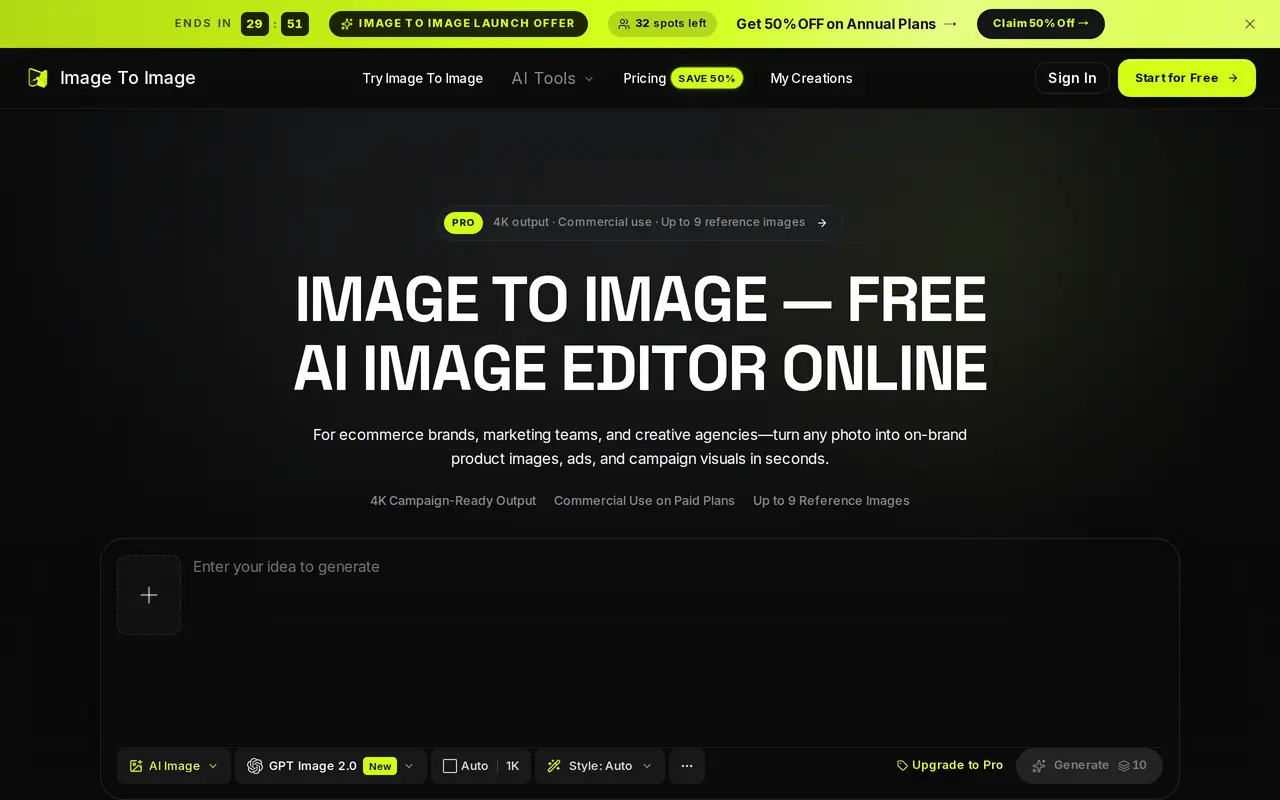
Image To Image is a browser-based AI image editor for creating product photos, advertising concepts, and branded visuals from existing images. Users upload a source photo, describe the changes they want, and generate variations in the same workspace. It also supports text-to-image generation when no source image is available.
Editing tools include background replacement, object removal, canvas extension, and style changes through natural-language instructions. Users can combine up to nine reference images to guide products, characters, settings, and visual styles, or supply brand HEX codes to steer the palette. Generated variants can be compared and refined with further instructions, with saved history and reusable templates supporting repeat projects.
The editor accepts PNG, JPG, and WebP uploads and exports PNG or WebP images at resolutions up to 4K. It can include multilingual text in artwork, though lettering needs review and may require corrections. Free credits are available after signing in without a payment card; paid plans include commercial-use rights under the subscription terms.
What can Image To Image do?
Natural-language photo editing
Describe background swaps, object removal, canvas extensions, or style changes without creating manual masks.
Up to nine reference images
Combine product, character, environment, palette, and style references to guide a single composition.
Brand palette guidance
Add HEX color codes to guide the palette of generated campaign visuals.
Text within artwork
Generate headlines, packaging copy, and multilingual lettering, then refine individual lines as needed.
High-resolution exports
Download images as PNG or WebP at resolutions up to 4K.
Reusable creative workflows
Compare generated variants, refine them with follow-up instructions, and save transformations as reusable templates.
Who is Image To Image for?
- Ecommerce brands
- Create listing photos, lifestyle scenes, seasonal backgrounds, and virtual try-on concepts from product images.
- Marketing teams and agencies
- Turn approved campaign images into ad variations and branded assets for different channels.
- Game and animation studios
- Use coordinated references to develop character sheets, storyboard concepts, and keyframes.
How much is Image To Image?
Official pricingStarter
$118.80/yr
Studio
$538.80/yr
Pro
$238.80/yr
Free plan: Free credits are available after signing in, with no payment card required.
Frequently asked questions
Can I try Image To Image for free?
Signing in unlocks free credits without requiring a payment card.
Can I use generated images commercially?
Paid subscriptions and credit packages include a commercial-use license. The Terms of Service govern its scope and restrictions.
Which image formats does it support?
You can upload PNG, JPG, and WebP images, then export PNG or WebP files at resolutions up to 4K.
How many reference images can I use?
Each transformation supports up to nine reference images to guide subjects, products, environments, styles, and colors.
Does it generate text inside images?
It supports headlines, labels, packaging copy, and multilingual scripts within images. Results vary with the model, font complexity, and text length, so review the lettering before publishing.
How are annual subscriptions billed?
Annual subscriptions are charged for a full year. The listed launch prices are $9.90 per month for Starter, $44.90 per month for Studio, and $19.90 per month for Pro, all billed yearly.
Image To Image alternatives
Compare alternatives- 1
 Get Img AIGenerate images and edit photos with text prompts across multiple AI models.
- 2
 NanoBanana ProGenerate and edit images with text prompts and multiple reference images.
- 3
 Image to Image AI GeneratorEdit and restyle photos or sketches using reference images and text instructions.
- 4
 ReelWandGenerate and edit product photos, portraits, illustrations, and brand visuals with AI.
- 5
 3D Camera ControlGenerate new camera angles from a single reference image using AI.
More AI Photo Editors
See more
Canva
AI Graphic Design
Create presentations, graphics, photos, and videos with AI-assisted design tools.

OpenArt
AI Image Generators
Generate and edit AI images, videos, characters, music, and voiceovers in one workspace.

Photoroom
AI Product Photography
Create and edit product photos, listing images, and video ads with AI.

Pixelcut
AI Product Photography
Generate and edit product photos, brand images, and videos with AI.

Adobe Firefly
AI Image Generators
Generate and edit images, videos, and audio with AI.

Fotor
AI Photo Editors
Edit and enhance photos, generate images, and create designs with AI tools.