
Image to Image AI Generator
Visit websiteEdit and restyle photos or sketches using reference images and text instructions.
Verified Nov 2, 2026
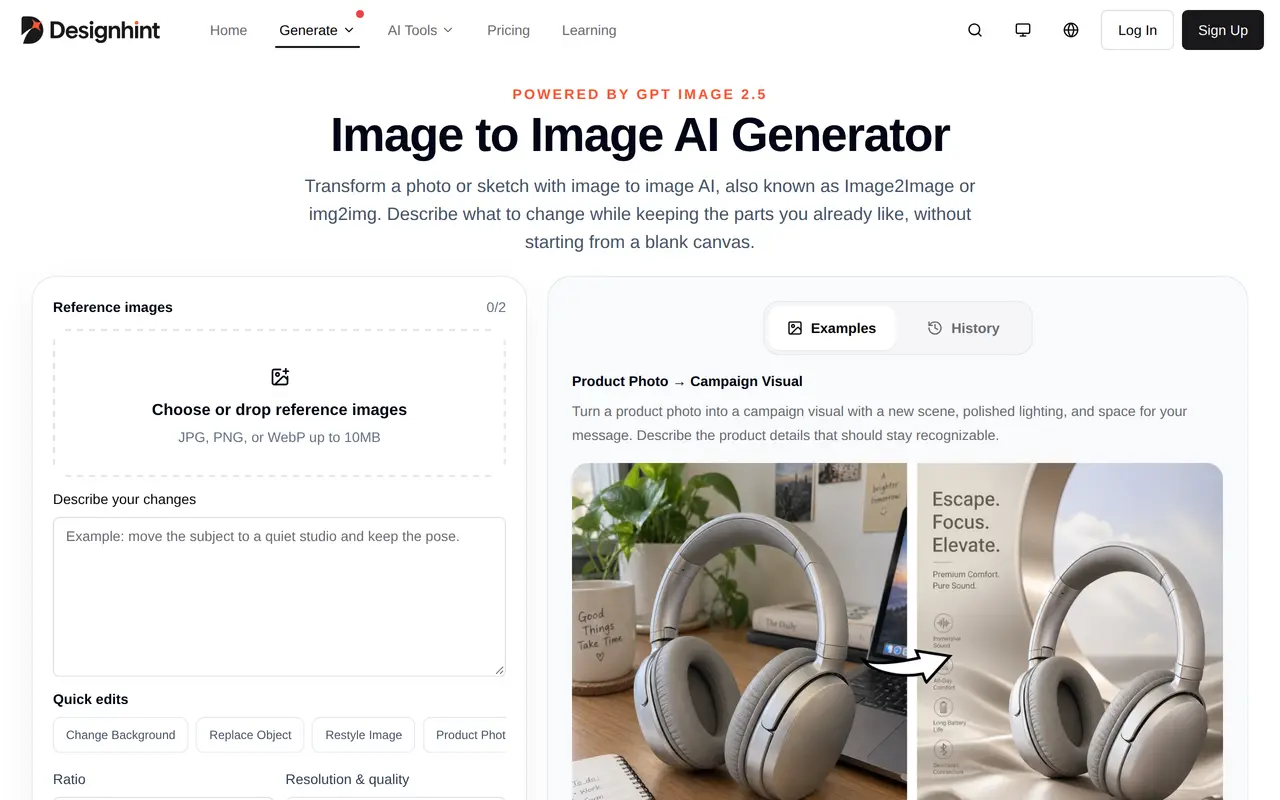
What is Image to Image AI Generator?
Image to Image AI Generator is Designhint’s web tool for changing existing images with natural-language instructions. Instead of generating from a blank canvas, users upload a photo or sketch and describe what should change and which details should remain. It supports JPG, PNG, and WebP reference uploads up to 10 MB each.
The tool can replace backgrounds or objects, restyle photographs as illustrations, turn product sketches into renders, and explore room redesigns. Multiple references can guide different parts of an edit, such as using one image for a product and another for its setting. Users choose the output ratio, resolution, and quality, then generate a result and refine it with further instructions. Example prompts provide starting points for product advertising, interiors, portraits, and other edits.
Generation uses credits, with the cost displayed before each run. Free accounts receive starter credits and can earn additional credits through daily check-ins; paid memberships and credit purchases unlock higher-resolution and quality options. Results need review, particularly where faces, labels, proportions, or other details must remain consistent. Commercial projects on paid memberships are subject to the selected model’s terms.
What can Image to Image AI Generator do?
Prompt-based image editing
Describe changes to backgrounds, objects, clothing, text, or style while identifying details to preserve.
Multiple reference images
Use separate references to guide the subject, setting, or other elements of an edit.
Output controls
Choose the aspect ratio, resolution, and quality before generating an image.
Iterative refinement
Make additional focused edits to a generated result and compare it with the reference.
Example editing prompts
Start with prompts for product campaigns, interior redesigns, sketch renders, and illustration styles.
Who is Image to Image AI Generator for?
- Designers
- Explore visual variations, illustration styles, and realistic renders from existing images or sketches.
- Product marketers
- Turn product photographs into campaign visuals with new scenes, lighting, and compositions.
- Interior designers
- Use room photographs as references for changes to furniture, materials, decor, and lighting.
How much is Image to Image AI Generator?
Official pricingFree
Free
Creator
$9.90/mo
Pro
$29.90/mo
Free plan: Free accounts receive 10 credits and can collect two additional credits through daily check-in.
Frequently asked questions
Can I use it for free?
The Free plan includes 10 credits, with two additional credits available through daily check-in. Each generation consumes credits, and its cost is shown before you start.
Which image formats can I upload?
Reference images can be JPG, PNG, or WebP files up to 10 MB each.
What do paid memberships cost?
Creator costs $9.90 per month for 1,000 monthly credits. Pro is listed at $29.90 per month for 3,500 monthly credits.
Do credits expire?
Purchased credits and daily check-in credits do not expire. Membership credits expire at the end of each credit period and do not roll over.
Can I use images for commercial projects?
Paid memberships include commercial projects subject to the selected model’s terms.
Will every original detail stay unchanged?
Instructions can specify details to preserve, but results should be checked for changes to faces, labels, proportions, and composition.
Image to Image AI Generator alternatives
Compare alternatives- 1
 NanoBanana ProGenerate and edit images with text prompts and multiple reference images.
- 2
 3D Camera ControlGenerate new camera angles from a single reference image using AI.
- 3
 Get Img AIGenerate images and edit photos with text prompts across multiple AI models.
- 4
 Image To ImageEdit source photos into product images, ad variations, and campaign visuals with AI.
- 5
 ReelWandGenerate and edit product photos, portraits, illustrations, and brand visuals with AI.
More AI Photo Editors
See more
Canva
AI Graphic Design
Create presentations, graphics, photos, and videos with AI-assisted design tools.

OpenArt
AI Image Generators
Generate and edit AI images, videos, characters, music, and voiceovers in one workspace.

Photoroom
AI Product Photography
Create and edit product photos, listing images, and video ads with AI.

Pixelcut
AI Product Photography
Generate and edit product photos, brand images, and videos with AI.

Adobe Firefly
AI Image Generators
Generate and edit images, videos, and audio with AI.

Fotor
AI Photo Editors
Edit and enhance photos, generate images, and create designs with AI tools.