3D Camera Control
Visit websiteGenerate new camera angles from a single reference image using AI.
Verified Nov 3, 2026
What is 3D Camera Control?
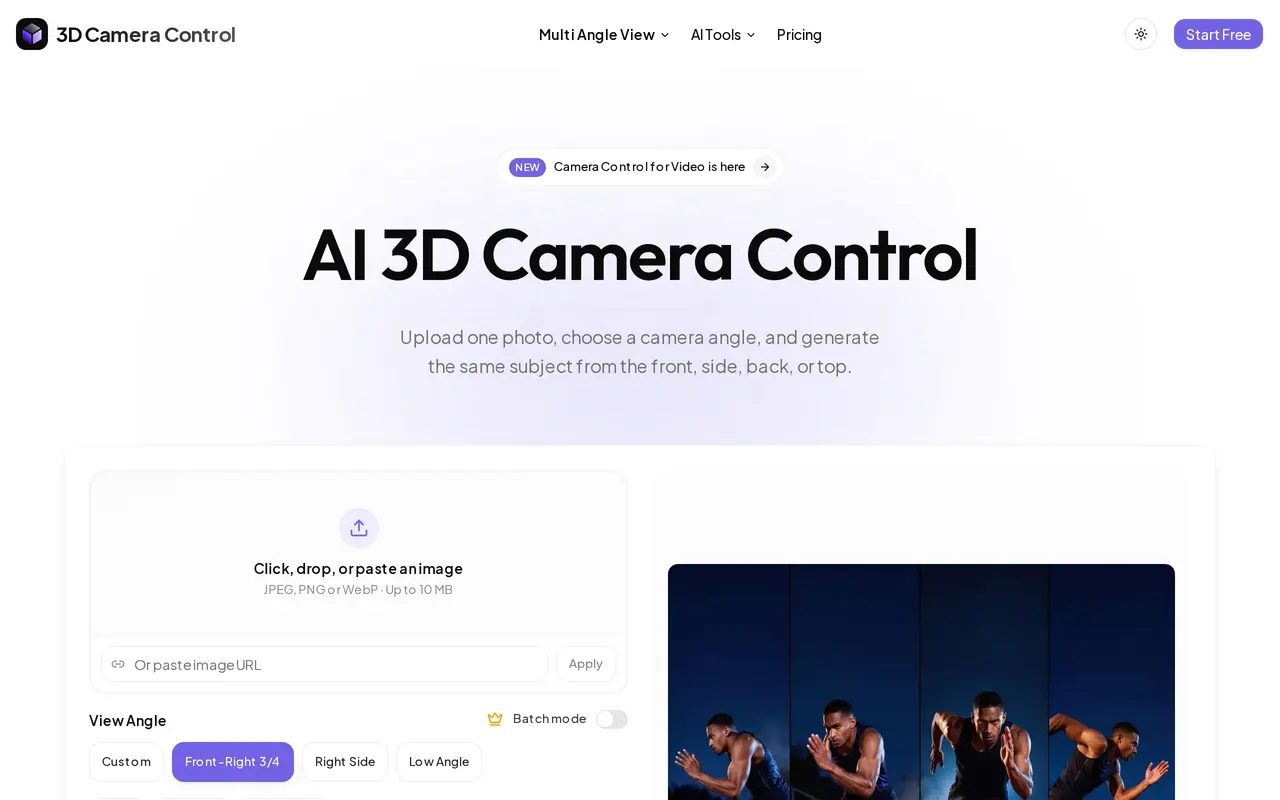
3D Camera Control is a web-based AI tool that generates alternative viewpoints from one reference image. It can create front, side, back, three-quarter, and top-down views of characters, products, people, or scenes. The original image guides each generation to help preserve recognizable subject details across views.
Users upload, paste, or drag in a JPEG, PNG, or WebP image up to 10 MB, then choose a preset angle or adjust three controls: horizontal rotation, vertical elevation, and camera distance. Views can be generated individually or in batches and downloaded for use in other creative workflows. Signing in is required to try the generator.
The tool is intended for character turnaround sheets, multi-angle product galleries, scene exploration, and reference frames for image-to-video workflows. Its free plan includes one image generation per day. Paid subscriptions provide monthly credits for images or videos, along with watermark-free HD output.
What can 3D Camera Control do?
Three-axis camera controls
Adjust horizontal rotation, vertical elevation, and camera distance to guide the generated viewpoint.
Preset viewing angles
Choose views such as right side, back, low angle, top-down, or front-right three-quarter.
Reference-guided generation
Use one source image to guide new angles while helping retain recognizable details of the subject.
Batch angle generation
Generate several viewpoints from the same reference image rather than creating each view separately.
HD exports
Paid plans include watermark-free HD output for use in creative projects.
Who is 3D Camera Control for?
- Character and concept artists
- Create multi-view character references for illustration, animation preparation, and game asset workflows.
- E-commerce product creators
- Generate additional product perspectives from a single product photo for listing galleries.
- AI video creators
- Prepare reference frames with specific viewpoints before using image-to-video tools.
- AI image creators
- Explore alternative angles of an existing generated image without starting a new subject from scratch.
How much is 3D Camera Control?
Official pricingFree
Free
Starter
$12.90/mo
Pro
$19.90/mo
Free plan: One free image generation per day.
Frequently asked questions
Can I use 3D Camera Control for free?
The Free plan includes one image generation per day. You need to sign in to try it.
Which image formats can I upload?
The tool accepts JPEG, PNG, and WebP images up to 10 MB. You can upload, drag and drop, or paste an image.
How do I choose the camera angle?
Choose a preset viewpoint or adjust horizontal rotation, vertical elevation, and distance with three independent sliders.
Can I generate multiple angles at once?
Yes. Batch generation lets you create several angles from one reference image.
What do paid subscriptions include?
Starter includes 1,000 monthly credits, with up to 100 images or 12 videos. Pro includes 2,500 monthly credits, with up to 250 images or 31 videos; both offer watermark-free HD output and can be canceled anytime.
3D Camera Control alternatives
Compare alternatives- 1
 Image to Image AI GeneratorEdit and restyle photos or sketches using reference images and text instructions.
- 2
 NanoBanana ProGenerate and edit images with text prompts and multiple reference images.
- 3
 Get Img AIGenerate images and edit photos with text prompts across multiple AI models.
- 4
 Image To ImageEdit source photos into product images, ad variations, and campaign visuals with AI.
- 5
 ReelWandGenerate and edit product photos, portraits, illustrations, and brand visuals with AI.
More AI Photo Editors
See more
Canva
AI Graphic Design
Create presentations, graphics, photos, and videos with AI-assisted design tools.

OpenArt
AI Image Generators
Generate and edit AI images, videos, characters, music, and voiceovers in one workspace.

Photoroom
AI Product Photography
Create and edit product photos, listing images, and video ads with AI.

Pixelcut
AI Product Photography
Generate and edit product photos, brand images, and videos with AI.

Adobe Firefly
AI Image Generators
Generate and edit images, videos, and audio with AI.

Fotor
AI Photo Editors
Edit and enhance photos, generate images, and create designs with AI tools.