
Facewow
Visit websiteEnhance portraits, apply artistic filters, and generate headshots and characters with AI.
Verified Nov 2, 2026
What is Facewow?
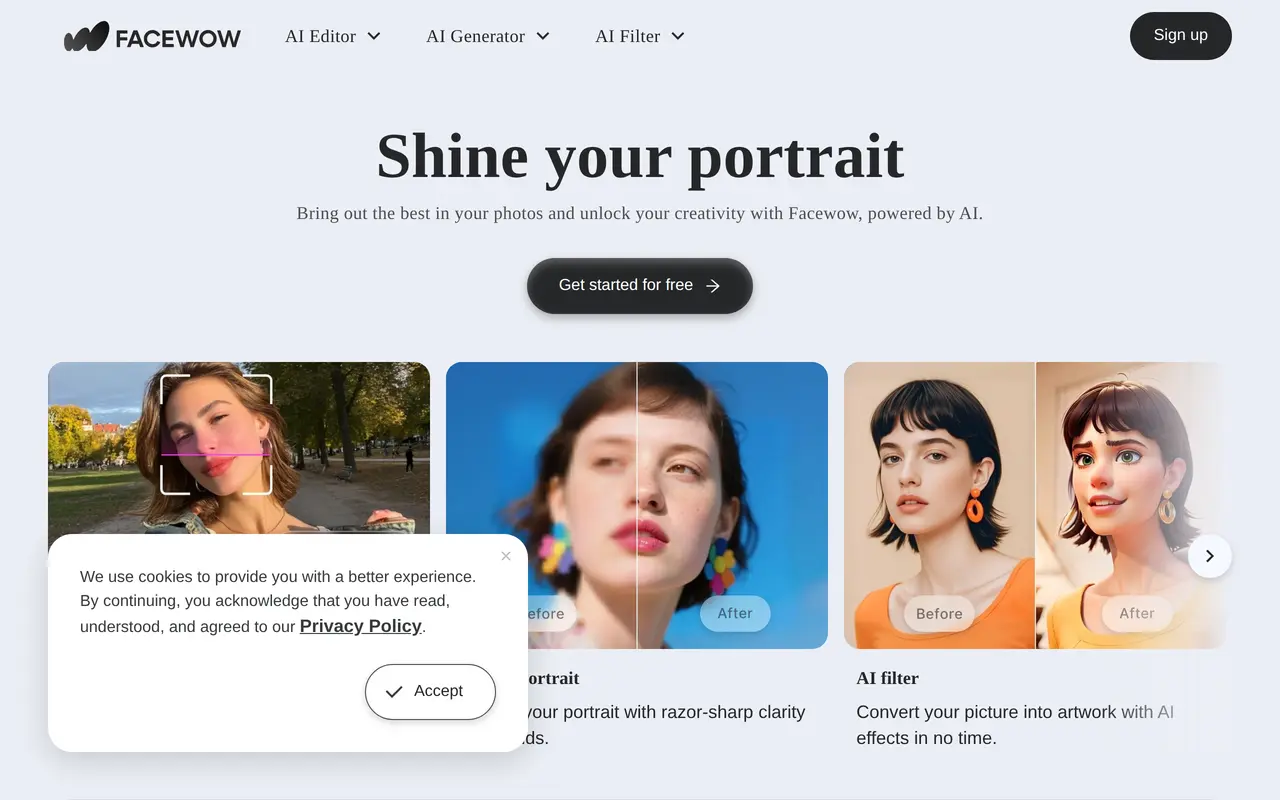
Facewow is a browser-based AI toolkit for creating and editing portraits. It combines photo enhancement, artistic filters, headshot generation, and text-to-image creation. Users can work from an existing photo to change its appearance or use text and images to create new visuals, including personalized characters.
Its portrait enhancement tools sharpen blurry images, refine details, and produce higher-resolution results. Filters turn photos into anime, fantasy, painting, and other artistic styles. The headshot generator creates professional or fantasy portraits from a photo, with options to experiment with outfits, looks, and backgrounds rather than arranging a studio shoot.
For character creation, users can describe attributes such as appearance, personality, and skills. Facewow targets personal entertainment, business occasions, storytelling, and social media imagery. It is designed for beginners as well as experienced creators, with online image output offered free of charge and without watermarks.
What can Facewow do?
Portrait enhancement
Sharpen blurry portraits, refine image details, and create higher-resolution output.
Artistic photo filters
Transform photos into anime, fantasy, painting, and other visual styles.
AI headshot generation
Create professional or fantasy headshots from a photo and explore different outfits, looks, and backgrounds.
Text-to-image generation
Generate new images from written descriptions.
Personalized character creation
Create avatars from text and images, using descriptions of their appearance, personality, and skills.
Who is Facewow for?
- Social media creators
- Enhance portraits and apply artistic styles to images for social posts.
- Professionals
- Create headshots and try different outfits and backgrounds for business use.
- Story creators
- Develop personalized character images from descriptions and reference images.
Frequently asked questions
Is Facewow free to use?
Facewow offers free online use and high-resolution image output without watermarks.
What kinds of headshots can it create?
It creates professional and fantasy headshots from a photo, with different looks, outfits, and backgrounds.
Can I create images without a starting photo?
Yes. Its AI image generator creates images from text descriptions.
Facewow alternatives
Compare alternatives- 1
 EzImageGenerate images from text or photos, edit selected areas, and upscale to 4K.
- 2
 GPT ImageGenerate, edit, and upscale images using text prompts and reference photos.
- 3
 Image2GPTGenerate images from text and edit photos with prompts, masks, and style controls.
- 4
 Inkfox AIGenerate and edit images and videos for ads, product listings, and social content.
- 5
 NanoPicGenerate images, edit reference photos, and turn images into videos with AI.
More AI Photo Editors
See more
Canva
AI Graphic Design
Create presentations, graphics, photos, and videos with AI-assisted design tools.

OpenArt
AI Image Generators
Generate and edit AI images, videos, characters, music, and voiceovers in one workspace.

Photoroom
AI Product Photography
Create and edit product photos, listing images, and video ads with AI.

Pixelcut
AI Product Photography
Generate and edit product photos, brand images, and videos with AI.

Adobe Firefly
AI Image Generators
Generate and edit images, videos, and audio with AI.

Fotor
AI Photo Editors
Edit and enhance photos, generate images, and create designs with AI tools.