Image2GPT
Visit websiteGenerate images from text and edit photos with prompts, masks, and style controls.
Verified Nov 2, 2026
What is Image2GPT?
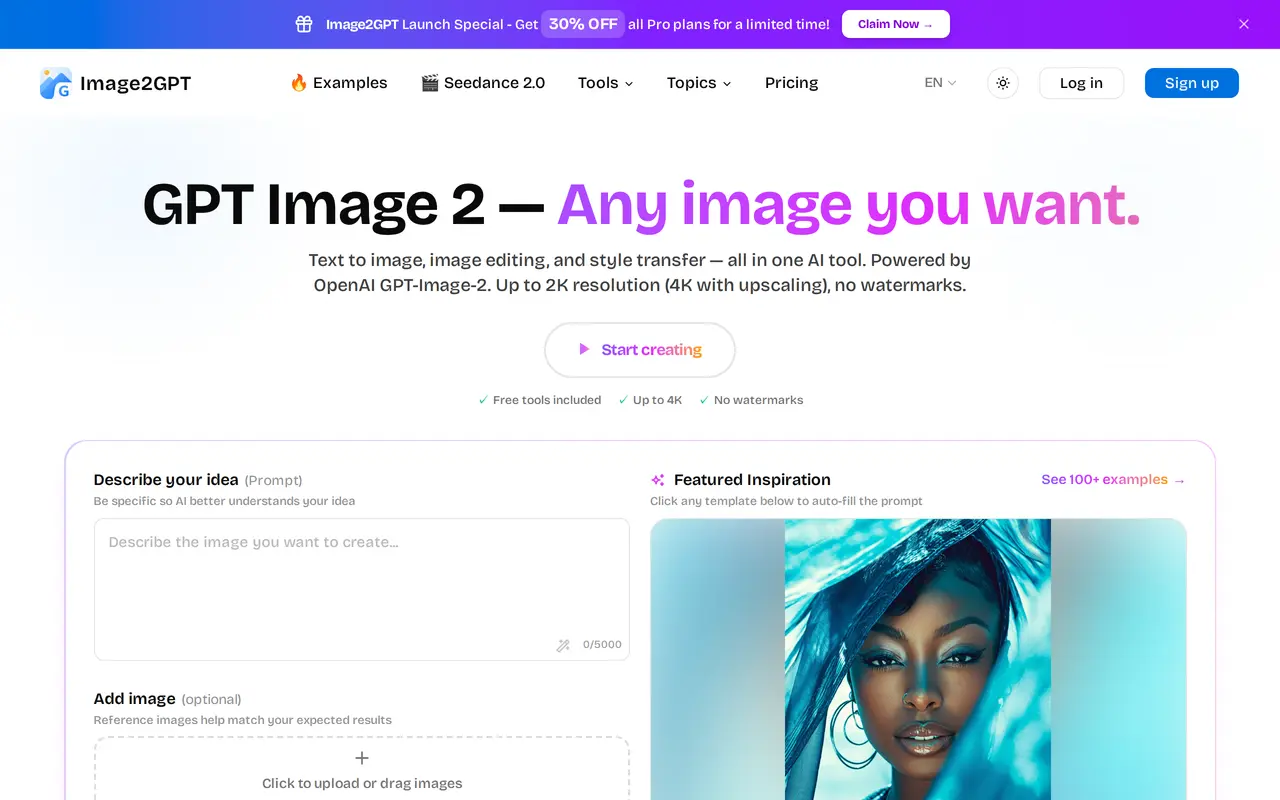
Image2GPT is a browser-based AI image generator and photo editor for creating illustrations, portraits, product images, and marketing visuals. Users describe an image, optionally upload reference pictures, and choose the aspect ratio, quality, and number of outputs. The upload interface accepts up to five PNG, JPG, or WebP images, each no larger than 10 MB.
Editing tools support background removal, style changes, adding elements, and enhancing details through written instructions. A mask-based editor lets users select a particular area to regenerate rather than changing the whole image. Other capabilities include generating the same character in different scenes, creating transparent backgrounds, and exporting PNG, JPEG, or WebP files. Outputs reach 2K resolution, with 4K available through upscaling.
Free utilities include image-to-prompt conversion, background removal, and image upscaling. Paid subscriptions add monthly generation credits, up to four images per generation, and access to Seedance 2.0 video generation. Prompt examples provide starting points for headshots, product posters, illustrations, and other visual styles.
What can Image2GPT do?
Text and reference image generation
Create images from written prompts, with optional reference uploads to guide the result.
Prompt-based photo editing
Describe changes to an uploaded photo, including new elements, background removal, and style transformations.
Mask-based inpainting
Paint over a selected area and regenerate that region while retaining the surrounding image.
Character consistency
Generate images of the same character across different scenes and poses.
Output controls
Choose aspect ratios, quality, and file formats, with transparent backgrounds and upscaling to 4K available.
Free image utilities
Use image-to-prompt conversion, background removal, and image upscaling without a paid subscription.
Who is Image2GPT for?
- Designers
- Create concept images, illustrations, mockups, and edited visual assets.
- E-commerce sellers
- Produce product imagery and promotional posters for online listings.
- Marketing and content teams
- Generate advertising visuals, social media images, and recurring character content.
How much is Image2GPT?
Official pricingHobby
$9.90/mo
Pro
$39.90/mo
Free plan: Free tools include image-to-prompt, background removal, image upscaling, and style transfer, with no credit card required.
Frequently asked questions
What can I use for free?
Free tools include image-to-prompt conversion, background removal, and image upscaling. Getting started with the free tools does not require a credit card.
What do the paid plans include?
Hobby costs $9.90 per month and includes 400 monthly credits for up to 100 high-quality images. Pro costs $39.90 per month and includes 2,000 monthly credits for up to 500 high-quality images. Both include up to four images per generation, 1K–4K output options, and Seedance 2.0 video generation.
Can I edit an existing image?
Yes. Upload a photo and describe the changes, or use a mask to select a specific region for regeneration.
Which image uploads are supported?
You can upload up to five reference images in PNG, JPG, or WebP format, with a maximum size of 10 MB per image.
Can I cancel a subscription?
Subscriptions can be managed or canceled in account settings.
Image2GPT alternatives
Compare alternatives- 1
 EzImageGenerate images from text or photos, edit selected areas, and upscale to 4K.
- 2
 FotorEdit and enhance photos, generate images, and create designs with AI tools.
- 3
 Bing Image CreatorGenerate images from text and edit photos with AI tools and templates.
- 4
 PhotoEditor.aiEdit, restore, upscale, and generate images with browser-based AI tools.
- 5
 Remaker AIEdit, enhance, and generate images with AI tools, prompts, and photo effects.
More AI Image Generators
See more
CapCut
AI Video Editors
Edit videos, generate visuals, and add AI captions, voiceovers, and audio cleanup.

OpenArt
AI Image Generators
Generate and edit AI images, videos, characters, music, and voiceovers in one workspace.

DeepAI
AI Image Generators
Generate images, videos and music, edit photos, and chat with AI in one platform.

Adobe Firefly
AI Image Generators
Generate and edit images, videos, and audio with AI.
Artlist
AI Video Generators
Generate and edit videos, images, voiceovers, music, and 3D assets in one workspace.

ImagineArt
AI Image Generators
Generate and edit images, video and audio with brand controls and automated workflows.