NanoPic
Visit websiteGenerate images, edit reference photos, and turn images into videos with AI.
Verified Nov 2, 2026
What is NanoPic?
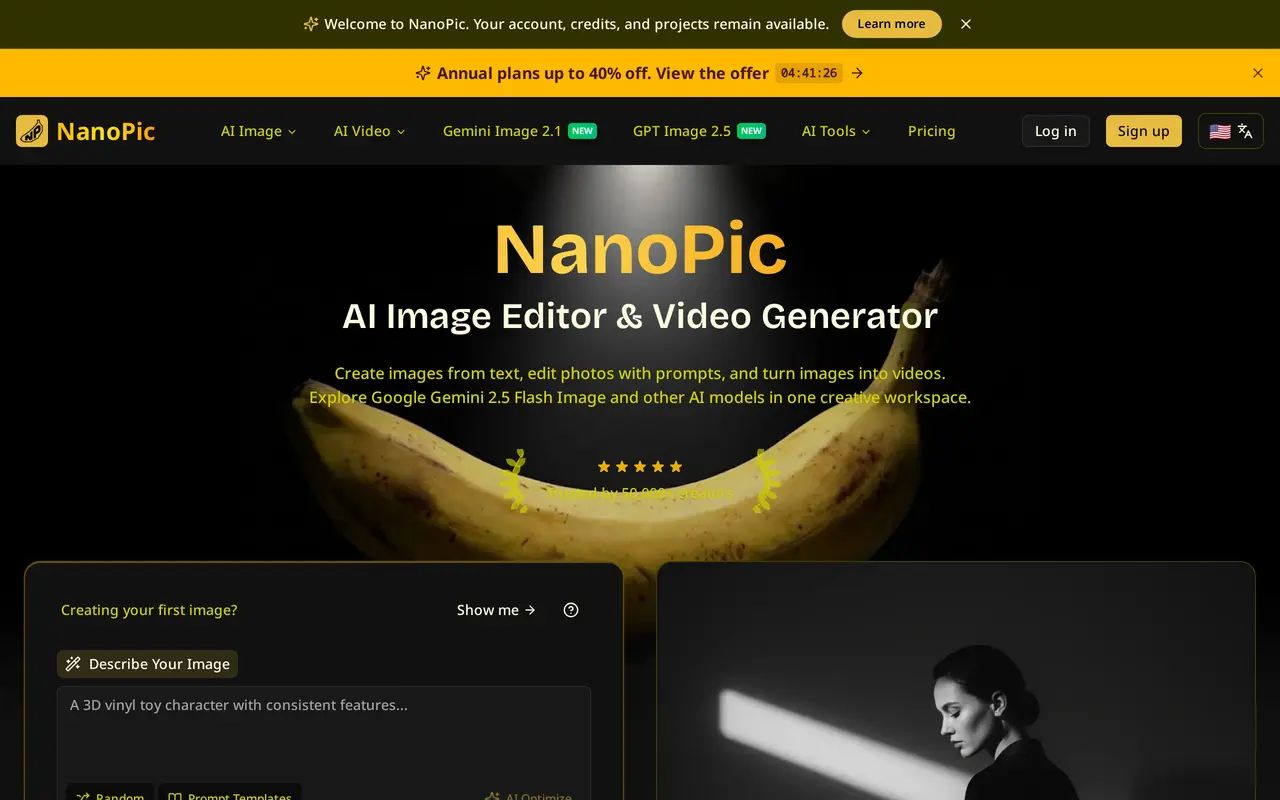
NanoPic is a browser-based creative platform for generating images from text, editing reference photos with prompts, and turning images into videos. It brings third-party image and video models into one workspace, with options including Google Gemini, GPT Image, Seedream, Grok, and Veo.
Users enter a prompt, optionally upload reference images, and select a model, aspect ratio, and resolution before generating and downloading results. The image interface accepts up to 10 reference images and prompts of up to 5,000 characters. It supports 10 aspect ratios, from square to ultrawide, with image output up to 4K on supported models. Templates, background removal, and image upscaling are also available.
NanoPic uses credits, with consumption varying by model and output settings. A free image option provides two generations daily, while subscriptions provide monthly credit allowances and one-time packs offer credits without expiry. Available settings, generation time, and output quality depend on the selected model; generated text and visual details should be checked before use.
What can NanoPic do?
Text-to-image generation
Create images from prompts using a selection of third-party models.
Reference-image editing
Upload up to 10 reference images and describe the changes you want to make.
Image-to-video generation
Turn still images into videos using supported video models.
Format and resolution controls
Choose from 10 aspect ratios and generate images up to 4K, depending on the model.
Image utilities
Use background removal and AI upscaling alongside the generation tools.
Who is NanoPic for?
- Content creators
- Generate and edit visuals for social posts, presentations, and other creative projects.
- Marketing teams
- Create product visuals, advertising concepts, and campaign assets.
- Professional studios
- Use higher credit allowances for ongoing image and video production.
How much is NanoPic?
Official pricingBasic
$19/mo
Pro
$39/mo
Max
$160/mo
Growth Pack
$80 one-time
Professional Pack
$200 one-time
Enterprise Pack
$800 one-time
Free plan: Two free image generations daily, plus three credits claimable through a daily check-in.
Frequently asked questions
Can I use NanoPic for free?
The free image option includes two generations per day. Signing in also lets users claim three credits through a daily check-in.
How much do subscriptions cost?
Monthly billing costs $19 for Basic, $39 for Pro, and $160 for Max. Annual billing costs $144, $288, and $1,152 respectively.
How many credits do subscriptions include?
Basic includes 300 credits per month, Pro includes 1,600, and Max includes 9,200. The number of images or videos these cover depends on the model and output settings.
Can I buy credits without a subscription?
One-time Growth, Professional, and Enterprise packs cost $80, $200, and $800 respectively. These packs have no expiry.
Can I use generated images commercially?
The Pro and Max plans include a commercial use license.
Does NanoPic develop the underlying models?
NanoPic provides the creative interface and editing workflow. The underlying AI models are developed by third-party providers.
NanoPic alternatives
Compare alternatives- 1AIGAZOUGenerate AI images without signing in, edit images, and turn images into video.
- 2
 AnyAIHubGenerate and edit images and create videos using multiple AI models.
- 3
 EzImageGenerate images from text or photos, edit selected areas, and upscale to 4K.
- 4
 Image2GPTGenerate images from text and edit photos with prompts, masks, and style controls.
- 5
 Inkfox AIGenerate and edit images and videos for ads, product listings, and social content.
More AI Image Generators
See more
CapCut
AI Video Editors
Edit videos, generate visuals, and add AI captions, voiceovers, and audio cleanup.

OpenArt
AI Image Generators
Generate and edit AI images, videos, characters, music, and voiceovers in one workspace.

DeepAI
AI Image Generators
Generate images, videos and music, edit photos, and chat with AI in one platform.

Adobe Firefly
AI Image Generators
Generate and edit images, videos, and audio with AI.
Artlist
AI Video Generators
Generate and edit videos, images, voiceovers, music, and 3D assets in one workspace.

Fotor
AI Photo Editors
Edit and enhance photos, generate images, and create designs with AI tools.