
Image Explainer
Visit websiteTurn topics, documents, and screenshots into illustrated videos with AI narration.
Verified Nov 2, 2026
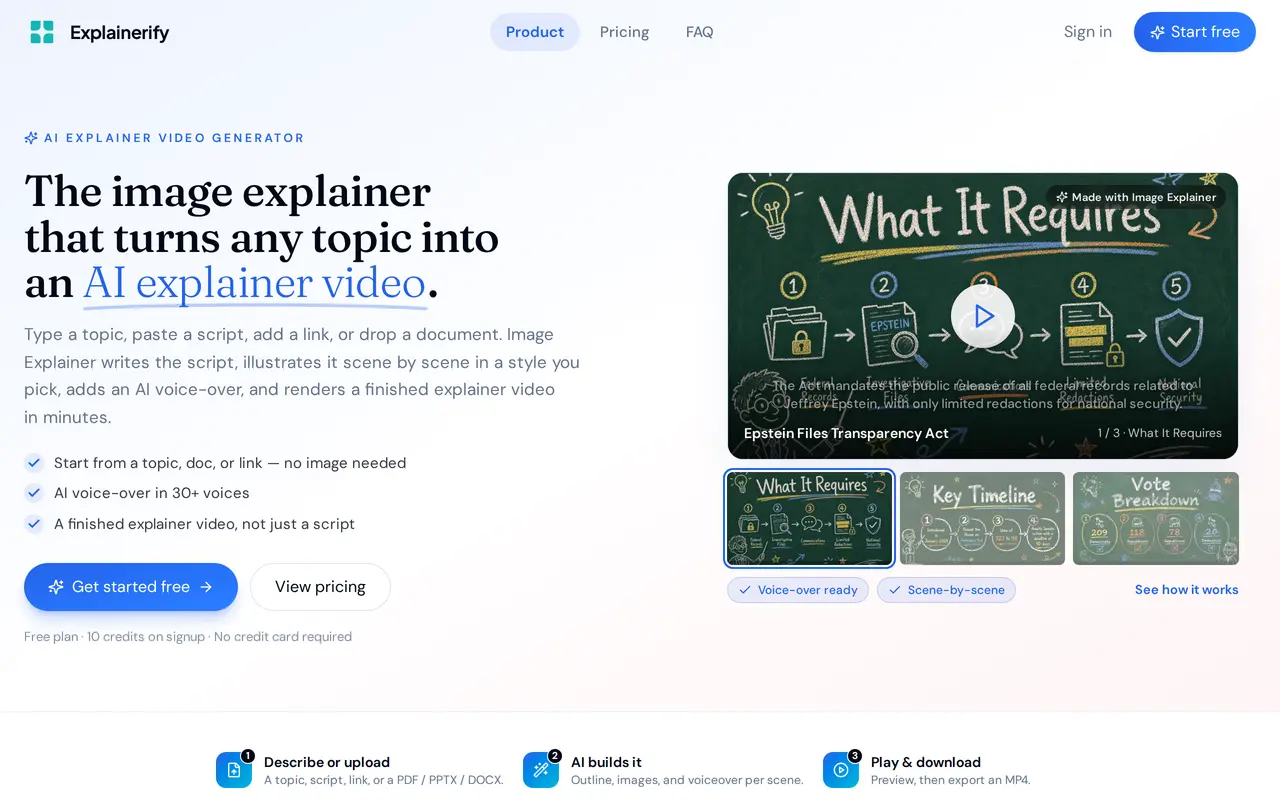
What is Image Explainer?
Image Explainer by Explainerify creates narrated, illustrated explainer videos from topics, scripts, links, documents, and images. It handles scriptwriting, scene planning, illustration, voice-over, and rendering in one workflow. Its intended uses include product demonstrations, employee onboarding, process training, and educational explanations.
Users enter a topic or supply existing material, then choose a visual style for the generated scenes. Supported document formats include PDF, PPTX, and DOCX. Images can serve as references, while product screenshots can become walkthrough explainers. Each video consists of separate scenes that users can reorder, rather than a single continuous generated clip.
The style library includes watercolor, editorial, chalkboard, pencil notebook, and isometric looks. Narration is available through more than 30 AI voices, with support for multiple languages. Users can preview the result and download a finished MP4, and videos are automatically saved to a library. Access uses credits: the free plan includes 10 signup credits, while paid options provide larger credit allowances.
What can Image Explainer do?
Multiple starting formats
Create explainers from a topic, script, URL, PDF, PPTX, DOCX, reference image, or product screenshot.
Scene-based video creation
Generate scripts, illustrations, and narration as separate scenes that you can reorder.
Visual style library
Choose styles such as watercolor, editorial, chalkboard, or isometric to guide the look across scenes.
AI voice-over
Add narration using more than 30 AI voices, with support for multiple languages.
Preview and MP4 export
Preview completed explainers, download MP4 files, and keep videos in an automatically saved library.
Who is Image Explainer for?
- Product and SaaS teams
- Turn features, interface screenshots, and product materials into demos and walkthroughs.
- HR and training teams
- Create onboarding, policy, and internal process videos.
- Educators and course creators
- Explain concepts and lessons through illustrated scenes with narration.
How much is Image Explainer?
Official pricingFree
Free
Pro
$19/mo
Lifetime
$149 one-time
Free plan: 10 credits on signup with AI voice-over included and no credit card required.
Frequently asked questions
Can I use Image Explainer for free?
The free plan includes 10 credits on signup and AI voice-over. No credit card is required.
What files can I upload?
Image Explainer accepts PDF, PPTX, and DOCX documents, as well as images and screenshots. You can also start with a topic, pasted script, or URL.
Can I download the finished video?
You can preview your explainer and export it as an MP4. The Pro plan includes HD exports and storage.
What paid options are available?
Pro costs $19 per month and includes 1,000 video credits per month. Lifetime costs $149 once and includes lifetime access with 5,000 included credits.
Image Explainer alternatives
Compare alternatives- 1
 ViMindTurn documents, notes, and URLs into narrated explainer videos.
- 2
 VeoGenerate videos from text prompts with native dialogue, sound effects, and ambient audio.
- 3
 DeeVidCreate and edit AI videos, images, avatars, speech, and music in one workspace.
- 4
 PictoryCreate and edit videos from prompts, scripts, URLs, slides, images and audio.
- 5
 PixVerseGenerate and refine AI videos from text, images, and conversational instructions.
More AI Video Generators
See more
CapCut
AI Video Editors
Edit videos, generate visuals, and add AI captions, voiceovers, and audio cleanup.

OpenArt
AI Image Generators
Generate and edit AI images, videos, characters, music, and voiceovers in one workspace.

DeepAI
AI Image Generators
Generate images, videos and music, edit photos, and chat with AI in one platform.

Pixelcut
AI Product Photography
Generate and edit product photos, brand images, and videos with AI.

VEED
AI Video Editors
Generate, edit, subtitle, and dub videos with AI in one platform.

Adobe Firefly
AI Image Generators
Generate and edit images, videos, and audio with AI.