
Upsampler
Visit websiteGenerate, enhance, edit, and animate images and videos in a browser.
Verified Nov 2, 2026
What is Upsampler?
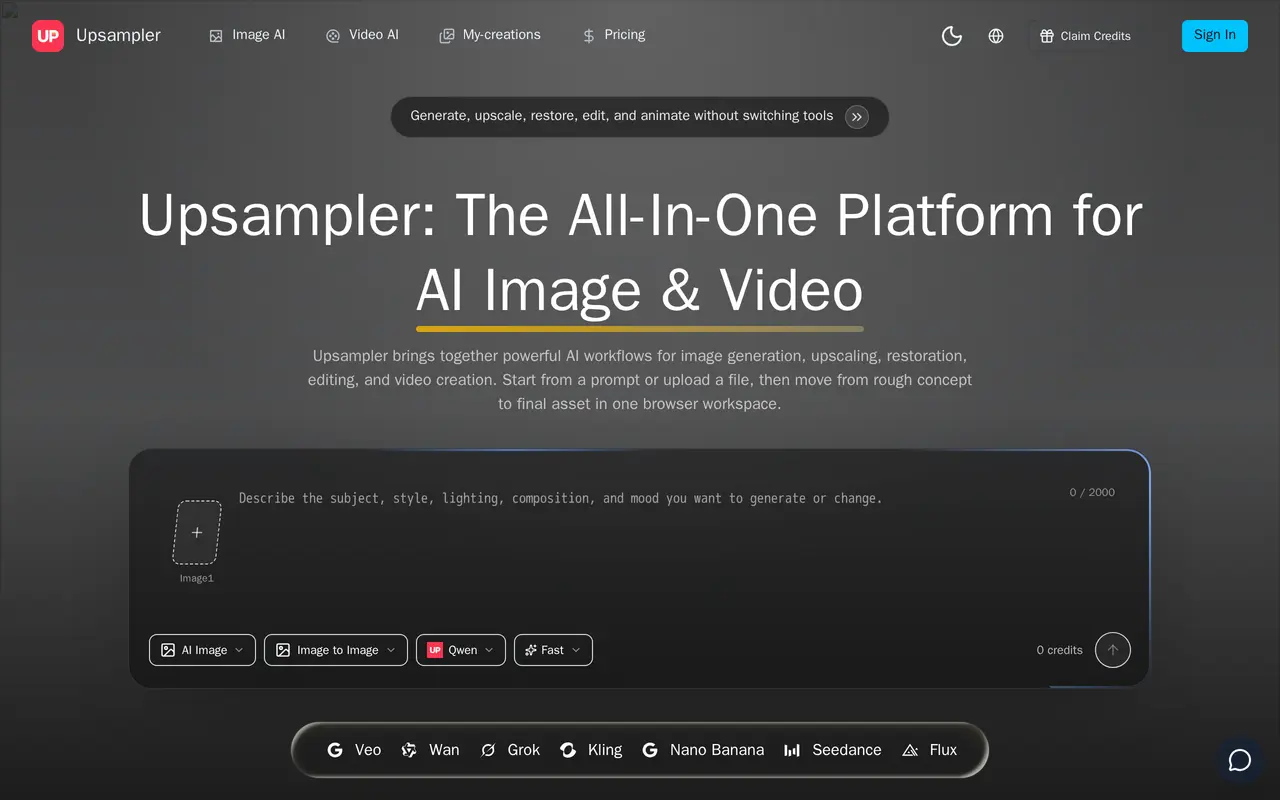
Upsampler is a browser-based workspace for AI image creation, enhancement, editing, and video generation. Users can start with a text prompt, upload an existing image, or add references to guide the result. It combines still-image workflows with motion generation, letting creators prepare an image before turning it into a short video.
Image tools include 4K upscaling, restoration, background removal, and prompt-driven changes to backgrounds, styling, and composition. Video workflows support text prompts and reference images, with multiple model options including Seedance 2.0 and Veo 3.1. Built-in trimming and compression help prepare generated clips for download and publishing.
Generation uses credits, with the estimated cost shown before submission. Costs vary by model, duration, resolution, and other settings, so video counts are estimates rather than fixed allowances. The free plan includes starter credits and watermarked outputs. Paid subscriptions provide monthly credit allocations, additional parallel tasks, and watermark-free outputs; one-time credit packs are also available.
What can Upsampler do?
AI image generation
Create images from text prompts or reference images for ads, thumbnails, portraits, covers, and product scenes.
Image upscaling and restoration
Upscale images to 4K, improve clarity, and reduce artifacts before editing or animation.
Prompt-driven image editing
Change backgrounds, adjust styling, refine composition, or isolate subjects with background removal.
Multi-model video generation
Generate short videos from text, images, or references using model options such as Seedance 2.0 and Veo 3.1.
Browser-based finishing
Trim videos and compress files before downloading final exports.
Credit cost previews
Check estimated generation costs before submitting a task, based on the selected model and settings.
Who is Upsampler for?
- Content creators
- Create thumbnails, illustrations, and short motion assets for social publishing and storytelling.
- Marketing teams
- Produce campaign concepts, ad visuals, teasers, and video assets from prompts or existing media.
- Ecommerce teams
- Clean up product images, remove backgrounds, and animate product shots for listings and promotions.
How much is Upsampler?
Official pricingPro
$300/yr
Lite
$150/yr
Free
Free
Free plan: 10 starter credits, up to two videos, one parallel task, and watermarked outputs.
Frequently asked questions
Can I use Upsampler for free?
The Free plan includes 10 starter credits, up to two videos, and one parallel task. Free outputs are watermarked.
How are generation credits calculated?
Credit usage depends on the model, mode, duration, resolution, and selected options. An estimated cost appears before each generation.
Do subscription credits roll over?
Subscription credits reset with each billing cycle. One-time credit packs have separate validity periods and remain usable until they expire.
Can I buy more credits without changing plans?
Yes. One-time credit packs add generation credits without requiring a subscription change.
Can I use generated outputs commercially?
Commercial use is allowed under the terms of your active plan. You retain rights to your generated outputs, subject to platform terms and applicable law, and must have appropriate rights to uploaded references.
Can I cancel my subscription?
You can cancel through billing settings, with access generally continuing until the current paid period ends. Refunds are handled under the applicable terms and case review process.
Upsampler alternatives
Compare alternatives- 1
 KreaGenerate, edit, and upscale images, videos, and 3D assets with AI.
- 2
 MagnificGenerate and edit AI images and videos on iPhone, iPad, and Mac.
- 3
 PixlrEdit photos and generate images, videos, and audio with AI in your browser.
- 4
 BerriooGenerate and edit images, create short videos, and turn scripts into speech.
- 5
 Nanobanana2.1Generate and edit images with reference photos, inpainting, and up to 4K output.
More AI Image Generators
See more
CapCut
AI Video Editors
Edit videos, generate visuals, and add AI captions, voiceovers, and audio cleanup.

OpenArt
AI Image Generators
Generate and edit AI images, videos, characters, music, and voiceovers in one workspace.

DeepAI
AI Image Generators
Generate images, videos and music, edit photos, and chat with AI in one platform.

Adobe Firefly
AI Image Generators
Generate and edit images, videos, and audio with AI.
Artlist
AI Video Generators
Generate and edit videos, images, voiceovers, music, and 3D assets in one workspace.

Fotor
AI Photo Editors
Edit and enhance photos, generate images, and create designs with AI tools.