
Pippit
Visit websiteCreate marketing videos, product images, and avatar content with AI.
Verified Nov 2, 2026
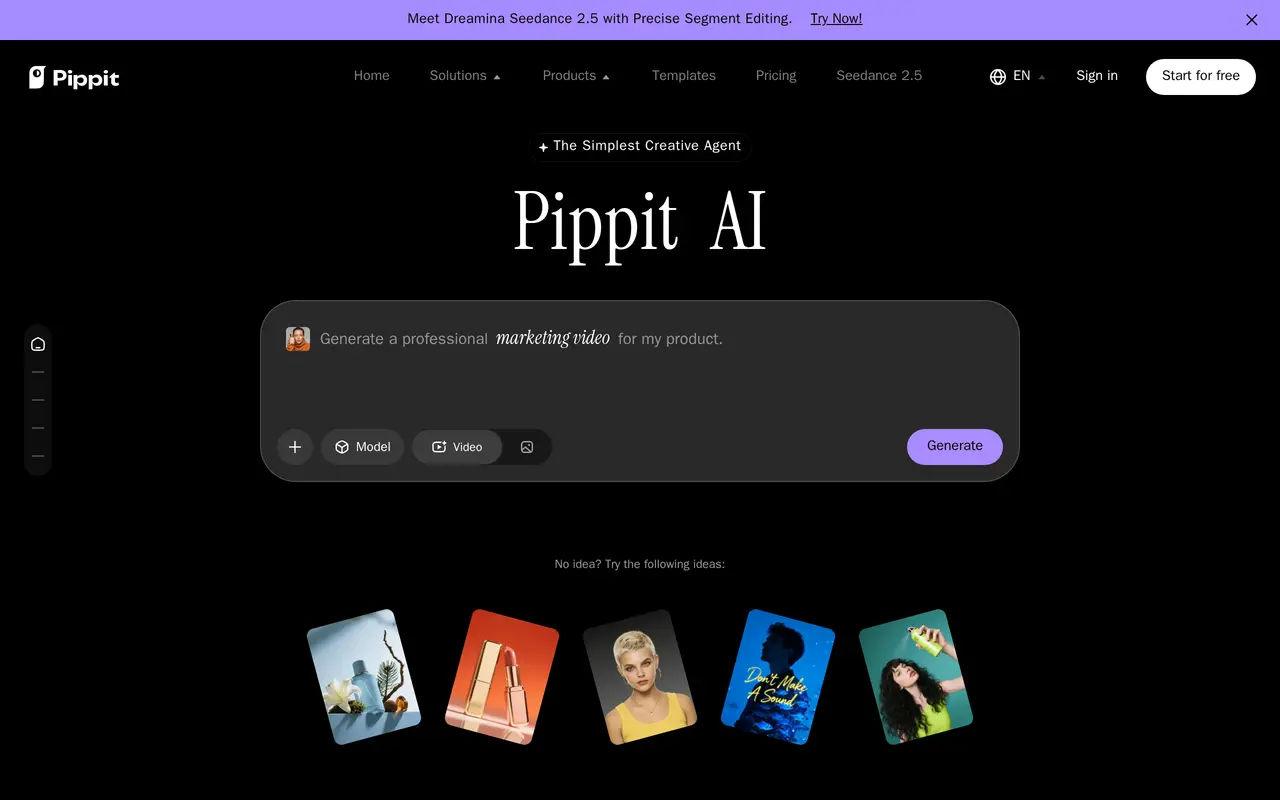
What is Pippit?
Pippit is an AI content creation platform powered by CapCut for producing marketing videos, product images, social posts, and avatar presentations. It combines generation and editing tools with content publishing and performance tracking, making it useful for creators, marketers, and online sellers managing multiple types of promotional content.
To create a video, users select a model, add a link, file, or media reference, and describe the result they want. They can set the aspect ratio, language, and duration, or use an existing video as a reference for its script, structure, and visual style. The image tools generate designs from prompts, merge images, replace backgrounds, and support batch creation and editing. AI avatars provide another option for product demonstrations, training, and customer education.
Pippit also includes video translation, a publishing calendar, cross-channel analytics, and e-commerce marketplace integration. Its free plan provides daily credits and access to video, image, and avatar tools. Paid subscriptions add credit allowances, advanced models, watermark removal, higher-resolution output, and additional capacity; some features consume credits.
What can Pippit do?
Video generation from references
Turn prompts, product links, files, or media into videos with adjustable language, duration, and aspect ratio.
AI image creation and editing
Generate posters and social graphics, merge images, replace backgrounds, and create or edit images in batches.
Avatar videos and talking photos
Create presenter-led product demos, training videos, and customer education content using avatars or talking photos.
Reference-based video remixing
Use an existing video's script, narrative structure, and visuals as a reference for a new video.
Video translation
Translate videos into another language for audiences in different markets.
Publishing and analytics
Organize content in a publishing calendar and track performance across channels.
Who is Pippit for?
- E-commerce businesses
- Create product videos, promotional images, and marketplace content from product listings and media.
- Marketing teams
- Produce ads and campaign assets, schedule content, and monitor channel performance.
- Content creators
- Generate social videos and graphics or develop new content using video references.
- Educators
- Use AI avatars to create training and explanatory videos.
How much is Pippit?
Official pricingFree
Free
Starter
$101/yr
Plus
$246/yr
Pro
$540/yr
Pro
$1,095/yr
Pro
$1,455/yr
Pro
$2,196/yr
Pro
$3,599/yr
Free plan: Free daily credits with access to video and image agents, remixing, talking photos, and avatar videos.
Frequently asked questions
Can I use Pippit for free?
Yes. The free plan requires no credit card and includes daily credits, video and image agents, video remixing, talking photos, and avatar video generation. Some features consume credits.
How do I create a video?
Choose a video model, upload a link, file, or media reference, and enter a prompt. You can customize the language, aspect ratio, and duration before generating.
What do paid plans add?
Paid plans include monthly credit allowances, access to advanced models, watermark removal, upscaling up to 4K, and more concurrent tasks. Generation speed and avatar allowances vary by plan.
Does Pippit support content publishing?
Yes. Pippit includes automatic publishing, a content calendar, and analytics for tracking performance across channels.
Can I cancel a paid subscription?
Paid subscriptions renew automatically and can be canceled at any time.
Pippit alternatives
Compare alternatives- 1
 CapCutEdit videos, generate visuals, and add AI captions, voiceovers, and audio cleanup.
- 2
 Adobe FireflyGenerate and edit images, videos, and audio with AI.
- 3
 MagnificGenerate and edit AI images and videos on iPhone, iPad, and Mac.
- 4
 PixlrEdit photos and generate images, videos, and audio with AI in your browser.
- 5
 PicsartGenerate and edit images, videos, and audio with AI tools and creative workflows.
More AI Video Generators
See more
OpenArt
AI Image Generators
Generate and edit AI images, videos, characters, music, and voiceovers in one workspace.

DeepAI
AI Image Generators
Generate images, videos and music, edit photos, and chat with AI in one platform.

Pixelcut
AI Product Photography
Generate and edit product photos, brand images, and videos with AI.

VEED
AI Video Editors
Generate, edit, subtitle, and dub videos with AI in one platform.
Artlist
AI Video Generators
Generate and edit videos, images, voiceovers, music, and 3D assets in one workspace.
DomoAI
AI Video Generators
Generate, animate, and restyle videos from text, images, and existing footage.