
Made
Visit websiteTurn long videos into clips, branded artwork, social posts and comment replies.
Verified Nov 2, 2026
What is Made?
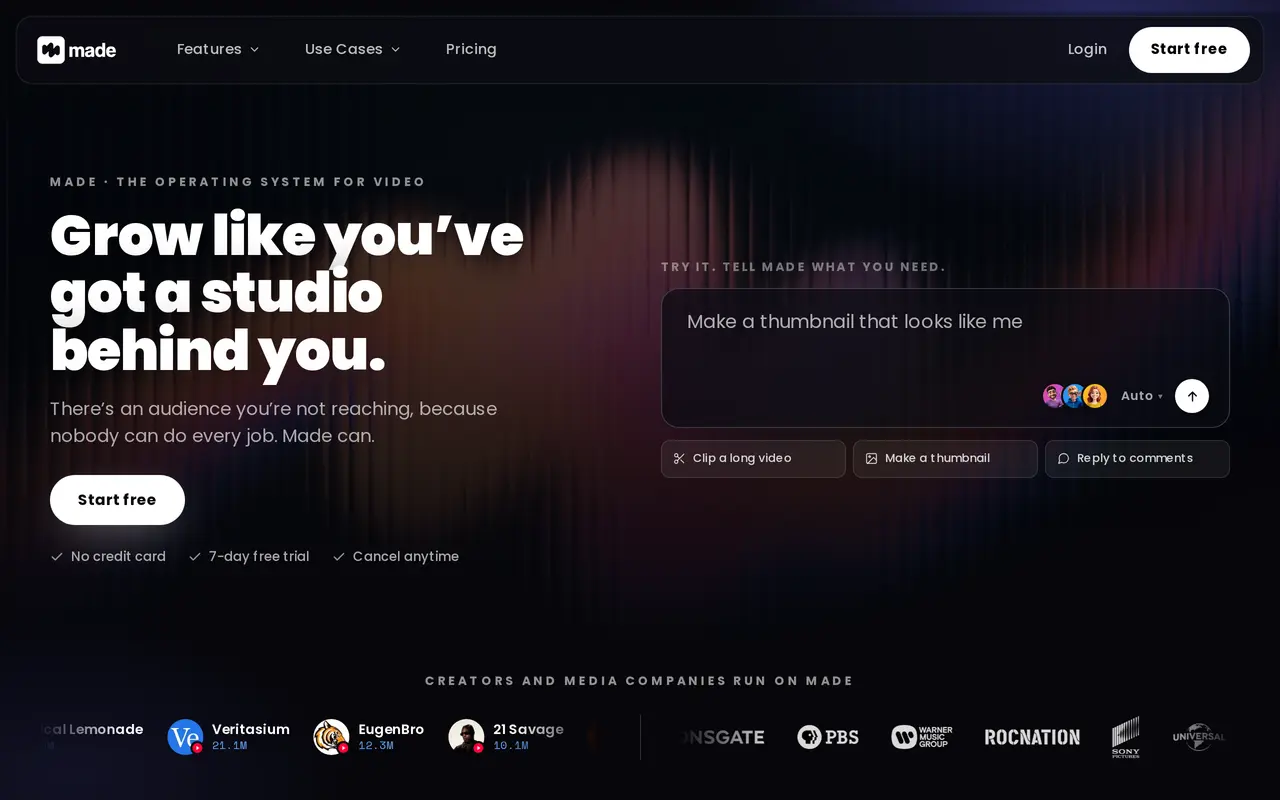
Made is an AI content platform for creators, studios, labels and media owners. It combines video clipping and editing with image generation, writing, social publishing and comment management. Users can upload a long video and turn it into vertical clips, with automatic reframing, caption styles and clips ranked by predicted performance.
The platform creates titles, thumbnails and other artwork using a creator’s likeness, brand colors, fonts, logos and reference assets. It also drafts hooks, scripts, descriptions, emails and platform-specific captions. Connected social accounts let users publish content and manage comments, including replies drafted in their voice, sentiment analysis and distinctions between casual viewers and regular fans.
For rights holders, Made offers audio and footage matching across YouTube, Facebook and Instagram, alongside re-upload claims, revenue collection and claim tracking. Its subscriptions combine channel allowances with a shared monthly credit pool for clipping, editing and image creation. Core supports one channel per supported platform, while Plus supports three; both allow unlimited users. A seven-day trial requires no credit card, and included subscription credits expire rather than rolling over.
What can Made do?
Long-video clipping
Turn uploads into vertical clips with 9:16 reframing, over 400 caption styles and ranking by predicted performance.
Brand-aware artwork
Generate thumbnails, covers, banners and other images using your likeness, brand assets and visual references.
Content writing
Draft hooks, scripts, titles, descriptions, emails and social captions in your channel’s voice.
Social publishing
Publish to connected social accounts with titles, captions and hashtags adapted for each platform.
Comment management
Categorize comments, analyze sentiment, identify regular fans and draft replies in your voice.
Rights and revenue tracking
Match re-uploaded footage and audio, file claims and track revenue and claim status across supported platforms.
Who is Made for?
- Video creators and podcasters
- Repurpose long recordings into clips, artwork and posts while managing audience comments.
- Studios and media owners
- Manage content catalogs, coordinate publishing and track claims on re-uploaded material.
- Musicians and labels
- Create promotional content and artwork while managing rights and revenue across their catalogs.
How much is Made?
Official pricingCore
$29.99/mo
Plus
$99.99/mo
Enterprise
See website
Free plan: Seven-day free trial of Core or Plus, with no credit card required.
Frequently asked questions
Can I try Made for free?
Core and Plus offer a seven-day free trial with no credit card required.
How much do the paid plans cost?
Core costs $5 for the first month and renews at $29.99 per month. Plus costs $15 for the first month and renews at $99.99 per month. Enterprise pricing depends on catalog and organization size.
What do Core and Plus include?
Core includes 10,000 monthly credits and one channel per supported platform; Plus includes 40,000 credits and three channels per supported platform. Both include unlimited users, with credits shared across clipping, editing and image generation.
Do unused credits roll over?
No. Credits included in a subscription do not carry over to the next month.
Which platforms does its rights management cover?
Made matches audio and footage across YouTube, Facebook and Instagram. It tracks re-upload claims and their status, with daily status synchronization.
Made alternatives
Compare alternatives- 1
 VideottoEdit videos with text prompts, generate short clips, and add captions and motion graphics.
- 2
 ReclipTurn long videos into captioned clips, generate media, and prepare content for publishing.
- 3
 CapCutEdit videos, generate visuals, and add AI captions, voiceovers, and audio cleanup.
- 4
 RunwayGenerate and edit video, images, and audio with AI creative tools and APIs.
- 5
 Magic HourGenerate and edit AI videos, images, and audio in a shared web studio.
More AI Video Editors
See more
Clideo
AI Video Editors
Edit videos online with automatic subtitles, translation, and text-to-speech tools.

VEED
AI Video Editors
Generate, edit, subtitle, and dub videos with AI in one platform.
DomoAI
AI Video Generators
Generate, animate, and restyle videos from text, images, and existing footage.

Pictory
AI Video Generators
Create and edit videos from prompts, scripts, URLs, slides, images and audio.

ChatCut
AI Video Editors
Edit and generate videos by describing the changes you want.

Wistia
AI Video Editors
Host, edit, and repurpose business videos with AI and track viewer engagement.