
GitHub Copilot
Visit websiteAn AI coding assistant and agent for writing, reviewing, and updating code.
Verified Nov 2, 2026
What is GitHub Copilot?
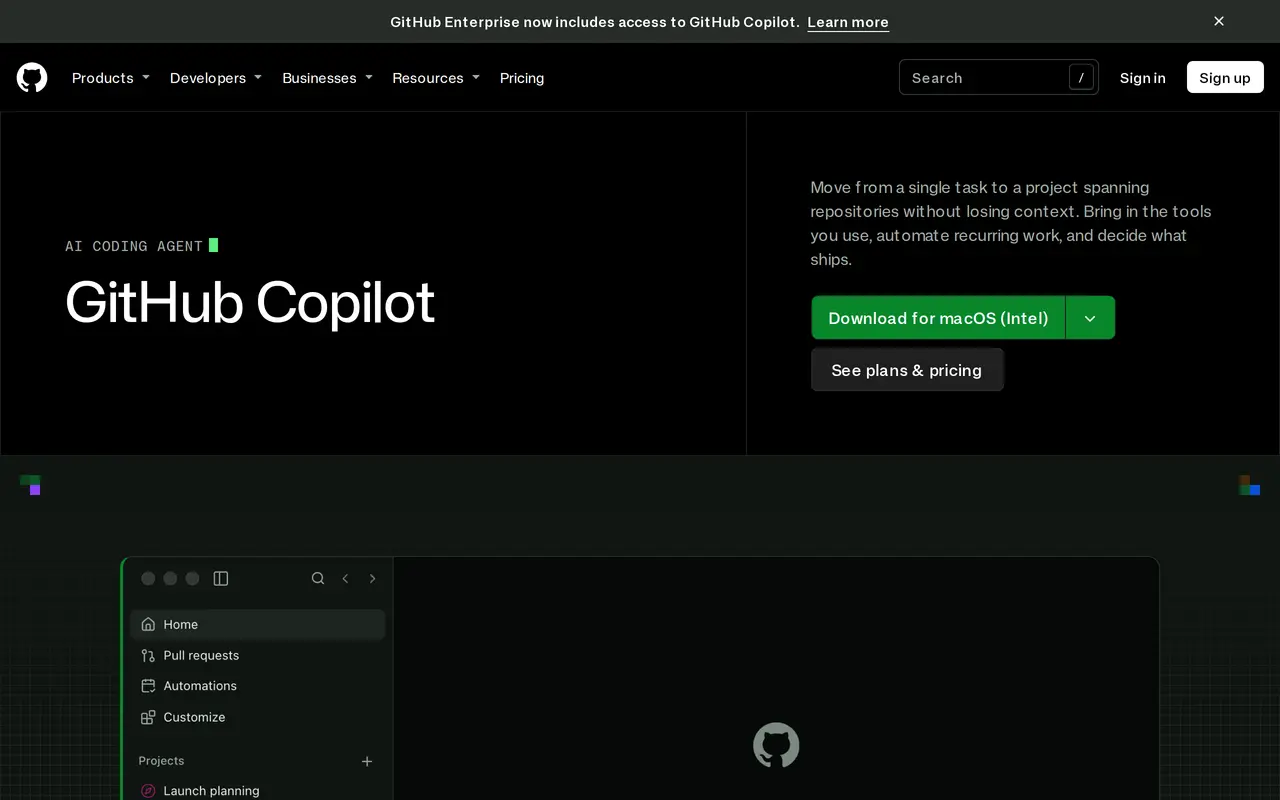
GitHub Copilot helps developers write code, review changes, and delegate development tasks to AI agents. It works with repository context, including code, issues, pull requests, and discussions, so users can start work from an existing task rather than describe everything from scratch. It is available through GitHub, Visual Studio Code, a command-line tool, and a desktop app.
Developers can run tasks in separate sessions, track them together, and resume work across supported interfaces. Copilot can inspect local changes for code quality and security issues, review pull requests, and make selected follow-up changes. Reusable agent tasks can also run on demand, on a schedule, or through supported triggers.
Teams can supply repository instructions and skills to define coding standards and repeatable workflows. Connectors, MCP servers, and plugins extend the context and tools available to Copilot. Users can select models, let Copilot choose, or connect supported cloud and local models. The free plan includes a monthly completion allowance; paid plans add capabilities and usage, with rate limits and additional Actions usage applying to some workflows.
What can GitHub Copilot do?
Repository-aware coding
Uses code, issues, pull requests, and discussions as context for development tasks.
Parallel agent sessions
Runs tasks in separate sessions and lets you track progress or resume work across supported interfaces.
Code and pull request review
Checks local changes and pull requests, then addresses the findings you select.
Recurring task automation
Runs reusable agent tasks on demand, on a schedule, or through supported triggers.
Model selection
Lets you choose models, use automatic selection, or connect supported cloud providers and local models.
Custom instructions and tools
Adds repository instructions, skills, connectors, MCP servers, and plugins to guide and extend agent work.
Who is GitHub Copilot for?
- Individual developers
- Use code suggestions, agent sessions, and reviews for everyday development work.
- Software development teams
- Delegate repository tasks, review pull requests, and apply shared coding instructions.
How much is GitHub Copilot?
Official pricingFree
Free
Pro
$10/mo
Pro+
$39/mo
Max
$100/mo
Free plan: The Free plan includes 2,000 completions per month, selected models, and Copilot CLI.
Frequently asked questions
Can I use GitHub Copilot for free?
The Free plan includes 2,000 code completions per month, access to selected models, and Copilot CLI. No credit card is required.
Where can I use Copilot?
Copilot is available through GitHub, Visual Studio Code, the CLI, and a desktop app. Supported workflows can also be checked or resumed through GitHub Mobile.
Can I choose which model Copilot uses?
You can select a model or let Copilot choose based on the task. Supported cloud providers can be connected with your own API key, and local models can run through Ollama or Foundry Local.
Can Copilot review code?
Copilot can review local changes and pull requests, and you can ask it to address selected findings. Code review incurs GitHub Actions usage.
GitHub Copilot alternatives
Compare alternatives- 1
 CursorAn AI coding editor and agent for building, testing, and reviewing software.
- 2
 Devin DesktopManage local and cloud coding agents, review changes, and write code in one IDE.
- 3
 Claude CodeAnthropic's agentic coding tool that plans, edits, tests and opens pull requests.
- 4
 WarpAn AI-assisted terminal and coding agent for local and cloud software development.
- 5
 Devin DesktopManage local and cloud coding agents, review changes, and write code in one workspace.
More AI Code Assistants
See more
JetBrains
AI Code Assistants
AI-powered development tools and coding agents for developers and software teams.
Stitch
AI Graphic Design
Generate UI designs and frontend code from text prompts, sketches, and screenshots.

Cline
AI Code Assistants
An open-source coding agent for your editor, desktop, terminal, and applications.

CodeRabbit
AI Code Assistants
AI code reviews, pull request triage, change explanations, and security monitoring.
Gemini CLI
AI Code Assistants
An open-source terminal agent for coding, codebase analysis, and workflow automation.

Bolt
AI App Builders
Build and publish apps, websites, and prototypes by chatting with AI.