
Claude Code
Visit websiteAnthropic's agentic coding tool that plans, edits, tests and opens pull requests.
Verified Nov 3, 2026
What is Claude Code?
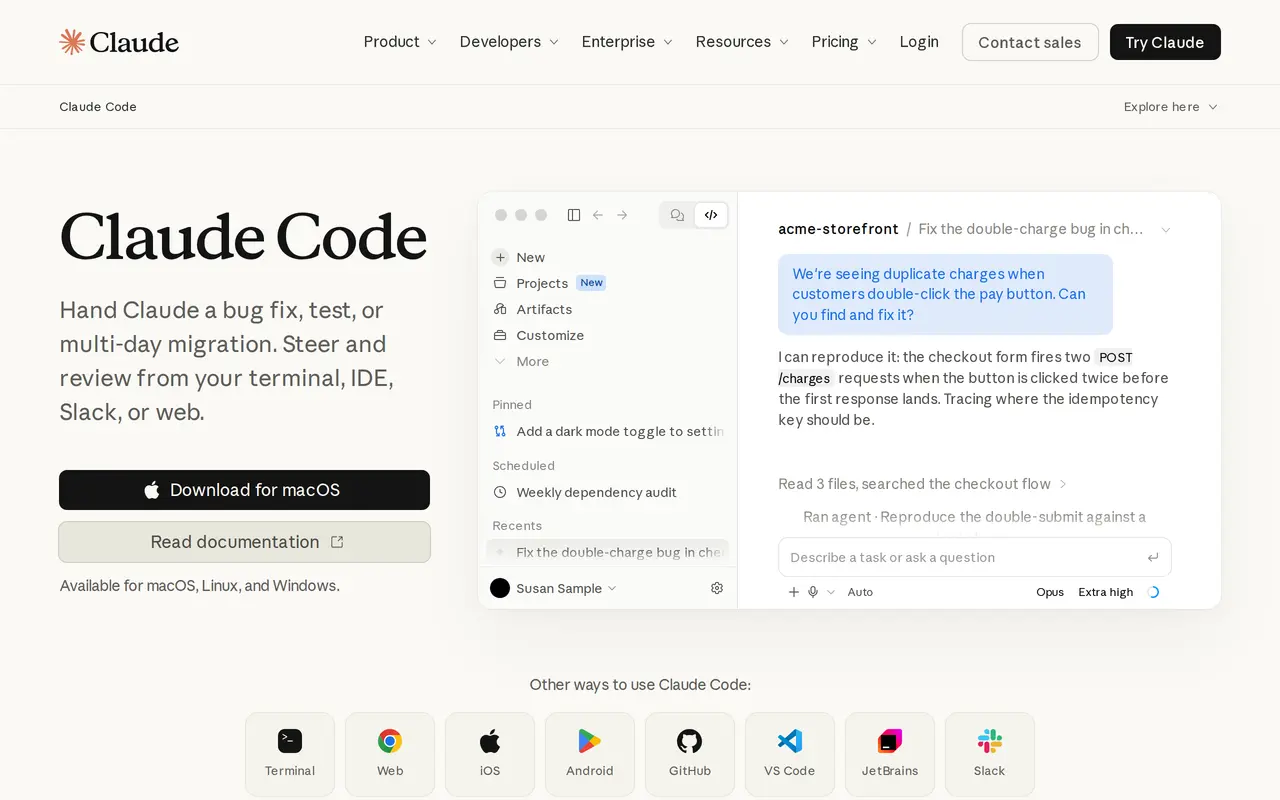
Claude Code is Anthropic's agentic coding tool. You hand it a task — a bug fix, a test suite, a multi-day migration — and it builds a plan, asks clarifying questions, edits files, runs commands and tests, and reports back. It runs in the terminal, in VS Code and JetBrains editors, in the browser, in the desktop and mobile apps, and in Slack.
Agentic search lets it map an unfamiliar repository's structure and dependencies without you selecting context files by hand. It works with GitHub, GitLab and command-line tools to read issues, write code, run tests and open pull requests, and it can keep going through failing tests on long refactors and migrations. Several tasks can run at once, with decisions surfaced for you to make.
In the terminal it runs locally and talks directly to model APIs, without a backend server or remote code index, and it asks for permission before changing files or running commands. A Code Review feature for Team and Enterprise plans flags bugs before they reach production.
Claude Code requires macOS, Linux or Windows and a paid Claude plan or a Console account. Usage counts against your plan's limits, and heavy sessions can draw on usage credits or pay-as-you-go API tokens.
What can Claude Code do?
Terminal and IDE agent
Describe a task in the terminal or editor and Claude Code plans, writes code, runs tests and reports what it changed.
Codebase onboarding
Agentic search maps project structure and dependencies and explains an unfamiliar repository without hand-picked context files.
Issue to pull request
Reads GitHub or GitLab issues, writes the fix, runs tests and opens a pull request.
Long-running refactors
Follows imports across a repository and keeps working through test failures on migrations that take hours or days.
Permission controls
Runs locally and asks before editing files or running commands in your environment.
Code Review
Flags bugs in pull requests before they reach production; available on Team and Enterprise plans.
Who is Claude Code for?
- Software engineers
- Fix bugs, write tests and understand unfamiliar codebases from the terminal or their editor.
- Engineering teams
- Turn issues into pull requests and manage Claude Code seats with pooled API credits.
- Enterprise engineering orgs
- Use role-based access, spend limits, usage analytics and custom data controls alongside coding agents.
How much is Claude Code?
Official pricingFree
Free
Pro
$20/mo
Max
$100/mo
Ultra
$200/mo
Team
$240/yr
Enterprise
$240/yr
Frequently asked questions
How much does Claude Code cost?
It is included in Claude Pro at $20 per month billed monthly ($17 per month with annual billing), Max at $100 per month, Ultra at $200 per month, and Team at $20 per seat per month billed annually. Enterprise pricing comes from sales, and Console accounts pay standard API token rates.
Is Claude Code available on the free plan?
No. Claude Code is included in the paid Pro, Max, Ultra, Team and Enterprise plans, not the free Claude plan.
Which platforms does it run on?
It works on macOS, Linux and Windows, in the terminal, VS Code and JetBrains IDEs, in the browser, in the Claude desktop and mobile apps, and in Slack.
Does Claude Code run locally?
In the terminal it runs locally and talks directly to model APIs without a backend server or remote code index, and it asks for permission before changing files or running commands.
Does it integrate with GitHub and GitLab?
Yes. Claude Code works with GitHub, GitLab and command-line tools to read issues, write code, run tests and open pull requests.
What happens when I reach my usage limit?
You can wait for the limit to reset, move to a higher plan, or on paid plans turn on usage credits to keep working at standard API rates.
Claude Code alternatives
Compare alternatives- 1
 CursorAn AI coding editor and agent for building, testing, and reviewing software.
- 2
 WarpAn AI-assisted terminal and coding agent for local and cloud software development.
- 3
 ClineAn open-source coding agent for your editor, desktop, terminal, and applications.
- 4
 GitHub CopilotAn AI coding assistant and agent for writing, reviewing, and updating code.
- 5
 DevinAn AI coding agent that builds, tests, reviews, and maintains software.
More AI Code Assistants
See more
JetBrains
AI Code Assistants
AI-powered development tools and coding agents for developers and software teams.

Stitch
AI Graphic Design
Generate UI designs and frontend code from text prompts, sketches, and screenshots.

CodeRabbit
AI Code Assistants
AI code reviews, pull request triage, change explanations, and security monitoring.

Devin Desktop
AI Code Assistants
Manage local and cloud coding agents, review changes, and write code in one IDE.
Gemini CLI
AI Code Assistants
An open-source terminal agent for coding, codebase analysis, and workflow automation.

Bolt
AI App Builders
Build and publish apps, websites, and prototypes by chatting with AI.