
An open-source code editor with AI agents, edit predictions, and live collaboration.
Verified Nov 2, 2026
What is Zed?
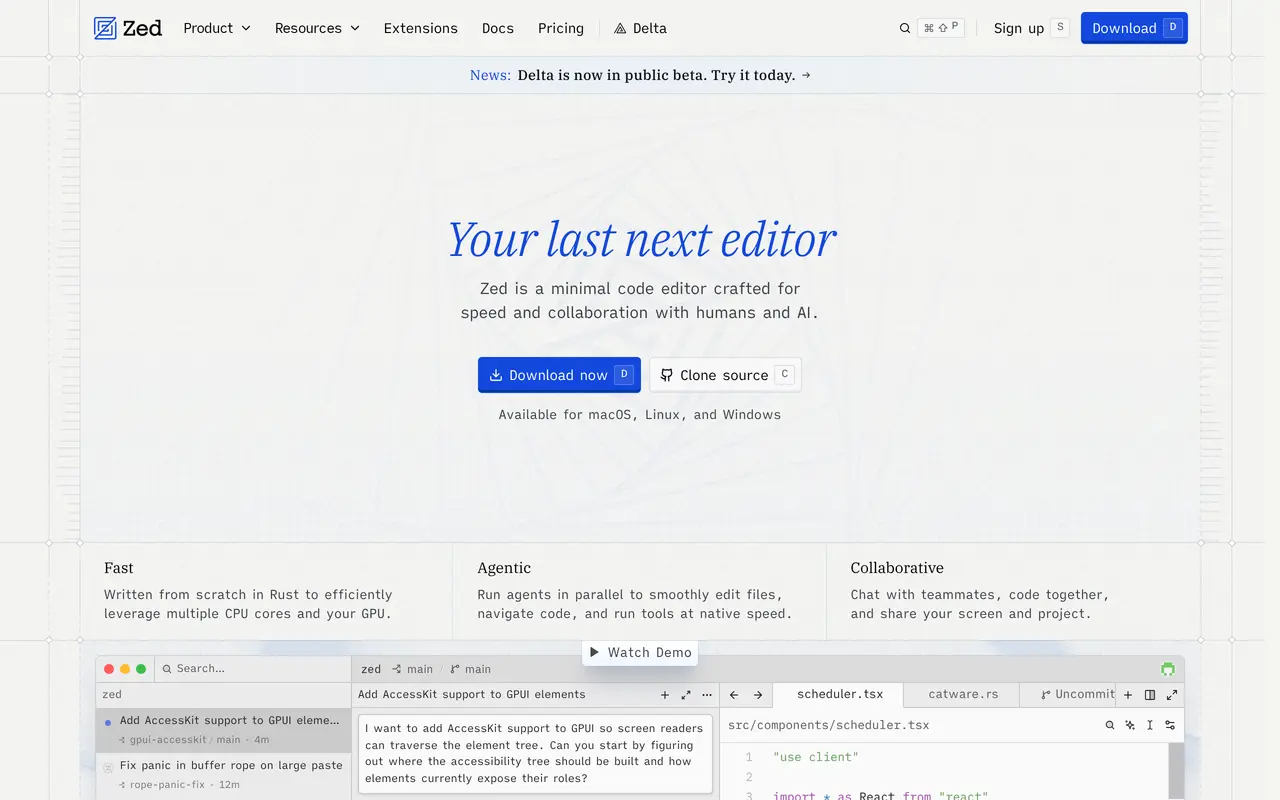
Zed is an open-source code editor for macOS, Linux, and Windows that combines traditional development tools with AI-assisted coding. Written in Rust, it supports language servers, debugging, Git operations, and extensions alongside shared editing, team chat, and screen sharing.
Developers can delegate tasks to coding agents, follow their progress, and review their changes inside the editor. Parallel agent threads can work across multiple projects, while edit predictions suggest upcoming changes. An inline assistant provides another way to work with AI without leaving the code. Users can choose Zed-hosted models, connect their own model-provider credentials, or work with external agents such as Claude Agent and Codex CLI.
The free Personal plan supports the editor and use of your own keys or external agents. Pro adds hosted AI access, unlimited edit predictions, and a monthly token allowance, with additional usage billed separately. Business adds organization-wide AI policies, data-sharing controls, role-based access, and spend visibility. AI features can also be disabled entirely.
What can Zed do?
Parallel coding agents
Run multiple agent threads across projects to edit files, navigate code, and use tools while you review their progress.
Edit predictions
Receive suggested code changes powered by Zed's Zeta2 open-weight language model.
Model and agent choice
Use hosted models, connect your own provider credentials, or work with external coding agents.
Live collaboration
Edit code with teammates, chat, and share your screen and project.
Integrated development tools
Use built-in Git operations, DAP-based debugging, language-server support, and remote development.
Organization controls
Business administrators can manage hosted AI availability, lock data-sharing settings, and monitor spending.
Who is Zed for?
- Software developers
- Write, navigate, debug, and revise code with AI assistance in a desktop editor.
- Development teams
- Collaborate on shared code and manage organization-wide AI access, data policies, and spending.
How much is Zed?
Official pricingPersonal
Free
Pro
$10/mo
Business
$30/mo
Free plan: The free Personal plan includes the editor and unlimited use with your own API keys or external agents.
Frequently asked questions
Can I use Zed for free?
The Personal plan is free indefinitely and supports using your own API keys or external agents. Any charges from your chosen model provider are separate.
What does Pro include?
Pro costs $10 per month and includes unlimited edit predictions and $5 in monthly token credits. Additional hosted usage is billed at the model's API list price plus 10%, and you can set a spending cap.
Is there a free trial?
Pro offers a trial lasting up to 14 days, with $5 of GPT-6 Luna usage and unlimited accepted edit predictions. No credit card is required; the trial ends when the balance is used or 14 days pass, whichever comes first.
Which operating systems does Zed support?
Zed is available for macOS, Linux, and Windows.
Do Business seats include AI credits?
Business seats do not include a fixed LLM credit allowance. Teams can pay standard usage rates for Zed-hosted AI or use their own provider keys; Business has no minimum seat count.
Can I use Zed without AI?
Yes. All AI features can be disabled while retaining the editor and multiplayer collaboration.
Zed alternatives
Compare alternatives- 1
 CursorAn AI coding editor and agent for building, testing, and reviewing software.
- 2
 Devin DesktopManage local and cloud coding agents, review changes, and write code in one IDE.
- 3
 Devin DesktopManage local and cloud coding agents, review changes, and write code in one workspace.
- 4
 JetBrainsAI-powered development tools and coding agents for developers and software teams.
- 5
 ClineAn open-source coding agent for your editor, desktop, terminal, and applications.
More AI Code Assistants
See more
Stitch
AI Graphic Design
Generate UI designs and frontend code from text prompts, sketches, and screenshots.

CodeRabbit
AI Code Assistants
AI code reviews, pull request triage, change explanations, and security monitoring.

Claude Code
AI Code Assistants
Anthropic's agentic coding tool that plans, edits, tests and opens pull requests.
Gemini CLI
AI Code Assistants
An open-source terminal agent for coding, codebase analysis, and workflow automation.

GitHub Copilot
AI Code Assistants
An AI coding assistant and agent for writing, reviewing, and updating code.

Bolt
AI App Builders
Build and publish apps, websites, and prototypes by chatting with AI.