SeeGen AI
Visit websiteGenerate and edit AI videos and images online or through an API.
Verified Nov 2, 2026
What is SeeGen AI?
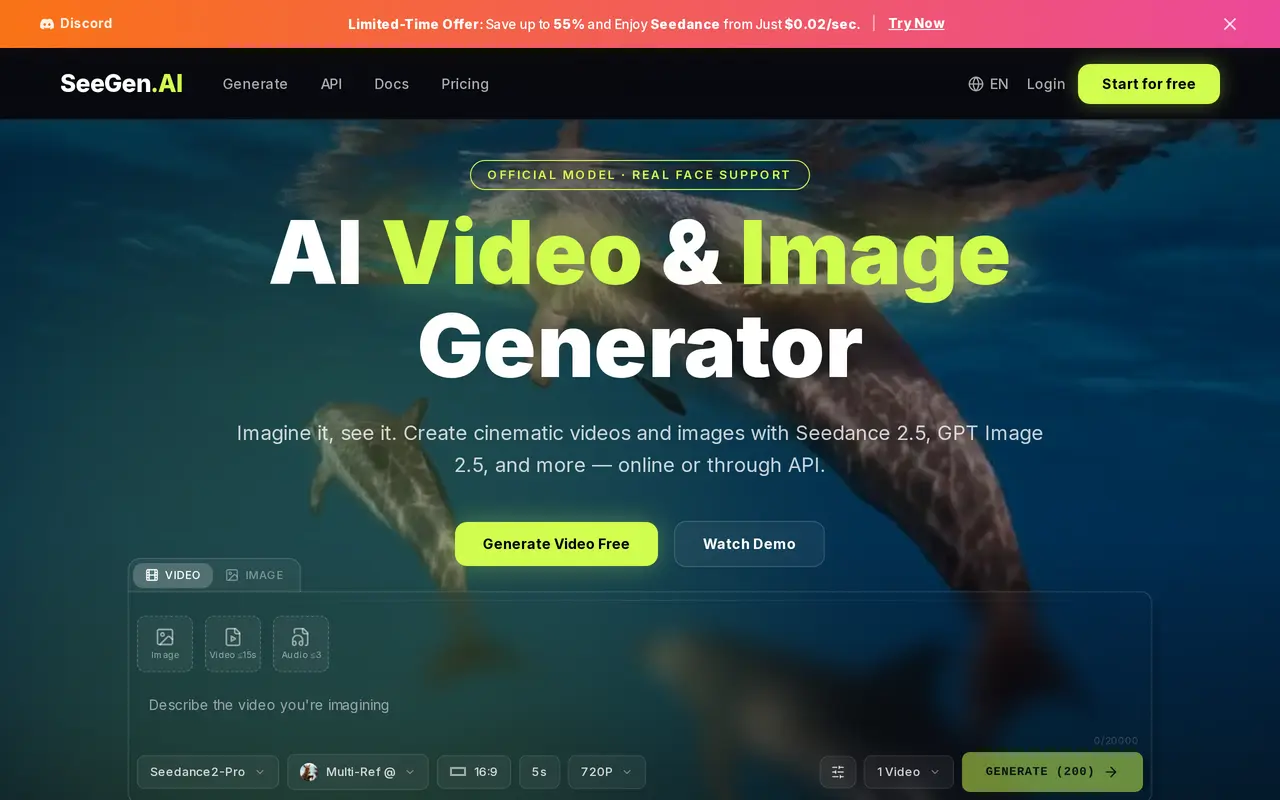
SeeGen AI is a browser-based video and image generation platform with API access for developers. Users can start with a text prompt or upload reference material, then choose a model and output settings. Available model families include Seedance, Grok Imagine Video, Wan, GPT Image, Nano Banana, Seedream, and Qwen Image. It supports work such as short films, product demonstrations, social posts, and advertising visuals.
Video workflows include text-to-video, image-to-video, first-and-last-frame animation, and generation guided by multiple image, video, or audio references. These references help guide characters, products, style, motion, and timing. The platform also offers video editing and upscaling, including a workflow that generates at 720p before enlarging the result to 1080p, 2K, or 4K. Available native resolutions and reference options vary by model.
Usage is credit-based rather than subscription-based, with one-time packs for creators and developers. New users can receive 200 credits after signing up and joining Discord. Paid credits do not expire. Generation costs depend on the selected model and settings; video reference duration can count toward the bill, and each generated image in a batch is charged separately.
What can SeeGen AI do?
Video and image models
Choose among multiple video and image model families within one generation workspace.
Prompt and image-to-video
Generate video from text or an image, or supply opening and ending frames to guide a transition.
Multiple reference inputs
Use image, video, and audio references to guide visual consistency, motion, and timing.
Video editing and upscaling
Modify existing videos and upscale generated 720p clips to 1080p, 2K, or 4K.
Generation API
Add video and image generation to applications using API access and a testing playground.
Non-expiring credit packs
Buy one-time credit packs for generation without a subscription; purchased credits do not expire.
Who is SeeGen AI for?
- Content creators
- Create short films, character videos, and social media images and clips.
- Marketing teams
- Produce product demonstrations, advertising creatives, and marketing visuals.
- Developers
- Integrate image and video generation into products through the API.
How much is SeeGen AI?
Official pricingFree
Free
XL Pack
$99.99 one-time
Starter Pack
$17.99 one-time
API Pack
$500 one-time
API-XL Pack
$2,000 one-time
Enterprise API Pack
See website
Free plan: 200 free credits after signing up and joining Discord, with watermark-free output and commercial use.
Frequently asked questions
Can I try SeeGen AI for free?
New users receive 200 free credits after signing up and joining Discord. The free plan includes generation features, watermark-free output, and commercial use.
Does SeeGen AI require a subscription?
No. It uses one-time credit purchases, and purchased credits do not expire.
Can I use generated content commercially?
Commercial use is included in the Free and Starter plans, and the XL Pack includes a full commercial license.
How are generation costs calculated?
Costs vary by model and output settings. Video billing can include both output duration and reference-video duration, while generated images are billed individually, including images in a batch.
Is API access available?
Yes. Plans include website and API access, with dedicated API credit packs and custom enterprise packages also available.
Are all output resolutions generated natively?
No. Native resolution support varies by model, and some higher-resolution outputs use upscaling. For example, Grok Imagine Video 1.5 Lite produces its 1080p output by upscaling from 720p.
SeeGen AI alternatives
Compare alternatives- 1
 Kling AIGenerate images and videos from text, images, and reference media.
- 2
 Pollo AICreate and edit AI videos, images, and marketing assets with multiple models.
- 3
 MagnificGenerate and edit AI images and videos on iPhone, iPad, and Mac.
- 4
 LumaGenerate and refine videos, images, and audio with AI creative agents.
- 5
 HighReachGenerate and edit videos, images, and audio with multiple AI models in one studio.
More AI Video Generators
See more
CapCut
AI Video Editors
Edit videos, generate visuals, and add AI captions, voiceovers, and audio cleanup.

OpenArt
AI Image Generators
Generate and edit AI images, videos, characters, music, and voiceovers in one workspace.

DeepAI
AI Image Generators
Generate images, videos and music, edit photos, and chat with AI in one platform.

Pixelcut
AI Product Photography
Generate and edit product photos, brand images, and videos with AI.

VEED
AI Video Editors
Generate, edit, subtitle, and dub videos with AI in one platform.

Adobe Firefly
AI Image Generators
Generate and edit images, videos, and audio with AI.