
invideo
Visit websiteCreate and edit videos with AI agents on a collaborative multitrack timeline.
Verified Nov 2, 2026
What is invideo?
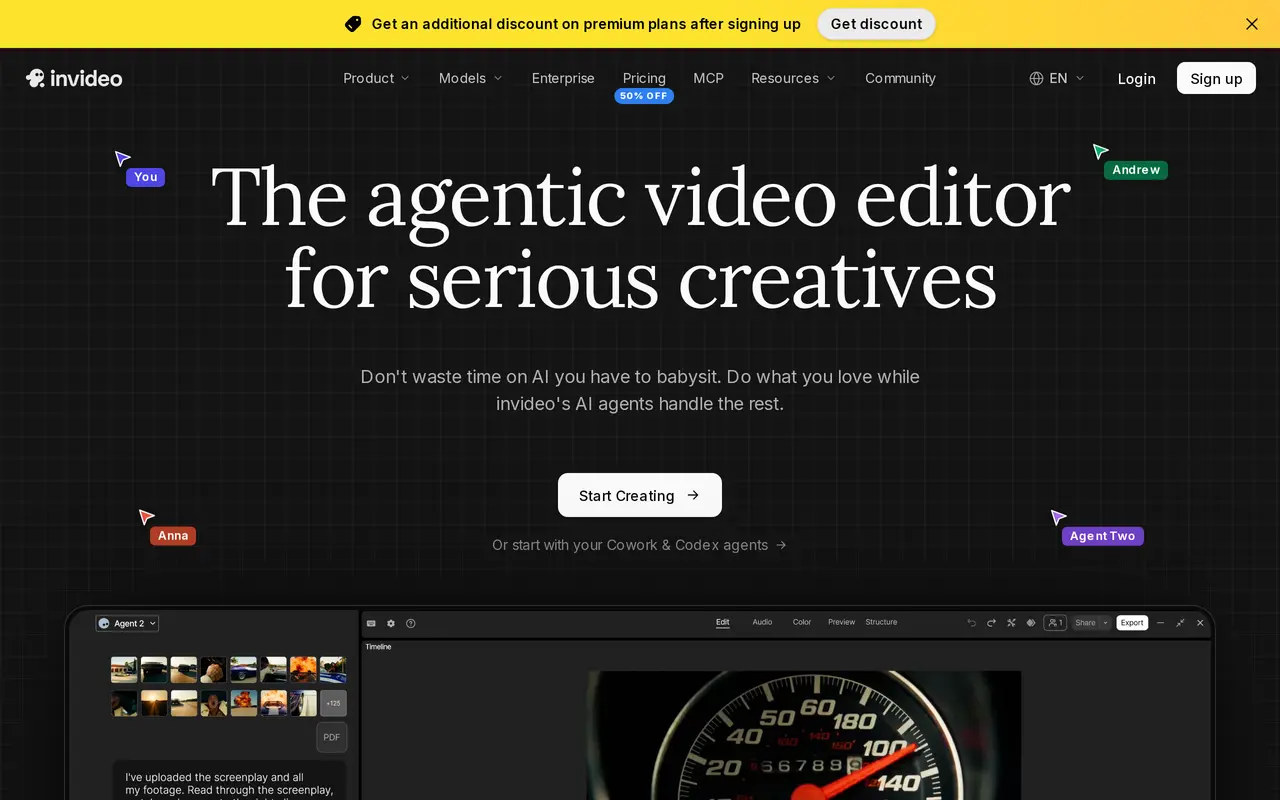
invideo is an AI video creation and editing platform for filmmakers, advertisers, social media creators, and creative teams. Its Agent Two editor takes plain-language instructions and applies them to a multitrack timeline. Users can upload footage, describe an edit, review the resulting cut, and make manual adjustments before exporting.
The editing agent analyzes uploaded clips so users can find moments by describing them rather than scrubbing through footage. It can also apply one instruction across multiple shots, such as removing pauses or matching their appearance. Scriptwriting assistance and storyboarding help turn an idea into a shot-by-shot plan before generation, while custom agents can take on roles such as cinematographer, sound designer, or colorist.
Teams can edit together with live cursors and comments. The editor includes color, audio, and 3D tools, alongside access to generative video, image, and audio models. Paid subscriptions are charged per seat and include monthly credits; model access, storage, and collaboration limits vary by plan. Unused credits do not carry over to the following month.
What can invideo do?
Plain-language video editing
Describe changes and let the editing agent apply them to a multitrack timeline that you can also edit manually.
Searchable footage
Find moments in uploaded clips by describing their contents.
Multi-shot changes
Apply a single editing instruction across multiple shots, including pause removal and matching their look.
Scripts and storyboards
Develop scripts with an AI co-writer and turn ideas into editable, shot-by-shot plans.
Real-time collaboration
Work with teammates using live cursors, comments, and a shared editing timeline.
Custom creative agents
Create agents for specific production roles, including cinematography, music, sound design, and color.
Who is invideo for?
- Filmmakers
- Plan shots, search footage, and direct AI-assisted edits while retaining manual timeline control.
- Advertising teams
- Create branded videos and adapt them for different formats.
- Social media creators
- Turn ideas into multiple vertical video cuts for different channels.
- Creative teams
- Collaborate on video projects with shared timelines and specialized creative agents.
How much is invideo?
Official pricingStarter
$20/mo
Plus
$60/mo
Max
$250/mo
Frequently asked questions
How much does invideo cost?
Starter costs $20 per seat per month, and Plus costs $60 per seat per month with monthly billing. Their annual options cost $120 and $360 per seat per year respectively. Max costs $250 per seat per month, with the same effective rate for annual billing.
What are credits used for?
Credits pay for video creation, generative models, and other features rather than downloads. Credit costs vary by model and may change.
Do unused credits roll over?
No. Unused credits expire at the end of the monthly credit period.
Does Starter include the full timeline editor?
Yes. Starter includes the timeline editor, multiplayer editing for up to five seats, and color, audio, and 3D tools. It has more limited agent and generative model access than Plus and Max.
invideo alternatives
Compare alternatives- 1
 PexoCreate and revise complete AI videos through conversation.
- 2
 ByThenCreate narrated videos with AI scripts, consistent visuals, voiceovers, and editing.
- 3
 Seedance 3.0Generate and edit videos with synchronized audio using text and media references.
- 4
 CapCutEdit videos, generate visuals, and add AI captions, voiceovers, and audio cleanup.
- 5
 VEEDGenerate, edit, subtitle, and dub videos with AI in one platform.
More AI Video Editors
See more
Clideo
AI Video Editors
Edit videos online with automatic subtitles, translation, and text-to-speech tools.
DomoAI
AI Video Generators
Generate, animate, and restyle videos from text, images, and existing footage.

Runway
AI Video Generators
Generate and edit video, images, and audio with AI creative tools and APIs.

Magic Hour
AI Video Generators
Generate and edit AI videos, images, and audio in a shared web studio.

Pictory
AI Video Generators
Create and edit videos from prompts, scripts, URLs, slides, images and audio.

ChatCut
AI Video Editors
Edit and generate videos by describing the changes you want.