
TapVid
Visit websiteCreate and edit AI explainer videos from scripts, PDFs, prompts, and brand assets.
Verified Nov 2, 2026
What is TapVid?
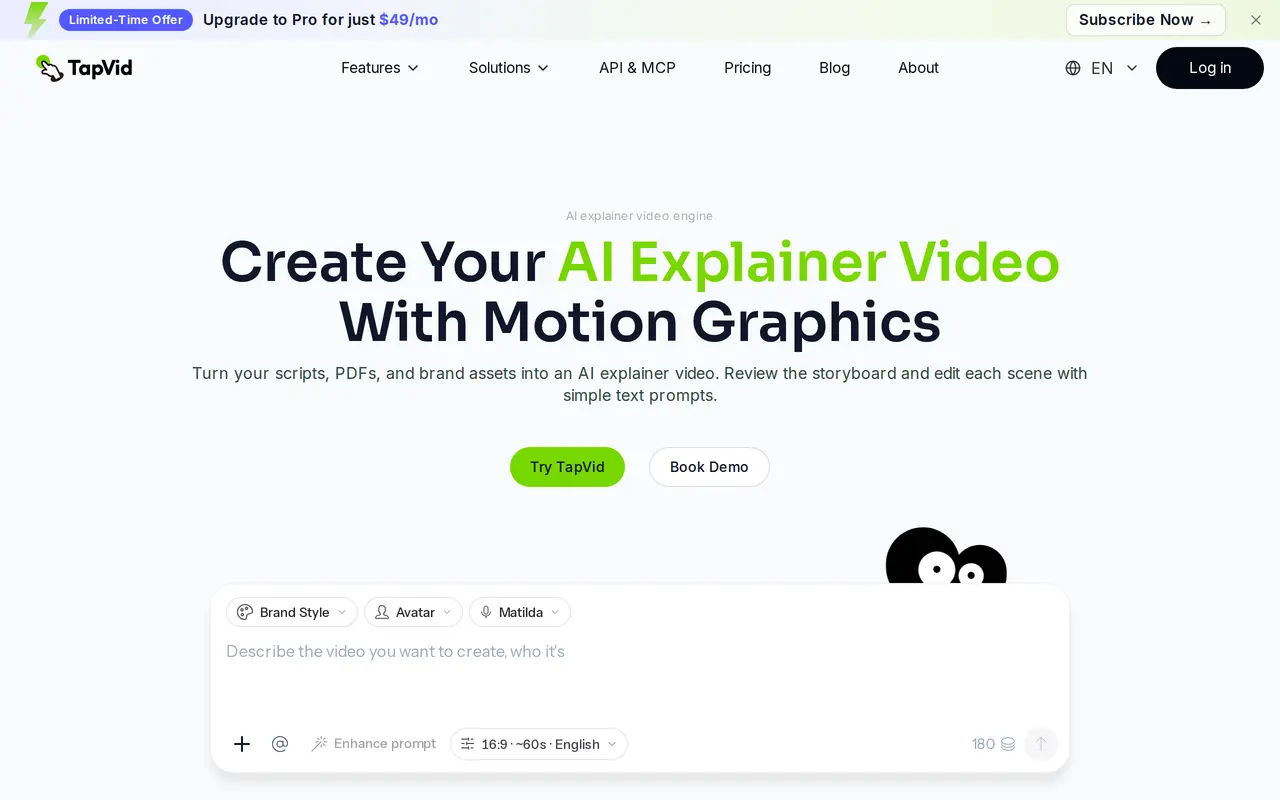
TapVid is an AI video maker for creating motion-graphics explainers from prompts, scripts, PDFs, and product assets. It is designed for product demonstrations, marketing videos, course content, and internal training. Users can review the storyboard and adjust the outline, script, scenes, and final frames rather than accepting a single generated result.
Editing works through text prompts, including changes to individual shots, layout, positioning, and copy. A Brand Kit applies logos, colors, fonts, and terminology across videos. TapVid also supports remixing existing videos, saving revision history, and rolling back changes. Its REST API and MCP server provide access for automated workflows and batch production.
Paid plans include watermark-free 1080p exports, with clip limits of three or five minutes depending on the plan. Generation consumes credits based on video length and type; failed renders have their credits returned. A paid three-day introductory trial includes one video and automatically renews into the monthly Pro subscription unless canceled.
What can TapVid do?
Multiple input formats
Turn prompts, scripts, PDFs, product images, and other brand assets into explainer videos.
Storyboard and prompt editing
Review the storyboard and use text prompts to revise individual scenes, layouts, elements, and copy.
Brand Kit
Apply your logo, colors, fonts, and terminology across videos.
Remixing and version history
Reuse video structures, update selected shots, and roll back saved changes.
API and MCP access
Connect video generation to automated workflows through a REST API and MCP server.
1080p video exports
Export watermark-free videos at 1080p, with clips up to three minutes on Pro and Max or five minutes on Ultra.
Who is TapVid for?
- Product and marketing teams
- Create product explainers, launch videos, and feature updates from documentation and brand assets.
- E-commerce teams
- Produce product videos using existing images, specifications, and prices.
- Content agencies
- Build video series for clients and handle revisions using reusable structures and brand settings.
- Educators and training teams
- Turn scripts and learning materials into course videos, onboarding content, and process explainers.
How much is TapVid?
Official pricingPro
$49/mo
Max
$99/mo
Ultra
$199/mo
Team
See website
Enterprise
See website
First-time trial
$4.99 one-time
Free
Free
Free plan: Free accounts can prepare content; video generation and export depend on account entitlements.
Frequently asked questions
How does the introductory trial work?
The trial costs $4.99 and includes one video generation over three days. It automatically renews as Pro at $49 per month unless canceled before the trial ends.
How are generation credits calculated?
Regular videos use three credits per second; avatar and cinematic generation use different rates. Credits are returned if a render fails or times out.
Do unused credits roll over?
Subscription credits expire monthly, including on annual plans. Add-on credits remain valid for 12 months and are available only to subscribers.
What export quality is included?
Pro, Max, and Ultra include 1080p exports without a watermark. The watermark is enabled by default and must be disabled in export settings.
Can I automate video creation?
TapVid offers REST API access and an MCP server. Enterprise also includes batch API and MCP capabilities.
Can I cancel my subscription?
You can cancel from your account settings, and the plan remains active until the current billing period ends. There are no partial refunds for unused time.
TapVid alternatives
Compare alternatives- 1
 PictoryCreate and edit videos from prompts, scripts, URLs, slides, images and audio.
- 2
 AI Brainrot Video GeneratorTurn ideas, scripts and PDFs into short videos with AI voices and timed captions.
- 3
 ByThenCreate narrated videos with AI scripts, consistent visuals, voiceovers, and editing.
- 4
 M StudioTurn scripts and ideas into storyboards, video clips, and films with AI.
- 5
 PexoCreate and revise complete AI videos through conversation.
More AI Video Generators
See more
CapCut
AI Video Editors
Edit videos, generate visuals, and add AI captions, voiceovers, and audio cleanup.

OpenArt
AI Image Generators
Generate and edit AI images, videos, characters, music, and voiceovers in one workspace.

DeepAI
AI Image Generators
Generate images, videos and music, edit photos, and chat with AI in one platform.

Pixelcut
AI Product Photography
Generate and edit product photos, brand images, and videos with AI.

VEED
AI Video Editors
Generate, edit, subtitle, and dub videos with AI in one platform.

Adobe Firefly
AI Image Generators
Generate and edit images, videos, and audio with AI.