
Sprite AI
Visit websiteGenerate and animate pixel art sprites for 2D games from text prompts.
Verified Nov 2, 2026
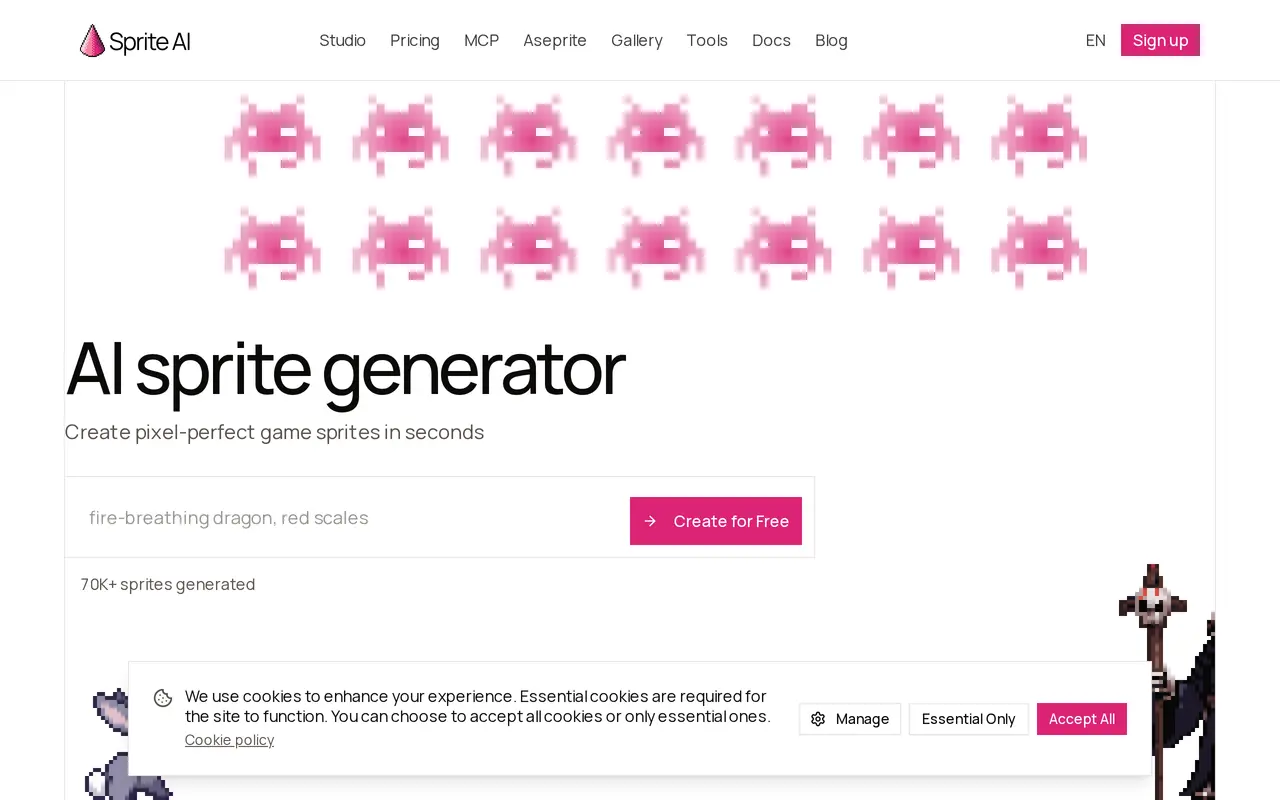
What is Sprite AI?
Sprite AI creates pixel art assets for 2D games from text descriptions. Users can describe characters, items, or creatures, then edit the resulting sprites in a browser-based pixel editor. It supports sprite sizes from 32px to 400px, with tools for background removal and color adjustments.
The animation tool turns motion prompts into walk cycles, attacks, and idle loops without requiring rigging or timeline editing. Animations can contain 4–16 frames. Export options include PNG, scalable SVG, animated GIF, individual frames in a ZIP, and sprite sheets with a JSON atlas for workflows using Unity, Godot, or GameMaker. An Aseprite plugin, API, and MCP server provide additional ways to access the tool.
Generation uses tokens, with one token producing one sprite and animations consuming more. Accounts receive 15 free generations without a payment card. Paid subscriptions add monthly tokens, private sprites, and a commercial license; one-time token packs are also available. Subscription tokens reset each month, while purchased pack tokens do not expire.
What can Sprite AI do?
Text-to-sprite generation
Create pixel art characters, items, and creatures from text prompts at sizes from 32px to 400px.
Prompt-based animation
Describe motion to generate walk cycles, attacks, or idle loops with 4–16 frames.
Browser pixel editor
Edit generated sprites, adjust colors, and remove backgrounds directly in the browser.
Game asset exports
Download PNG, SVG, animated GIF, ZIP frames, or sprite sheets with a JSON atlas.
Development integrations
Access sprite generation through an Aseprite plugin, API, or MCP server for AI agents.
Who is Sprite AI for?
- Indie game developers
- Generate characters, items, creatures, and animations for 2D game projects.
- Game studios
- Create private game assets with commercial licensing and higher generation allowances.
How much is Sprite AI?
Official pricingCreator
$8/mo
Studio
$24/mo
Production
$50/mo
Game Jam Pack
$10 one-time
Character Pack
$18 one-time
Full Game Pack
$30 one-time
Studio Pack
$60 one-time
Free plan: Each account receives 15 free generations without a payment card.
Frequently asked questions
Can I try Sprite AI for free?
Every account receives 15 free generations with no payment card required, allowing users to try generation, animation, and editing.
Can I use generated sprites commercially?
Creator, Studio, and Production subscriptions include a full commercial license for using sprites in games and apps.
Do unused tokens expire?
Subscription tokens reset monthly and do not roll over. Tokens purchased in one-time packs never expire.
What happens when I run out of tokens?
Generation pauses until the next monthly reset. You can upgrade or purchase a token pack to continue; Studio and Production subscribers receive 20% off packs.
Are generated sprites private?
Private sprites require a subscription plan.
Can I cancel my subscription?
You can cancel through account settings and retain access until the end of the billing period.
Sprite AI alternatives
Compare alternatives- 1ArtlistGenerate and edit videos, images, voiceovers, music, and 3D assets in one workspace.
- 2
 ImagineArtGenerate and edit images, video and audio with brand controls and automated workflows.
- 3
 Pollo AICreate and edit AI videos, images, and marketing assets with multiple models.
- 4
 IdeogramGenerate and edit images in a creative workspace or through a unified media API.
- 5
 PikaGenerate and edit videos, images, music, and voiceovers with AI creative tools.
More AI Image Generators
See more
CapCut
AI Video Editors
Edit videos, generate visuals, and add AI captions, voiceovers, and audio cleanup.

OpenArt
AI Image Generators
Generate and edit AI images, videos, characters, music, and voiceovers in one workspace.

DeepAI
AI Image Generators
Generate images, videos and music, edit photos, and chat with AI in one platform.

Adobe Firefly
AI Image Generators
Generate and edit images, videos, and audio with AI.

Fotor
AI Photo Editors
Edit and enhance photos, generate images, and create designs with AI tools.

Krea
AI Image Generators
Generate, edit, and upscale images, videos, and 3D assets with AI.