Raycast AI
Visit websiteUse AI models and agents to work with files, apps, and recurring tasks from your desktop.
Verified Nov 2, 2026
What is Raycast AI?
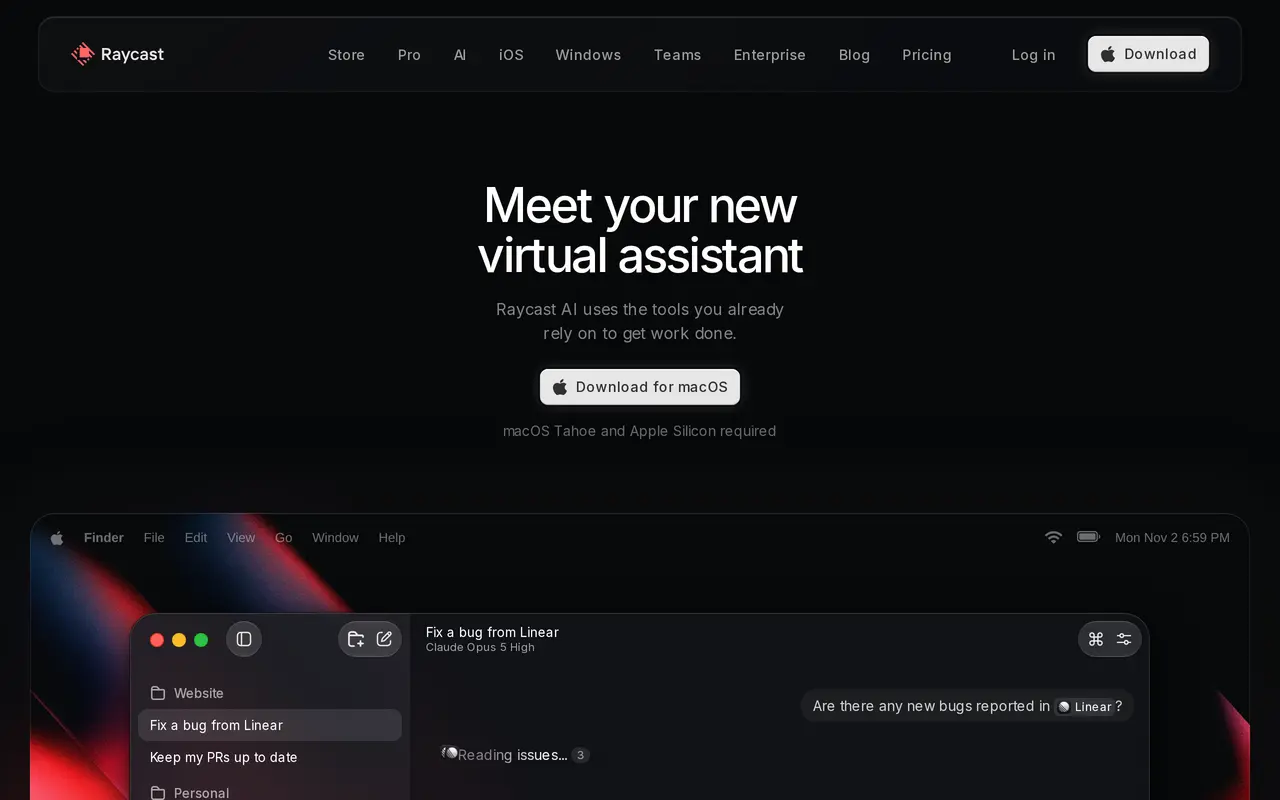
Raycast AI brings chat, custom agents, and reusable AI commands into Raycast’s productivity app. It connects to multiple model providers and uses files, screen context, memory, and profile information to help with writing, research, coding, and everyday work. Quick AI handles short questions, while keyboard shortcuts let users run saved prompts for tasks such as correcting grammar or changing an email’s tone.
For longer workflows, users can create agents with their own instructions and models, organize them into projects with dedicated memory, and schedule recurring tasks. AI Extensions connect agents to other tools so they can work on activities such as checking email, managing tasks, and preparing updates. Users can connect supported Claude or ChatGPT subscriptions, supply their own API keys, or use local models through Ollama.
AI access requires a paid Raycast plan, with an eligible-account trial available. Plans include monthly usage credits, while connected subscriptions and API keys do not consume those credits. Data is stored locally by default; enabling Cloud Sync stores AI chats on Raycast’s servers with encryption in transit and at rest.
What can Raycast AI do?
Custom agents and projects
Create agents with specific instructions and models, and give projects dedicated context and memory.
Scheduled automations
Schedule agents to perform recurring work, such as checking email or preparing weekly updates.
AI Extensions
Connect agents to everyday tools through community extensions or build extensions for your own workflows.
Screen and file context
Give AI context from files and your screen to reduce the background information you need to type.
Shortcut-based AI commands
Save prompts as keyboard shortcuts for repeat tasks such as rewriting text, explaining concepts, or finding code bugs.
Model and subscription choice
Use supported hosted models, existing AI subscriptions, your own API keys, or local models through Ollama.
Who is Raycast AI for?
- Individual professionals
- Handle writing, research, email, files, and recurring administrative tasks from a desktop assistant.
- Developers
- Use agents for code-related tasks and build custom AI Extensions for their tools.
- Teams
- Share commands and private extensions, with enterprise controls for AI access and providers.
How much is Raycast AI?
Official pricingRaycast Free
Free
Pro
$10/mo
Plus
$20/mo
Max
$50/mo
Teams Free
Free
Teams Pro
$15/mo
Teams Plus
$25/mo
Teams Max
$65/mo
Raycast for Enterprise
See website
Free plan: Eligible new accounts receive a free Pro trial with 500 AI credits that expire seven days after being granted.
Frequently asked questions
Is Raycast AI free?
AI is not included in Raycast’s free plans. Eligible new accounts can start a Pro trial with 500 AI credits that expire seven days after being granted; advanced models are excluded from the trial.
How much does Raycast AI cost?
Individual monthly plans cost $10 for Pro, $20 for Plus, and $50 for Max. Team plans cost $15, $25, and $65 per user per month respectively, with lower effective rates when billed yearly.
Can I use my existing AI subscription or API keys?
You can connect supported Claude or ChatGPT subscriptions or API keys from OpenAI, Anthropic, and Google. These connections do not consume Raycast AI credits.
How do monthly AI credits work?
Pro includes 500 credits, Plus includes 3,000, and Max includes 7,500 each month, per user on team plans. Each model consumes credits at its own rate, and unused monthly credits roll over for one extra billing cycle.
Are AI conversations used to train models?
Raycast’s agreements with its AI providers prohibit using AI interactions for model training. Local models are also supported through Ollama.
Are student discounts available?
Verified students can apply for a 50% discount on the Raycast Pro plan.
Raycast AI alternatives
Compare alternatives- 1
 AutoGPTCoordinate AI specialists for research, content, sales, and recurring workflows.
- 2
 AgentlyAn AI chief of staff that connects company tools and carries out work with approvals.
- 3
 VerseBuild a business or delegate recurring work to a team of AI employees.
- 4
 WorkClawCreate cloud-based AI coworkers that share team knowledge and carry out workflows.
- 5
 WaperPersonal AI agents that use your apps, run scheduled tasks, and monitor topics.
More AI Assistants
See more
Claude
AI Assistants
An AI assistant for research, writing, coding, and tasks across your files and apps.
Gemini
AI Assistants
Google’s AI assistant for writing, planning, brainstorming, learning, and coding.

Grok
AI Chatbots
An AI assistant for chat, image creation, code and real-time answers.

Microsoft Copilot
AI Assistants
Chat with AI to find answers, summarize information, draft content, and generate images.

Monica
AI Assistants
Chat with multiple AI models, write, research, and create across your apps and devices.

Speechify
Text to Speech
Read text aloud, dictate writing, and ask questions about documents with AI.