
Waper
Visit websitePersonal AI agents that use your apps, run scheduled tasks, and monitor topics.
Verified Nov 3, 2026
Made by the team behind Toolocate.
What is Waper?
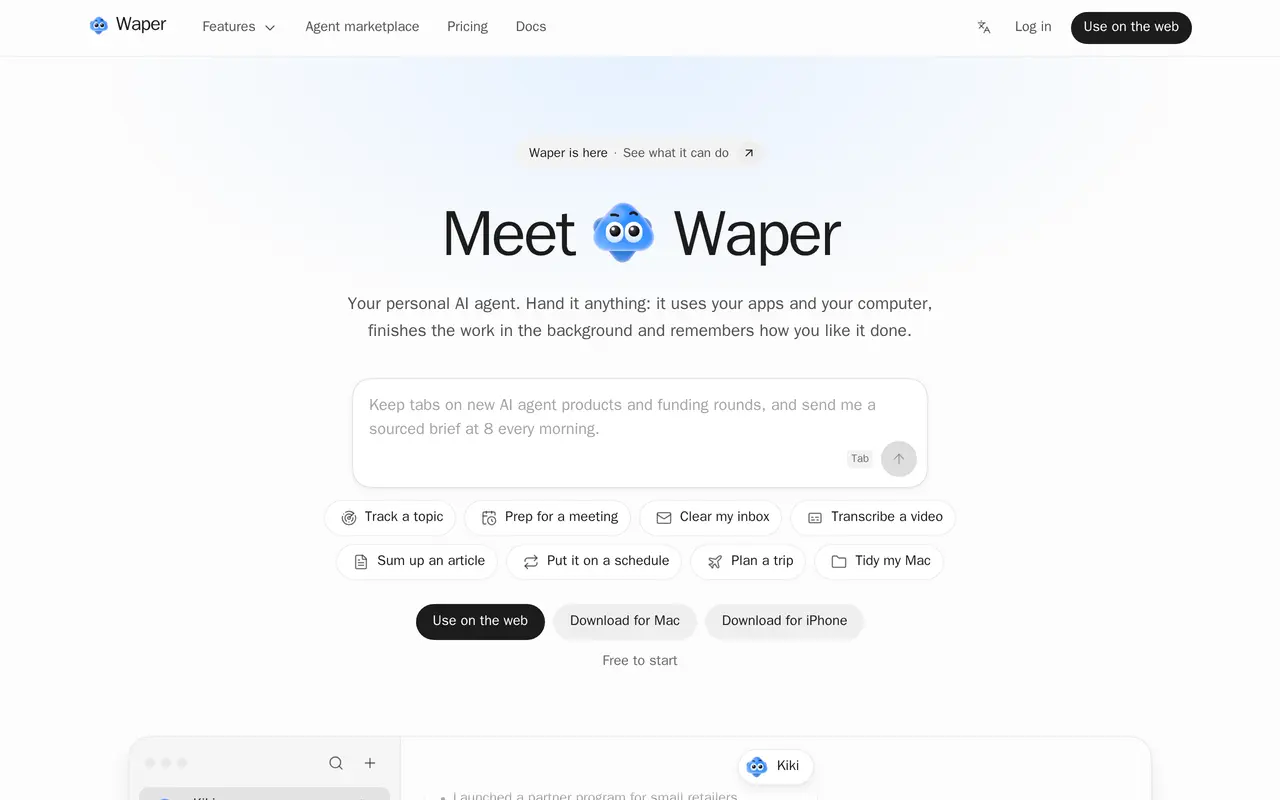
Waper is a personal AI agent service for delegating tasks across connected apps and, through its Mac app, your computer. You describe a job in chat, such as organizing email, preparing a meeting brief, or adding travel bookings to your calendar. Agents can work in the background, run scheduled routines, and ask for decisions or approvals when needed.
You can assign different jobs to separate agents and let them collaborate in groups. They share access to connected tools such as Gmail, Google Calendar, Notion, and Slack, while task handoffs pass a brief rather than entire private conversations. Topic watches produce recurring briefs with links to original sources. Audio and video tools turn uploaded files or supported links into timestamped transcripts and summaries.
Waper also keeps editable Markdown documents, a library of saved material, and memory of your preferences. It runs on the web, iPhone, and Mac; computer control requires the Mac app and permission to use individual apps. Task execution uses credits, while the ongoing free plan includes limited watches, routines, and document storage.
What can Waper do?
Background tasks and routines
Delegate jobs in chat or schedule recurring work, with results delivered back to your conversation.
App and computer actions
Connect email, calendars, Notion, and Slack, or allow the Mac app to interact with apps on your screen.
Cooperating agents
Assign separate roles to agents and let them exchange task briefs without sharing your other private chats.
Topic watches
Monitor sources and changing pages, combine duplicate stories, and receive briefs linked to original sources.
Audio and video transcription
Convert files or supported media links into timestamped transcripts and summaries linked to relevant moments.
Knowledge base and memory
Keep editable Markdown documents, save reference material in a library, and retain preferences for future tasks.
Who is Waper for?
- Busy professionals
- Delegate inbox work, calendar updates, meeting preparation, and recurring daily priorities.
- Researchers and industry watchers
- Follow papers, news, and changing sources through recurring briefs with source links.
- Personal task organizers
- Plan trips, track purchases, organize documents, and manage everyday administrative tasks.
How much is Waper?
Official pricingFree
Free
Personal
$19.90/mo
Pro
$59.90/mo
Free plan: Ongoing free access includes 10 followed watches, three routines, 1 GB storage, and introductory task credits.
Frequently asked questions
Can I use Waper for free?
The Free plan has no time limit and includes following up to 10 watches, three routines, and documents and library access with 1 GB of storage. It also provides 100 daily credits for the first five days, free first use of each feature, and up to 880 credits through getting-started tasks.
How much do paid plans cost?
Personal costs $19.90 monthly and includes 8,000 monthly credits plus 100 daily credits. Pro costs $59.90 monthly and includes 30,000 monthly credits plus 100 daily credits. Annual billing costs $199 for Personal or $599 for Pro.
How are credits charged?
Credit usage depends on actual model usage and the selected tier. Daily credits are used before monthly credits, followed by gift credits and purchased credits; purchased credits do not expire.
Can Waper send email on my behalf?
Waper can send emails, reply, and send drafts through Gmail and Outlook. Draft-only requests remain unsent, and in Approve for me mode it asks before sending in your name to someone you have not mentioned.
Can I export my documents?
You can export an entire knowledge base as Markdown while preserving its folders, or export individual documents.
What are the recording upload limits?
Free supports recordings up to one hour and files up to 10 MB. Personal and Pro support recordings up to 10 hours, with file limits of 50 MB and 100 MB respectively.
Waper alternatives
Compare alternatives- 1
 AutoGPTCoordinate AI specialists for research, content, sales, and recurring workflows.
- 2
 VerseBuild a business or delegate recurring work to a team of AI employees.
- 3
 Raycast AIUse AI models and agents to work with files, apps, and recurring tasks from your desktop.
- 4
 AgentlyAn AI chief of staff that connects company tools and carries out work with approvals.
- 5
 WorkClawCreate cloud-based AI coworkers that share team knowledge and carry out workflows.
More AI Agents
See more
Claude
AI Assistants
An AI assistant for research, writing, coding, and tasks across your files and apps.

Notion
AI Agents
Organize team knowledge, search connected apps, and automate work with AI agents.

Cursor
AI Code Assistants
An AI coding editor and agent for building, testing, and reviewing software.

JetBrains
AI Code Assistants
AI-powered development tools and coding agents for developers and software teams.

MiniMax
AI Models
AI models, developer APIs, and apps for language, video, speech, and music.

NoteGPT
AI Agents
An AI agent for research, summaries, documents, slides, and multimedia creation.