
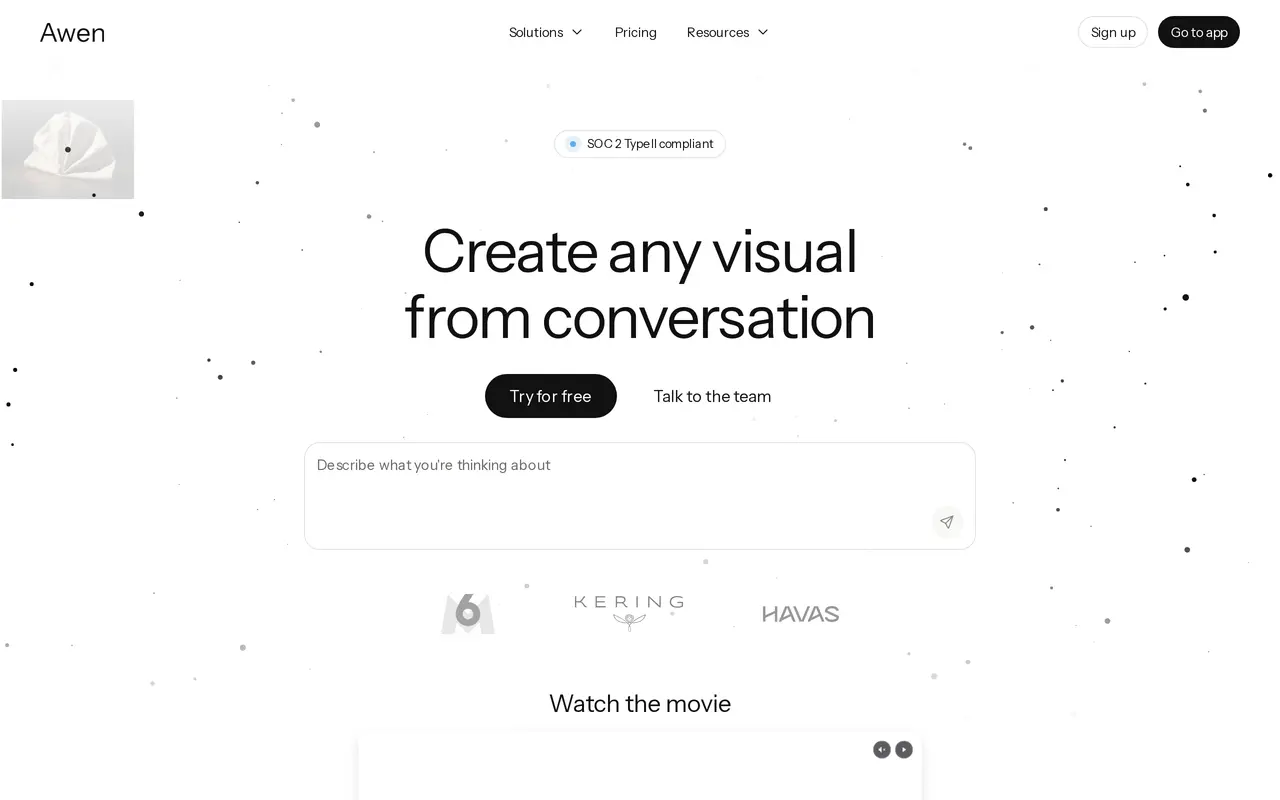
What is Awen?
Awen is a conversational AI workspace for creating images, videos, and other visual assets. Users describe their creative intent and develop concepts through chat, while Awen selects models and coordinates generation behind the scenes. It supports workflows such as exploring design variations, developing campaign imagery, staging products, and planning video scenes.
Teams can bring in knowledge, processes, and visual references to adapt Awen to their work. Shared workspaces support collaboration, and sub-agents can run tasks in parallel to apply a process across multiple assets. Each asset retains a record of its inputs, decisions, and transformations; an awen.zip export includes both the finished asset and its structured history for review and auditing.
Awen offers a free plan with limited usage and model access. Paid individual plans include commercial use and access to text, image, video, and 3D models, while team plans add pooled usage and centralized billing. Imported and generated content remains owned by the user, and workspace data is not used to train models.
What can Awen do?
Conversational visual creation
Develop images, videos, and visual assets through chat while Awen handles model selection and orchestration.
Context customization
Import knowledge, processes, and visual data, then refine Awen's behavior through conversation.
Asset history exports
Export an asset and its recorded inputs, decisions, and transformations together in an awen.zip package.
Parallel asset workflows
Use sub-agents to execute tasks in parallel and apply the same creative process across multiple assets.
Shared team workspaces
Organize teams and workspaces with pooled usage, centralized billing, and per-seat usage analytics on team plans.
Workspace data protection
Keep data in isolated workspaces with encryption in transit and at rest, without using it to train models.
Who is Awen for?
- Designers and creative directors
- Explore concepts, materials, visual variations, and creative direction through conversation.
- Advertising teams
- Create commercial images and videos and adapt campaign assets for different channels.
- E-commerce teams
- Stage products, dress models, and generate product imagery and videos.
- Video production teams
- Explore scenes, pacing, and visual direction before and during production.
How much is Awen?
Official pricingFree
Free
Individual
$20/mo
Team
$40/mo
Enterprise
See website
Free plan: Limited creative intelligence and model access, with no credit card required.
Frequently asked questions
Can I use Awen for free?
Yes. The Free plan includes limited creative intelligence and limited model access, with no credit card required.
How much do paid plans cost?
The displayed Individual plan costs $20 per month and includes $20 in creative intelligence each month. The displayed Team plan costs $40 per seat per month and includes $20 in creative intelligence per seat, with pooled usage and centralized billing. Enterprise pricing is custom.
Can I use my creations commercially?
Commercial use of creations is included in the Individual plan and in Team plans, which include Individual features.
Is my data used to train models?
No. Awen states that imported and created content remains yours and that workspace data is stored in isolation and never used to train models.
Can I export an asset's creation history?
Yes. The awen.zip format exports the final asset together with a structured history of its inputs, decisions, and transformations.
Awen alternatives
Compare alternatives- 1
 ComicsAICreate AI-generated comic panels, manga, visual novels, and comic videos.
- 2
 ImagineArtGenerate and edit images, video and audio with brand controls and automated workflows.
- 3
 KreaGenerate, edit, and upscale images, videos, and 3D assets with AI.
- 4
 RunwayGenerate and edit video, images, and audio with AI creative tools and APIs.
- 5
 BuzzyCreate AI films, commercials, and images with a canvas-based video workflow.
More AI Image Generators
See more
CapCut
AI Video Editors
Edit videos, generate visuals, and add AI captions, voiceovers, and audio cleanup.

OpenArt
AI Image Generators
Generate and edit AI images, videos, characters, music, and voiceovers in one workspace.

DeepAI
AI Image Generators
Generate images, videos and music, edit photos, and chat with AI in one platform.

Adobe Firefly
AI Image Generators
Generate and edit images, videos, and audio with AI.
Artlist
AI Video Generators
Generate and edit videos, images, voiceovers, music, and 3D assets in one workspace.

Fotor
AI Photo Editors
Edit and enhance photos, generate images, and create designs with AI tools.