
OC Maker
Visit websiteGenerate original character artwork from descriptions and reference images.
Verified Nov 2, 2026
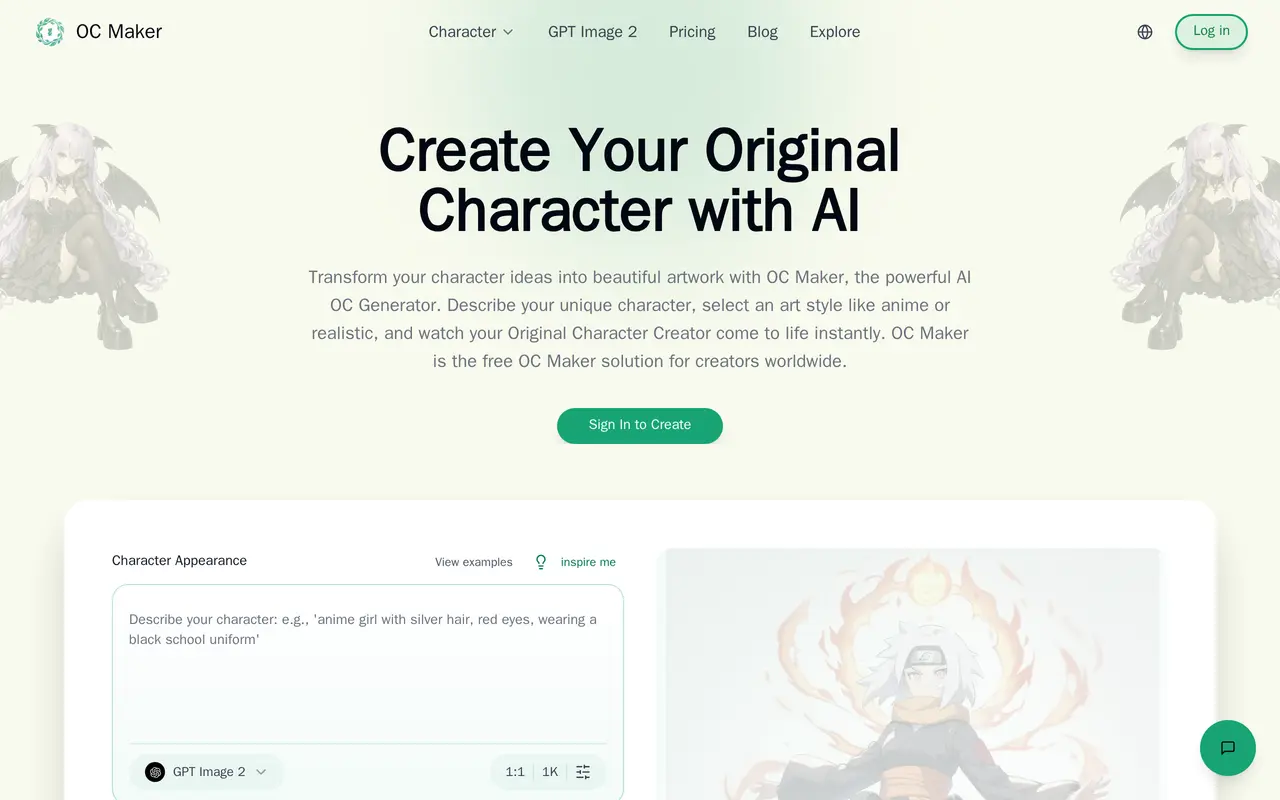
What is OC Maker?
OC Maker is a browser-based AI image generator for designing original characters. Writers, game developers, artists, and hobbyists can describe a character and choose an anime, realistic, chibi, or hybrid art style. The creation interface includes controls for appearance details such as hair, eyes, clothing, accessories, age, and body type, along with optional reference-image uploads.
Users sign in, enter their character description, adjust the visual settings, and generate artwork to download. The reference uploader accepts up to nine images, with a 25 MB limit per file. An inspiration gallery offers character examples and prompts to help users develop ideas. Paid options add priority processing, watermark-free original downloads, and higher-resolution output; batch creation is available on Pro and above.
Free accounts receive 15 starter credits for watermarked previews, with downloads up to 1024 pixels and personal use only. Monthly subscriptions provide larger credit allowances and a commercial license, while one-time credit packs offer an alternative without a subscription. Paid downloads support resolutions up to 4K, and purchased credit-pack credits do not expire.
What can OC Maker do?
Character appearance controls
Combine a written description with settings for hair, eyes, clothing, accessories, and other character details.
Multiple art styles
Generate characters in anime, realistic, chibi, or hybrid styles.
Reference image uploads
Add up to nine reference images, with a maximum file size of 25 MB each.
High-resolution downloads
Paid options unlock watermark-free original downloads and output up to 4K.
Batch character creation
Create characters in batches with Pro and higher subscription plans.
Inspiration gallery
Browse example characters, visual references, and prompts for design ideas.
Who is OC Maker for?
- Writers
- Visualize original characters for stories and other narrative projects.
- Game developers
- Explore character designs and appearance concepts for games.
- Artists and hobbyists
- Experiment with original character ideas across different visual styles.
How much is OC Maker?
Official pricingFree
Free
Basic
$8/mo
Pro
$20/mo
Mega
$40/mo
Starter Pack
$7 one-time
Popular Pack
$20 one-time
Pro Pack
$50 one-time
Free plan: 15 starter credits after sign-in for watermarked character previews and personal-use downloads.
Frequently asked questions
Can I use OC Maker for free?
Signing in gives you 15 starter credits for watermarked previews. Free downloads are limited to personal use and resolutions up to 1024 pixels.
How many generations do subscriptions include?
Basic includes 1,500 credits for up to 100 generations per month, Pro includes 4,500 credits for up to 300, and Mega includes 15,000 credits for up to 1,000.
Can I buy credits without subscribing?
Yes. One-time packs offer 1,000 credits for $7, 3,000 for $20, or 8,000 for $50. These credits do not expire and can be used for watermark-free original downloads.
Can I use generated characters commercially?
Paid subscriptions include a full commercial license. The free tier is limited to personal use.
Can I upload reference images?
Yes. You can upload up to nine reference images, each no larger than 25 MB.
OC Maker alternatives
Compare alternatives- 1
 Anime MakerGenerate anime illustrations, original characters, and short videos from text or images.
- 2
 AI Image EditorEdit photos with text prompts and generate images from text or reference images.
- 3
 EzImageGenerate images from text or photos, edit selected areas, and upscale to 4K.
- 4
 GoodieBaseGenerate AI images from prompts and references, with examples and prompt packs.
- 5
 GPT ImageGenerate, edit, and upscale images using text prompts and reference photos.
More AI Image Generators
See more
CapCut
AI Video Editors
Edit videos, generate visuals, and add AI captions, voiceovers, and audio cleanup.

OpenArt
AI Image Generators
Generate and edit AI images, videos, characters, music, and voiceovers in one workspace.

DeepAI
AI Image Generators
Generate images, videos and music, edit photos, and chat with AI in one platform.

Adobe Firefly
AI Image Generators
Generate and edit images, videos, and audio with AI.
Artlist
AI Video Generators
Generate and edit videos, images, voiceovers, music, and 3D assets in one workspace.

Fotor
AI Photo Editors
Edit and enhance photos, generate images, and create designs with AI tools.