
XHawk
Visit websiteRun coordinated AI agents across engineering, product, and analytics workflows.
Verified Nov 2, 2026
What is XHawk?
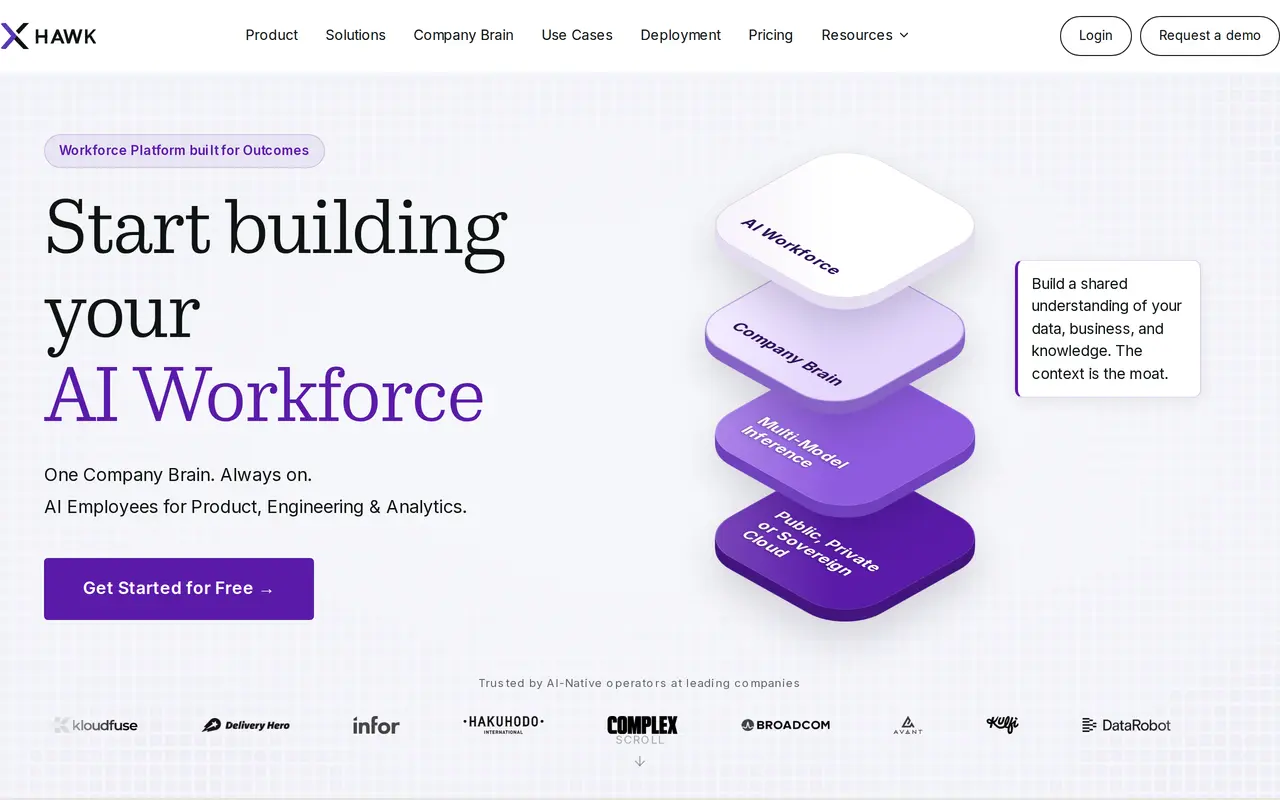
XHawk is an AI workforce platform for running agents across engineering, product, and analytics tasks. It connects code repositories, documents, conversations, databases, and business apps into a shared Company Brain that gives agents context for their work. Teams can use prebuilt agents or configure custom behaviors for their own workflows.
Agents can review code, update documentation, analyze data, triage incidents, and turn backlog items into implementation work. They can coordinate with other agents, retain context between conversations, and run in the background. Work can start from schedules, GitHub events, CI failures, Slack messages, or webhooks. Teams can scope each agent’s access and track its actions, execution, and costs.
XHawk supports managed cloud, hybrid deployment, and deployment within a company’s own cloud infrastructure. Its workspace includes a dashboard and access through Slack and Microsoft Teams. Usage is charged through shared credits that combine model and sandbox costs, with a 15-day trial offering 500 credits for up to five users.
What can XHawk do?
Shared Company Brain
Connect repositories, documents, conversations, and databases to give agents shared business context.
Coordinated background agents
Run agents that delegate to one another, retain context, and complete tasks without continuous prompting.
Engineering workflow automation
Use agents for code reviews, verification, documentation updates, incident response, and backlog implementation.
Scheduled and event-driven work
Trigger tasks through schedules, GitHub events, CI failures, Slack, or webhooks.
Access and execution controls
Scope agent access, audit actions, and track token usage, infrastructure costs, and execution efficiency.
Flexible deployment
Choose managed cloud, hybrid infrastructure, or deployment within your own AWS, GCP, or Azure environment.
Who is XHawk for?
- Engineering teams
- Automate code reviews, testing, documentation, CI/CD work, and incident response.
- Product and analytics teams
- Analyze product metrics and customer feedback, identify gaps, and inform backlog planning.
- Founders and executives
- Coordinate automated work across teams and monitor AI usage, costs, and execution.
How much is XHawk?
Official pricing15-Day Free Trial
Free
Pro
$20/mo
Enterprise
$2.90
1,000-credit pack
$20 one-time
Free plan: A 15-day free trial includes 500 credits, all features and agents, and up to five users, with no credit card required.
Frequently asked questions
Can I try XHawk for free?
The 15-day free trial includes 500 credits, all features and agents, and up to five users. It requires a business email but no credit card.
How does credit pricing work?
Pro credits cost $20 per 1,000 credits and are pooled across the workspace. Credits cover tokens, model costs, and sandbox usage; unused credits roll over to the next month.
Does Pro charge per user?
Pro supports unlimited users sharing one credit balance. Teams can top up on demand or use automatic top-ups with a monthly spending cap.
Can XHawk run in our own cloud?
Enterprise supports deployment in your own cloud and use of your own models. Private deployments start at $2.90 per hour and include SSO/SAML, dedicated engineering support, and SLA guarantees.
How can agents be triggered?
Agents can run on schedules or respond to GitHub events, CI failures, Slack messages, and webhooks.
XHawk alternatives
Compare alternatives- 1
 MyClawDeploy and run always-on AI agents with managed cloud hosting.
- 2
 ClawTeamsCoordinates specialist AI agents to complete tasks through your team's chat tools.
- 3
 Devin DesktopManage local and cloud coding agents, review changes, and write code in one IDE.
- 4
 AutoGPTCoordinate AI specialists for research, content, sales, and recurring workflows.
- 5
 WarpAn AI-assisted terminal and coding agent for local and cloud software development.
More AI Agents
See more
Claude
AI Assistants
An AI assistant for research, writing, coding, and tasks across your files and apps.
Notion
AI Agents
Organize team knowledge, search connected apps, and automate work with AI agents.

Cursor
AI Code Assistants
An AI coding editor and agent for building, testing, and reviewing software.

JetBrains
AI Code Assistants
AI-powered development tools and coding agents for developers and software teams.

MiniMax
AI Models
AI models, developer APIs, and apps for language, video, speech, and music.

NoteGPT
AI Agents
An AI agent for research, summaries, documents, slides, and multimedia creation.