Photo to Video
Visit websiteAnimate photos, artwork, and product images with AI-generated motion.
Verified Nov 2, 2026
What is Photo to Video?
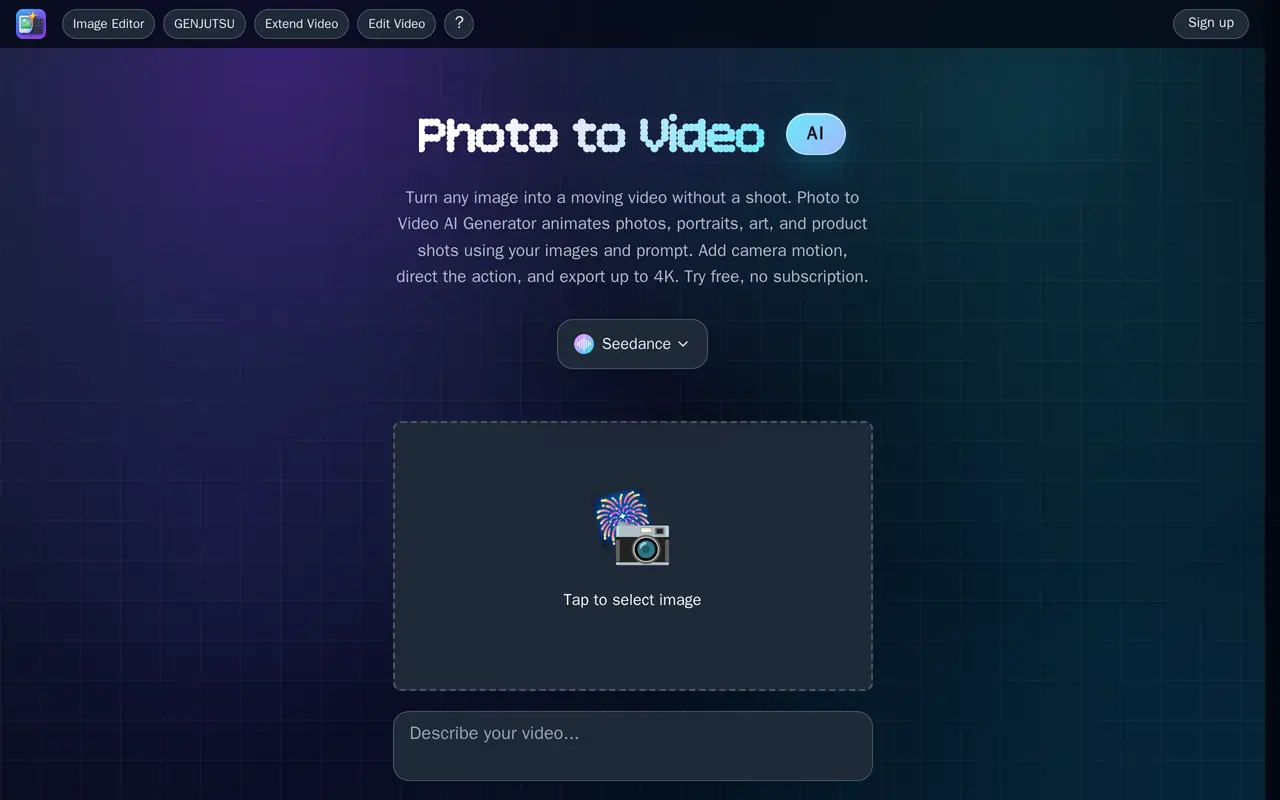
Photo to Video is a browser-based AI video generator that turns still images into moving clips. It supports portraits, illustrations, product photography, and brand visuals, with options for subject animation, camera movement, background motion, and talking presenters. Users upload an image, describe the desired action and pacing, then choose a video model and clip length.
The workspace offers multiple video models, including Seedance, Kling, Wan, Vidu, and MiniMax. Prompts can direct moves such as push-ins, pans, and orbits, while supported models accept reference images to guide the appearance. Product-focused options include rotating views and lifestyle scenes; portrait tools can add blinking, smiling, and head movement. A built-in image editor lets users adjust details, backgrounds, or style before generating video.
Finished clips can be downloaded or processed with the ByteDance Upscaler for output up to 4K at 30 frames per second. Available clip lengths, reference-image support, and output capabilities depend on the selected model. The service uses pay-per-video credits rather than subscriptions and offers free credits to try generation.
What can Photo to Video do?
Prompt-directed image animation
Upload a still image and describe subject movement, scene changes, camera direction, and pacing.
Multiple video models
Choose among models such as Seedance, Kling, Wan, Vidu, and MiniMax for individual shots.
Product motion
Create rotating product views, close-up camera moves, and lifestyle clips from product photographs.
Portrait animation
Add blinking, smiles, and head movement to portraits, or generate a lip-synced presenter.
Built-in image editing
Retouch details, replace backgrounds, or change an image's style before animating it.
4K video upscaling
Process generated clips with the ByteDance Upscaler for output up to 4K at 30 frames per second.
Who is Photo to Video for?
- E-commerce sellers
- Turn product photographs into rotating views, listing videos, and lifestyle scenes.
- Artists and designers
- Animate illustrations, concept art, and paintings without frame-by-frame animation.
- Marketing and social teams
- Create short videos and animated brand visuals from existing still images.
- Families and archivists
- Add gentle motion and facial expressions to portraits and old photographs.
Frequently asked questions
Can I try Photo to Video for free?
Free credits are available to try video generation. Paid use is credit-based, with no subscription required.
How do I turn a photo into a video?
Upload a photo, illustration, or product image, describe the motion and scene in a prompt, then select a model and clip length. You can download the result or upscale it.
Can I export videos in 4K?
The video upscaling workflow supports output up to 4K at 30 frames per second.
Can I use reference images?
Supported models accept reference images to guide the video's look and help maintain visual consistency.
Photo to Video alternatives
Compare alternatives- 1
 AI Photo AnimatorTurn photos into short videos with motion prompts, templates and optional sound.
- 2
 PixVerseGenerate and refine AI videos from text, images, and conversational instructions.
- 3
 AI Image to VideoTurn still images and text prompts into short AI-generated videos.
- 4
 FLUX 3Generate short AI videos from text or photos and create still images in a browser.
- 5
 ImgVidCreate AI images and videos from text, photos, references, or start and end frames.
More Image to Video
See more
DeeVid
AI Video Generators
Create and edit AI videos, images, avatars, speech, and music in one workspace.

Hailuo AI
AI Video Generators
Generate AI videos and images from text prompts and reference photos.
AIGAZOU
AI Image Generators
Generate AI images without signing in, edit images, and turn images into video.
Anime Maker
AI Image Generators
Generate anime illustrations, original characters, and short videos from text or images.
Bach AI
AI Video Generators
Generate videos from text and images, including multi-shot sequences with synced audio.

Burning Bridges AI
Image to Video
Turn photos into personalized dance videos using preset motion and music.